
Introduction
Cxense DMP audience segments are time limited filters that can be combined with the Boolean operators AND and OR. The filters themselves can be a positive inclusion or be a NOT filter. Hence, it is possible to express an audience segment such as "all users that are female AND above 30 years AND that have NOT visited a particular section of publication DURING the last 30 days".
This seems quite straight forward, right? And in the case of the segment above it also is quite straight forward due to the nature of the data values. They are all typical static 1st party type data. Users are female all the time, users are over 30 all the time (well, after the age has been reached, that is), etc. However, in many cases things are more complicated.
In the figure below we are trying to make a audience filters called "Movers between London and New York". The idea is to target this audience segment with some products tailored for this particular group of travelers. As can be seen under the meter to the right, there are more than 4 million unique users to the site in question. That means there should be at least a few that have been logged in both from London and New York during the last 30 days. However, our two AND'ed filters below of users that have been to both places during the given time period gives 0 results, zero, null, zip, nada!!?! How can that be out of 4 million unique users? What magazine is this, "Couch Potato Digest" or "Dead on Arrival Weekly"?
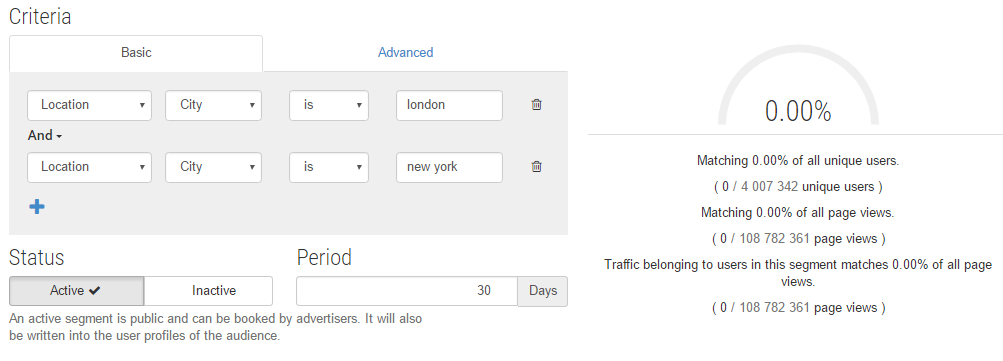
Event vs User Attributes
In the figure below we are showing how the zero result above not only is possible, but actually is the guarantied result no matter how many travelers one may have among the readers. We see 3 users, a red user all the time in London, a green user all the time in New York and finally, our target, a yellow user that after having been in London travels to New York. The colored dots on the time line are page view events from when the users have been visiting pages of the site in question.
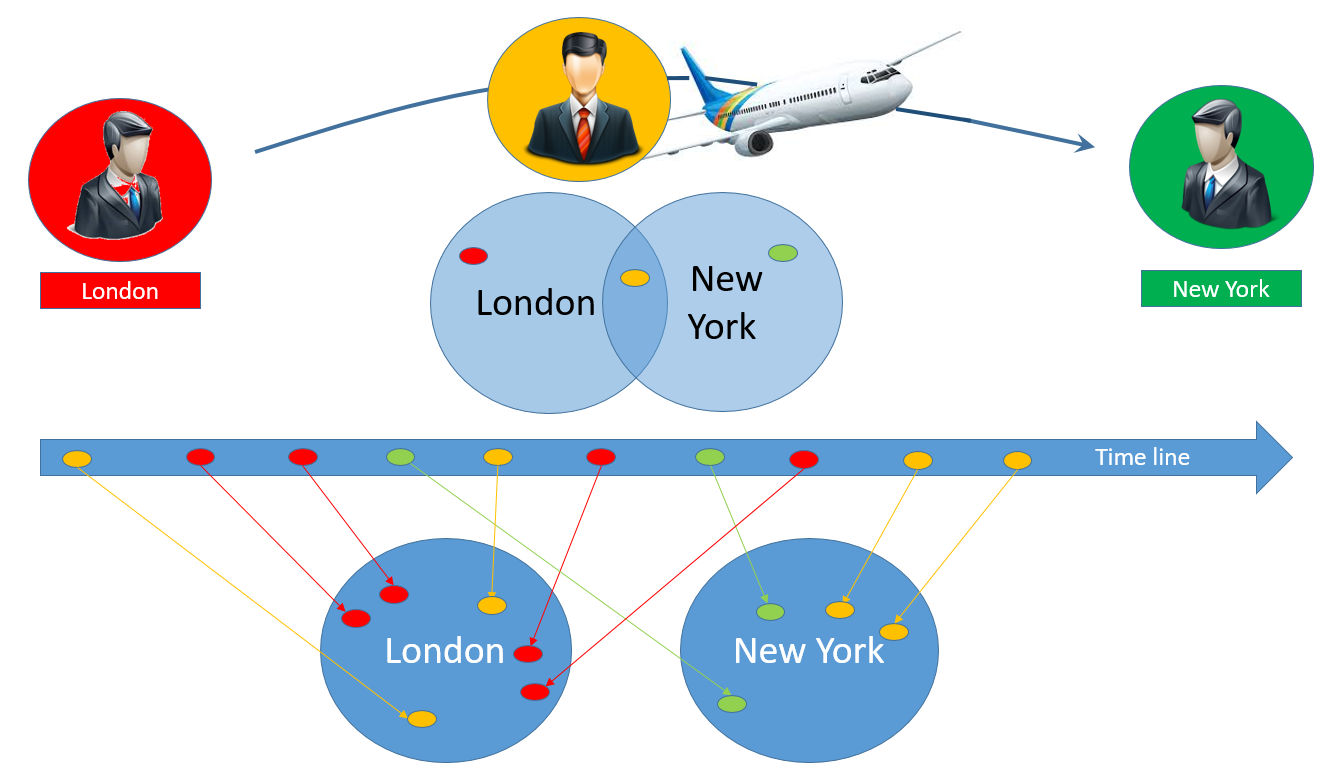
Above the time line we see a venn diagram that show how we think about the 3 users and how by AND-ing the two sets of users we should end up with the one yellow traveler. However, the venn diagram below the time line show the true picture. There is no intersection. No user can ever in one and the same event visit a web page from London and New York at the very same time. And this explains why we get zero results in the meter to the right in the GUI screen shot above.
When we combine filters in the Cxense DMP GUI it is important to know when we are dealing with long term fixed user attributes (the user's gender, age, etc) and when we are dealing with one time event attributes (the event's device type, location, etc). For user attributes it is the venn diagram above the time line that is correct, for event attributes it is the venn diagram below the time line that is correct.
How to turn Event Attributes into User Attributes?
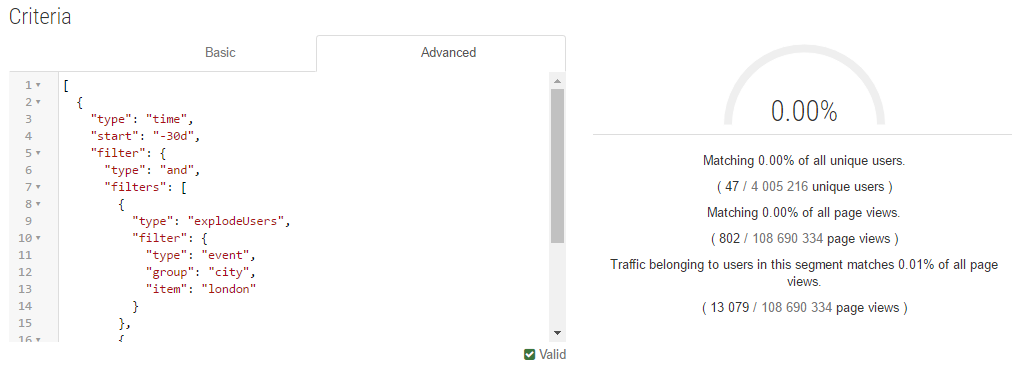
The good thing is that there is a way of converting event attributes into user attributes (kind of), the bad thing is that it involves the use of explosives, or at least it sounds like that. By the use of the "explodeUser" filter, we can AND all the events of one user with one event of that same user. It i not possible to do this in the Basic GUI mode, instead we have to use the Advanced mode when implementing the segment. Here we see the segment definition to be used:
[
  {
    "type": "time",
    "start": "-30d",
    "filter": {
      "type": "and",
      "filters": [
        {
          "type": "explodeUsers",
          "filter": {
            "type": "event",
            "group": "city",
            "item": "london"
          }
        },
        {
          "type": "event",
          "group": "city",
          "item": "new york"
        }
      ]
    }
  }
]
And below we see the result of deploying it. It is still 0%, but that is because the 47 users that we identified are few compared to the 4+ million total number of users, but our segment is clearly working as intended and we can safely target these users with an ad saying something like "when you were in the air between London and New York, we were on the ground preparing your next story to read!!!!"
Look up Cross-Event Matching for more details.
Why are there fewer Users in my Segment than what I have Uploaded?
Another issue with root in the same source, is DMP segment coverage. Often one see a lower number of unique users reported in the DMP GUI than what one has uploaded as 1st party data. And the reason for that is again that the GUI reports only those of the users that have visited the site during the time period that is covered by the segment (can be from a second and up to maximum 31 days).
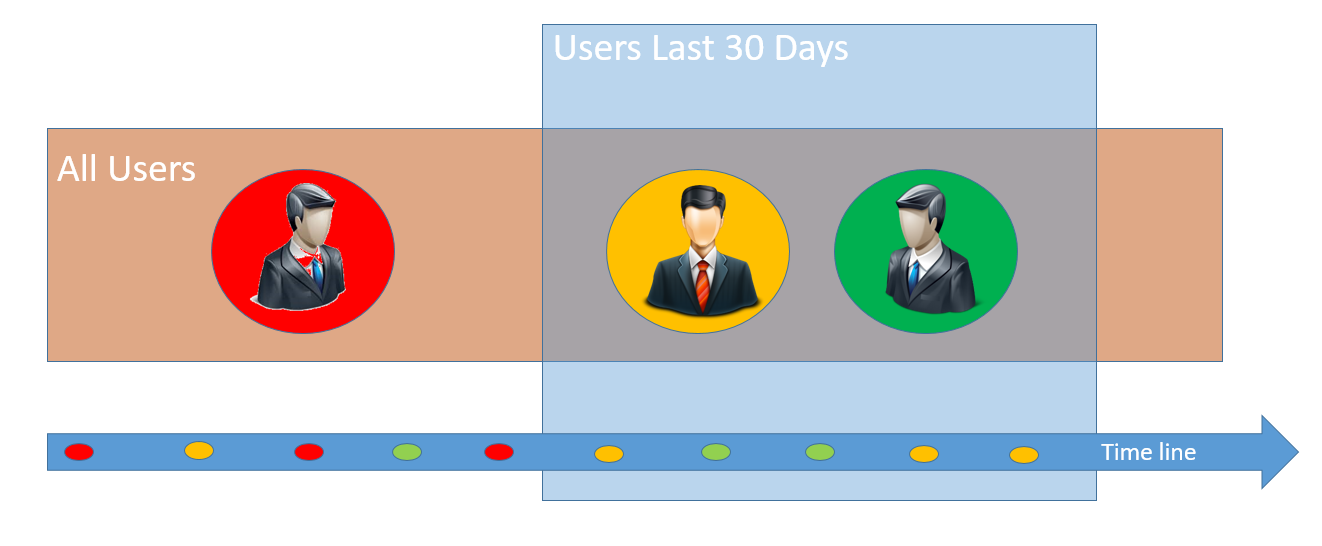
In the figure above we see three users for which we have uploaded 1st party data. All 3 are males above the age of 18. However, the GUI only reports 2 unique users as member of that segment. And the reason for that is that the red user has not visited the site during the last 30 days and is thus not accounted for.