
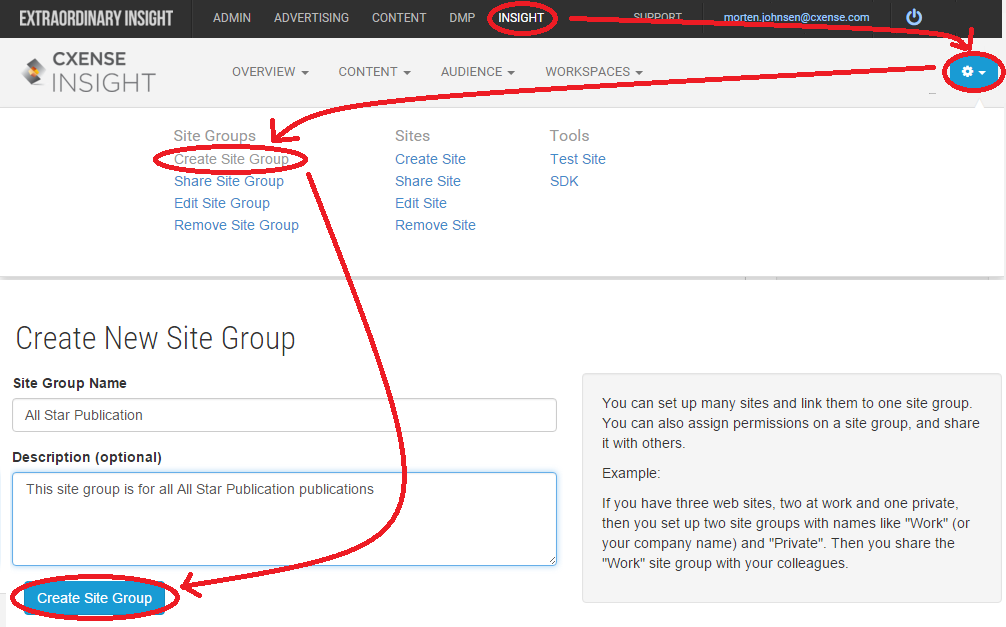
To create an account (site group) for a Cxense client, go to https://insight.cxense.com and then click the gear up to the right and select Create Site Group from the tool bar that appears. Fill out the site group name and the site group description (optional) and then click the Create Site Group button.
For Cxense employees, it is important to only perform the above steps using a user account that is mapped to the customer object where you want this sitegroup to live.
For customers, the above is not a concern.