-
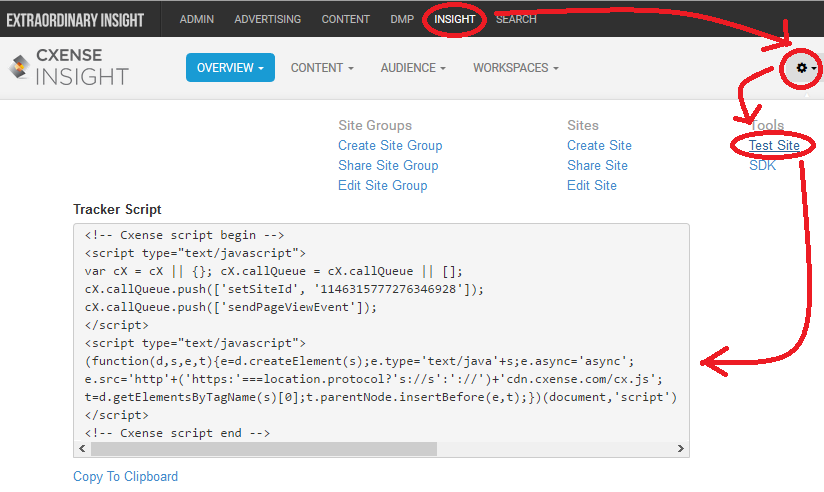
Select INSIGHT on the top menu bar
-
Select the gear up to the right and then Test Site from the drop down
-
Copy the script found under the heading Tracker Script
-
Paste the script into the <head></head> section of all pages that are to be tracked/crawled