
概要
こちらのワークスペースは、インデックスされている記事一覧を出力することができます。
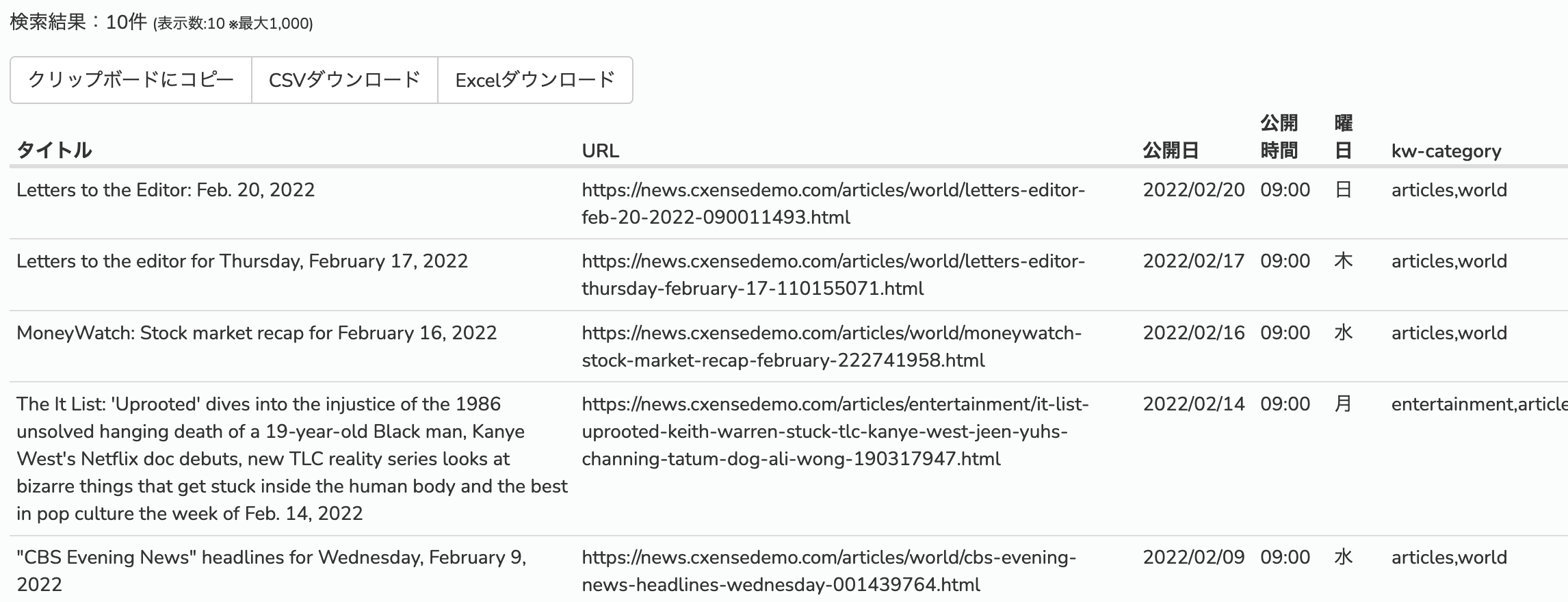
作成方法:
-
ワークスペースへアクセスします。
-
「ウィジェットの追加」をクリック一覧出力します。
-
「ウィジェットの選択」をクリックします。
-
「外部コンテンツ」をクリックし、ウィジェットタイトルを入力し、「追加ボタン」をクリックします。
追加されたウィジェットのテキストボックスに以下を入力します。
https://onboarding.piano.io/public/insight-widgets/jps-newArticles.html?start={{start}}&stop={{stop}}&site={{site}}
オプションパラメータ:
|
名前 |
タイプ |
内容 |
|---|---|---|
|
|
String |
/document/search APIのqueryフィールド |
|
|
|
/document/search APIのfilterフィールド |
|
|
Array |
/document/search APIのresultFieldsフィールド |
|
|
String |
publishtimeの日付でソートします。 descending又はascending ※デフォルト:descending-降順 |
|
|
String |
結果を表示する件数 ※デフォルト:100、最大1,000 |
5. 右側の「表示」ボタンを押します。また、ウイジェットのサイズを適切なサイズに広げます。