
Cxense Advertising provides Advertisers with next generation advertising capabilities. The ability to manage Performance and display advertising campaigns within the same UI is a great example of this.
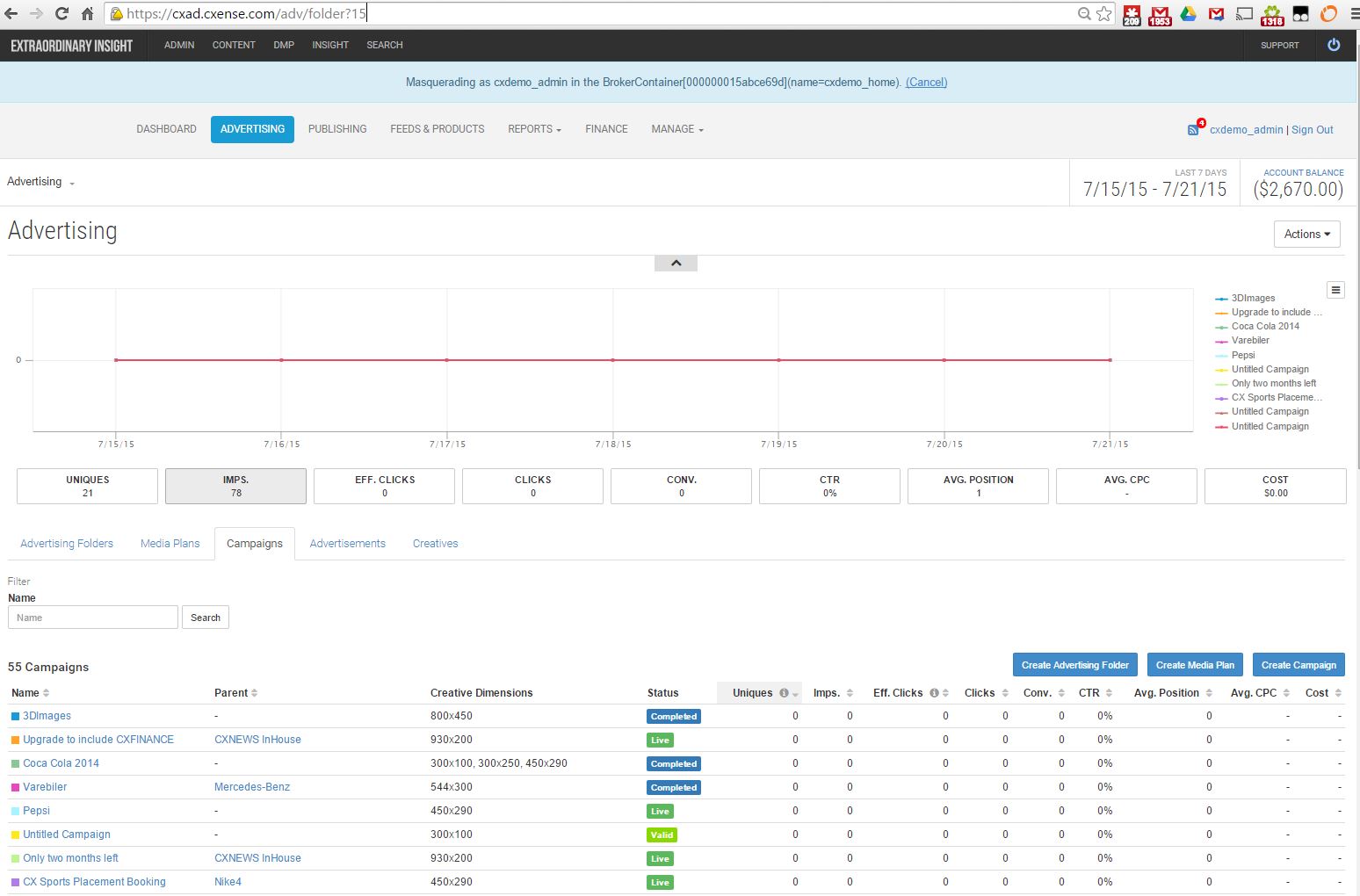
Statistics - "stats"
The picture above shows a list of the campaigns, with the ability to display a graph over performance data. The statistics provided in this screen are approximate, as we are attempting to provide data as close to real time as possible. The data that can be added to the graph through pressing the buttons below the graph are:
-
Uniques
-
Imps: Impressions
-
Eff.Clicks: Effective Clicks
-
Clicks
-
Conv.: Conversions
-
CTR.: Click through ratio
-
Avg. Position: Average position
-
Avg CPC: Average cost per click
-
COST: total cost estimated from the data displayed
Effective clicks is defined as **Total clicks - Filtered clicks**
Clicks are filtered out for the following reasons:
-
the click occurred while the campaign was over budget
-
the click was a duplicate
-
the click came from an IP that is ignored
-
the click came from a user agent that is ignored
-
the click occurred too quickly after an ad was displayed
Administration flow
To ensure a consistent Advertising experience the interaction to publish campaigns across CPC, CPM and Tenancy Advertising models is very similar.
To summarize the general Advertising flow, the step to Advertise are thus;
-
Choose an Advertising Product - this determines how the campaign will be presented, setup costs Ad Dimensions, and available formats etc.
-
Set a Message - this is the actual advertisement end users will see
-
Set Targeting Criteria - this is how the campaign will be targeted to the required audience
-
Finance options - setting ongoing budgets and choosing finance account to be charged (if more than one)
Advanced Advertising
Some roles allow the Advertiser to specify multiple finance accounts. Advertising Accounts are simply folders with an assigned finance account. This function enables Advertising Agencies using Cxense Advertising to manage advertising campaigns and collateral for third parties/ clients separately to other advertising collateral and clients.
If campaigns are to be charged to a default or main finance account, this can also be done by simply creating the campaigns in the default campaign directory as opposed to an additional Advertising Account. Using individual advertising and finance accounts for third parties enables Advertising Agencies to separate financial transactions per client. Transaction statements are generated separately for each Account.