In certain cases you might need to read the matching ads out as just data and do all of the rendering in code.
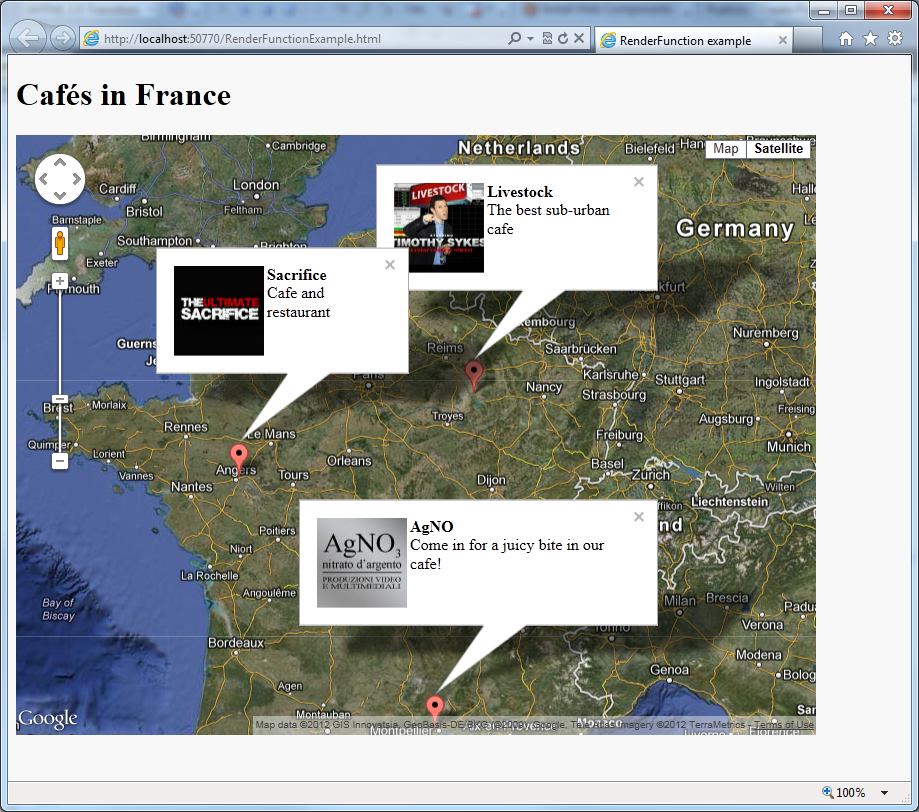
This example shows how to request matching combo ads, and place them on a map based on the GPS location of each of the advertisements using Google maps.
This is done by setting the parameter "renderFunction" to point to your custom function for rendering the ad data.
Output of the below code example:
(live test page: http://dev1.cxpublic.com/examples/RenderFunctionExample.html )
Code:
<!DOCTYPE html PUBLIC "-//W3C//DTD XHTML 1.0 Transitional//EN" "http://www.w3.org/TR/xhtml1/DTD/xhtml1-transitional.dtd">
<html xmlns="http://www.w3.org/1999/xhtml">
<head>
    <title>RenderFunction example</title>
</head>
<body style="background-color:#F8F8F8;" onload="initialize()">
    <script type="text/javascript" src="https://maps.googleapis.com/maps/api/js?sensor=false"></script>
    <script type="text/javascript">

        var map;
        var markers = [];
        var infoWindows = [];

        // Initialize map
        function initialize() {
            var mapOptions = {
                zoom: 6,
                center: new google.maps.LatLng(46.769968,3.383789), // Whole of France
                mapTypeId: google.maps.MapTypeId.HYBRID
            }
            map = new google.maps.Map(document.getElementById('map_canvas'), mapOptions);
        }

        // Iterate over all returned ads and put them on the map
        function myRenderFunction(data, context) {
            var ads = data.searchResult.spaces[0].ads;
            for (var i = 0; i < ads.length; i++) {
                var ad = ads[i];
                var imageSrc = '';
                var titleText = '';
                var contentText = '';
                var displayUrlText = '';
                var lat = '';
                var long = '';
                var content = ad.creative.content;
                for (var j = 0; j < content.length; j++) {
                    var contentItem = content[j];
                    if (contentItem.key.toLowerCase() === 'title')
                        titleText = cX.library.getAllText(contentItem.value);
                    if (contentItem.key.toLowerCase() === 'content')
                        contentText = cX.library.getAllText(contentItem.value);
                    if (contentItem.key.toLowerCase() === 'display url')
                        displayUrlText = cX.library.getAllText(contentItem.value);
                    if (contentItem.key.toLowerCase() === 'lat')
                        lat = parseFloat(cX.library.getAllText(contentItem.value));
                    if (contentItem.key.toLowerCase() === 'long')
                        long = parseFloat(cX.library.getAllText(contentItem.value));
                }
                var imageSrc = '';
                var images = ad.creative.images;
                for (var k = 0; k < images.length; k++) {
                    var image = images[k];
                    if (image.key.toLowerCase() === 'square image') { imageSrc = image.source; }
                }
                var clickUrl = ad.clickUrl;

                var infowindow = new google.maps.InfoWindow({
                    content: '<img style="float:left" src="' + imageSrc + '" width="90" height="90"/><strong>' + titleText + '</strong><br>' + contentText
                });

                var marker = new google.maps.Marker({
                    position: new google.maps.LatLng(lat, long),
                    map: map,
                    title: titleText,
                    i: i
                });

                markers[i] = marker;
                infoWindows[i] = infowindow;

                google.maps.event.addListener(marker, 'click', function() {
                    infoWindows[this.i].open(map, markers[this.i]);
                });
            }
        }

        // Make the request for matching ads:
        var cX = cX || {}; cX.callQueue = cX.callQueue || [];
        cX.callQueue.push(['insertAdSpace', {
            adSpaceId:'000000005d9bc591',
            renderFunction: myRenderFunction,
            backend: 'sandbox',
            k: 'cafe'
        } ]);

    </script>

    <!-- Load cx.js -->
    <script type="text/javascript">
        (function() { try { var scriptEl = document.createElement('script'); scriptEl.type = 'text/javascript'; scriptEl.async = 'async';
        scriptEl.src = ('https:' == document.location.protocol) ? 'https://scdn.cxense.com/cx.js' : 'http://cdn.cxense.com/cx.js';
        var targetEl = document.getElementsByTagName('script')[0]; targetEl.parentNode.insertBefore(scriptEl, targetEl); } catch (e) {}; }());
    </script>

    <!-- The map is rendered into this div -->
    <div id="map_canvas" style="width: 800px; height: 600px;"></div>

</body>
</html>
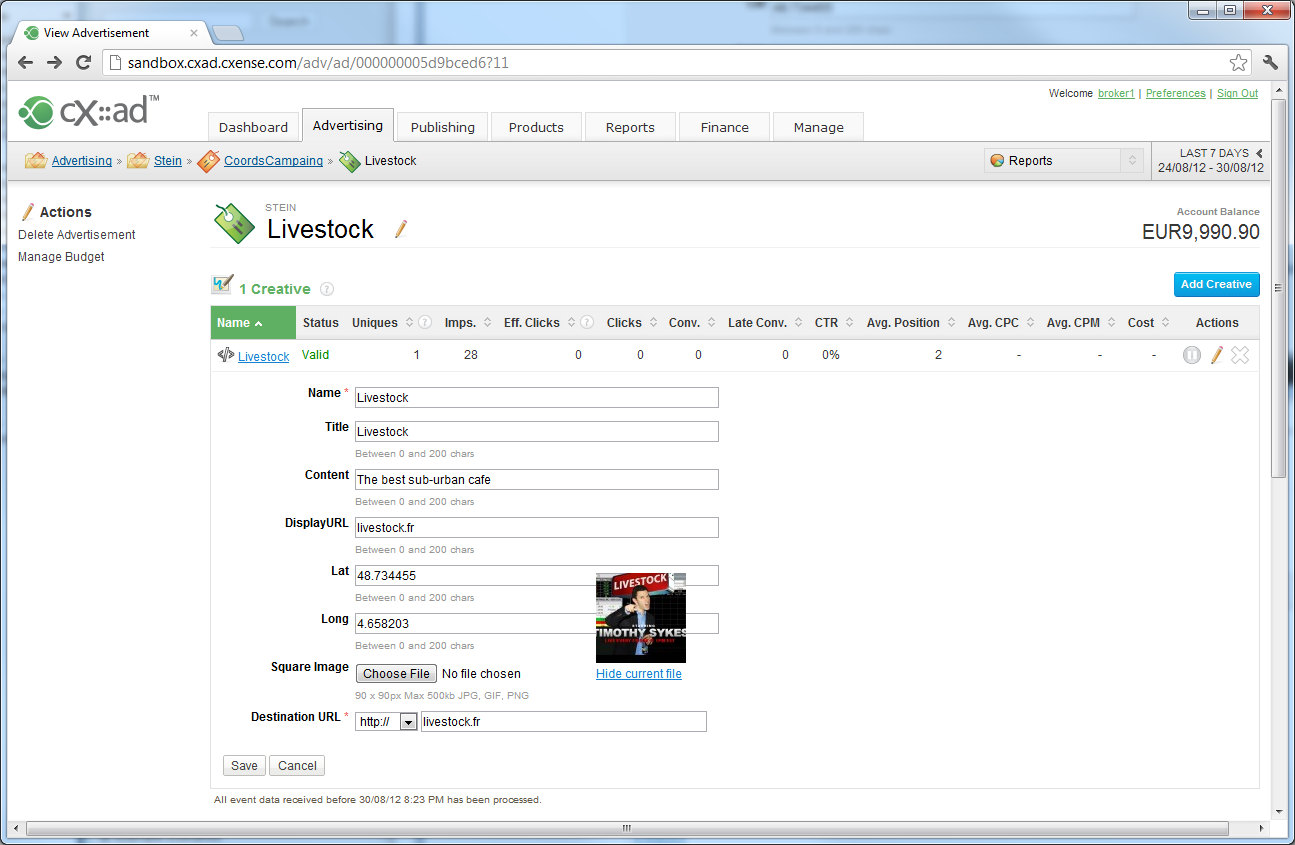
The ad data, as it is entered into the ad creative:
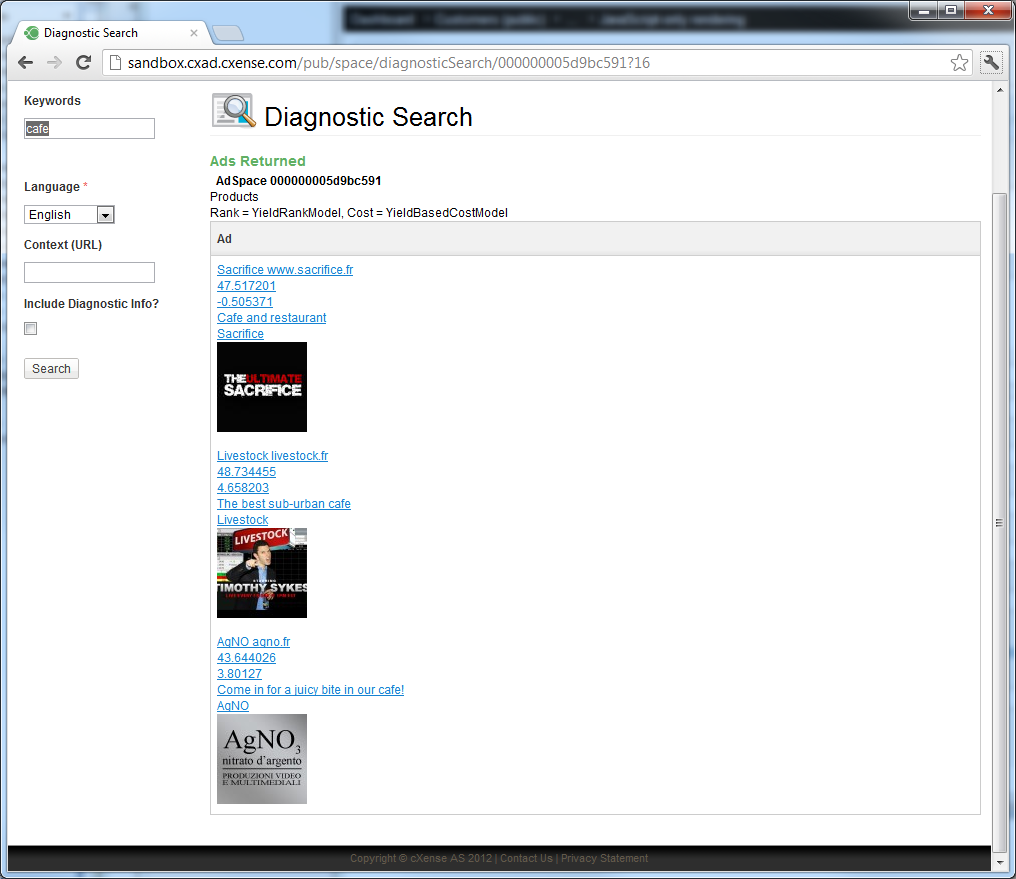
How it looks in diagnostic search:
Last updated: December 24, 2021