
This page describes using 3rd Party Applications. Please take care when installing 3rd party tools - Cxense does not take any responsibility for any issues regarding 3rd party software. When you are not using these tools, you can disable or uninstall them to reduce the likelihood of any problems.
Given there are so many combinations of devices available to target - Device Type, OS, Brand/Manufacturer etc. it is unrealistic to consider manually testing all of them.
The good news is there are loads of free tools that enable you to quickly and easily emulate the ever expanding list of devices.
User Agents and Device Detection
When browsing the web, your browser sends some data when making request for content, one component of this data is called a 'User Agent' string.
Here's an example of a User Agent
|
You can see your own User Agent here: http://myip.cxpublic.com/
This User Agent String is used to interpret what types of content can be consumed, how to format the data, and so on. In addition it is used to work out what sort of device it is (a.k.a device detection). By modifying the User Agent string for your browser, you can emulate what content would return for any device.
User Agent Emulation tools:
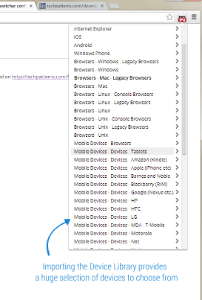
Chrome: User Agent Switcher for Chrome
FireFox: User Agent Switcher
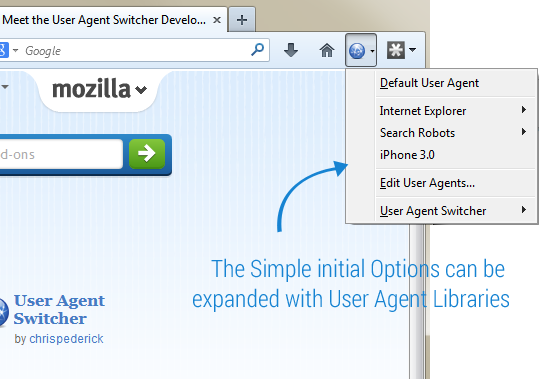
Both of these options provide simple selection of Device emulation, however, if you want more specific devices, you can also import a vast listing of devices here: http://techpatterns.com/forums/about304.html into your device emulation tool. Simply download the XML-based listing from http://techpatterns.com then select 'import' within your Plugin/Add on. Once imported, your Device Emulator listing will looks like the screenshopt for the chrome plugin above.
Ok, I have installed one of the plugins, now what ?
Now, select one of the device emulation options, and anything you browse will be as though you were using that actual device. Try one of the following:
-
Copy-Paste an AdSpace tag into a text file, saving as *.html, and open in a browser - your browser will act as though you are using a particular device, and you will see the targeted Ads appear - note, as this is a live test, you will be generating impressions and clicks.
-
Browse to a Publisher's website containing an AdSpace. The returned ads will be those targeted to the device you have setup within the steps above.