
Blocked Keywords are Keywords that cannot be purchased. They are blocked from incorporation into a keyword targeting feature, and as such cannot be bid on.
This feature enables Brokers and system management to create a list of keywords which may offend users, or to more closely manage the keywords available to users for a variety of reasons. Simply add keywords into the 'keywords' field, and select 'add blocked keywords' to add them to the blocked keywords list.
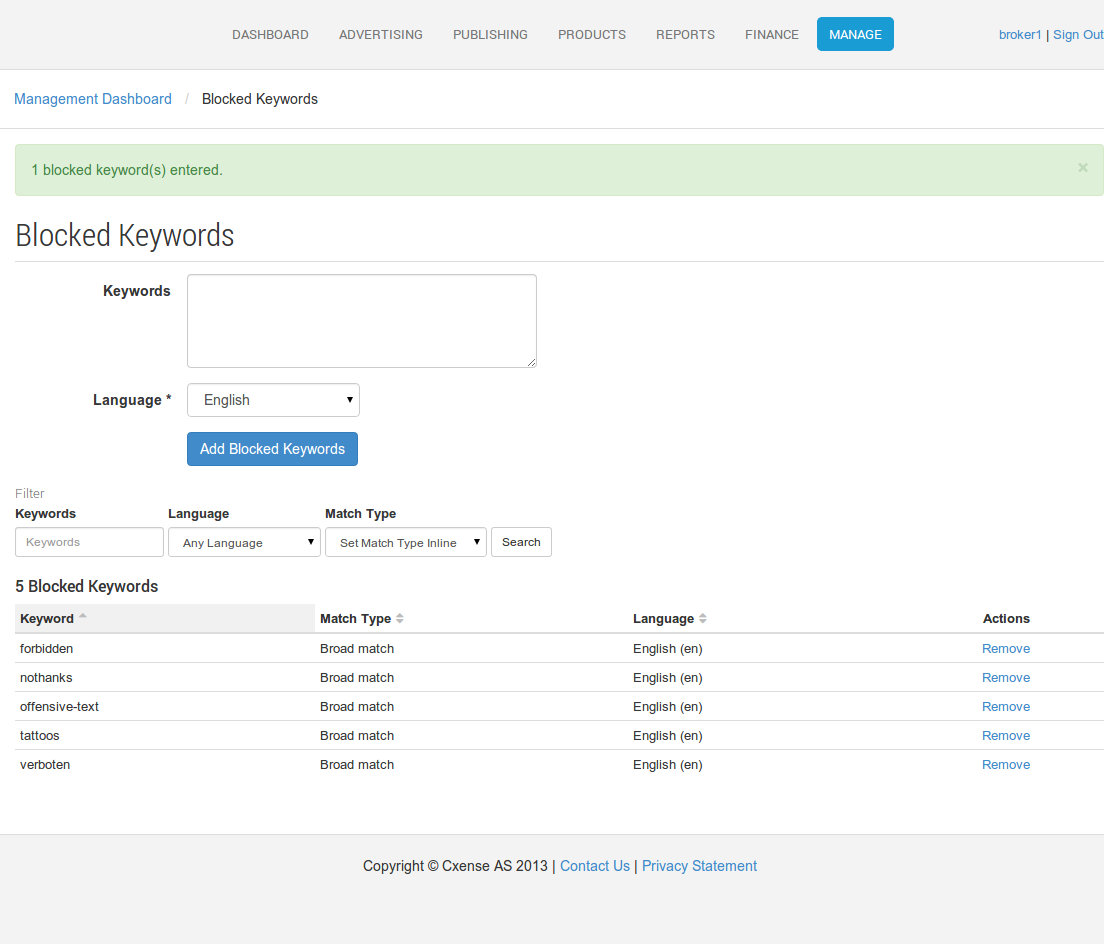
Blocked Keywords are system wide, so all Keyword targeting features within a broker's install are affected by the blocked Keywords specified in the Blocked Keywords function. All Keywords are converted to small caps for matching (& blocking) purposes
Blocked Keywords, once added (via the UI screenshot above) ensure advertisers can no longer add those words to their campaigns/ads. In the cases where they are already added, they are simply disregarded within the AdServer, and will not generate any matches nor statistics. They are essentially 'disabled' keywords, and cannot be used for targeting at all. If they have historical statistics, they may be of interest for the advertiser (else financial reference to the cost of the clicks for that KW would be lost), hence they are not forcibly removed.