onImpressionResult: (function() {
    var hasRendered = false;
    function checkTimeout(event) {
        if (hasRendered) return false;
        hasRendered = true;
        if (!event) { // Timeout happened before impression
            document.getElementById('insertAdSpaceBeforeThis_000000000077eca4').style.display = 'block';
        }
    }
    setTimeout(checkTimeout, 3000); // Set the timeout here in milliseconds (3000ms = 3s)
    return checkTimeout;
})()
A complete tag with timeout handling
When combined in the ad tag, the full tag looks like this:
<!-- Ad tag with timeout begin -->
<div id="insertAdSpaceBeforeThis_000000000077eca4" style="display: none">
    <!-- The fallback HTML that will be displayed in case of a timeout -->
    <img src="advertise.png" width="720" height="90" />
</div>
<script type="text/javascript">
    var cX = cX || {}; cX.callQueue = cX.callQueue || [];
    cX.callQueue.push(['insertAdSpace', {
        adSpaceId:'000000000077eca4',
        adUnitWidth: 728, adUnitHeight: 90,
        initialHorizontalAdUnits: 1, initialVerticalAdUnits: 0,
        onImpressionResult: (function() {
            var hasRendered = false;
            function checkTimeout(event) {
                if (hasRendered) return false;
                hasRendered = true;
                if (!event) { // Timeout happened before impression
                    document.getElementById('insertAdSpaceBeforeThis_000000000077eca4').style.display = 'block';
                }
            }
            setTimeout(checkTimeout, 3000); // Set the timeout here in milliseconds (3000ms = 3s)
            return checkTimeout;
        })()
    }]);
</script>
<script type="text/javascript">
    // Load cx.js asynchronously
    (function() { try { var scriptEl = document.createElement('script'); scriptEl.type = 'text/javascript'; scriptEl.async = 'async';
    scriptEl.src = ('https:' == document.location.protocol) ? 'https://scdn.cxense.com/cx.js' : 'http://cdn.cxense.com/cx.js';
    var targetEl = document.getElementsByTagName('script')[0]; targetEl.parentNode.insertBefore(scriptEl, targetEl); } catch (e) {}; }());
</script>
<!-- Ad tag with timeout end -->
Live example
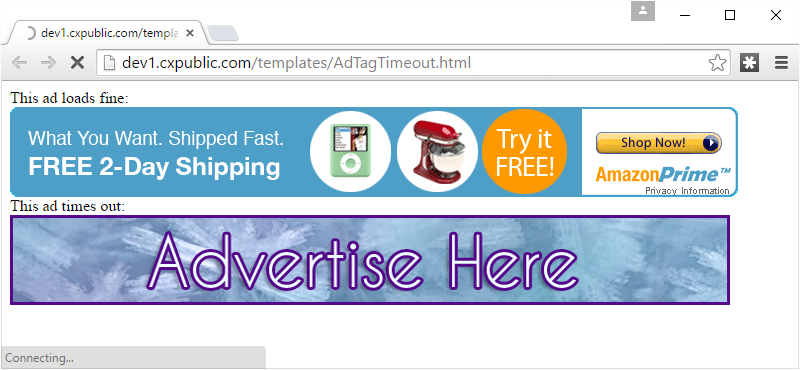
Here is a live example page that shows one ad that loads in time and one ad that times out: