
The Finance Tab is used to view and manage all accounts visible to the currenct user. If more than one account is visible then the Account List is shown. If only one account is visible then this account's Account View is shown.
Visual Guide
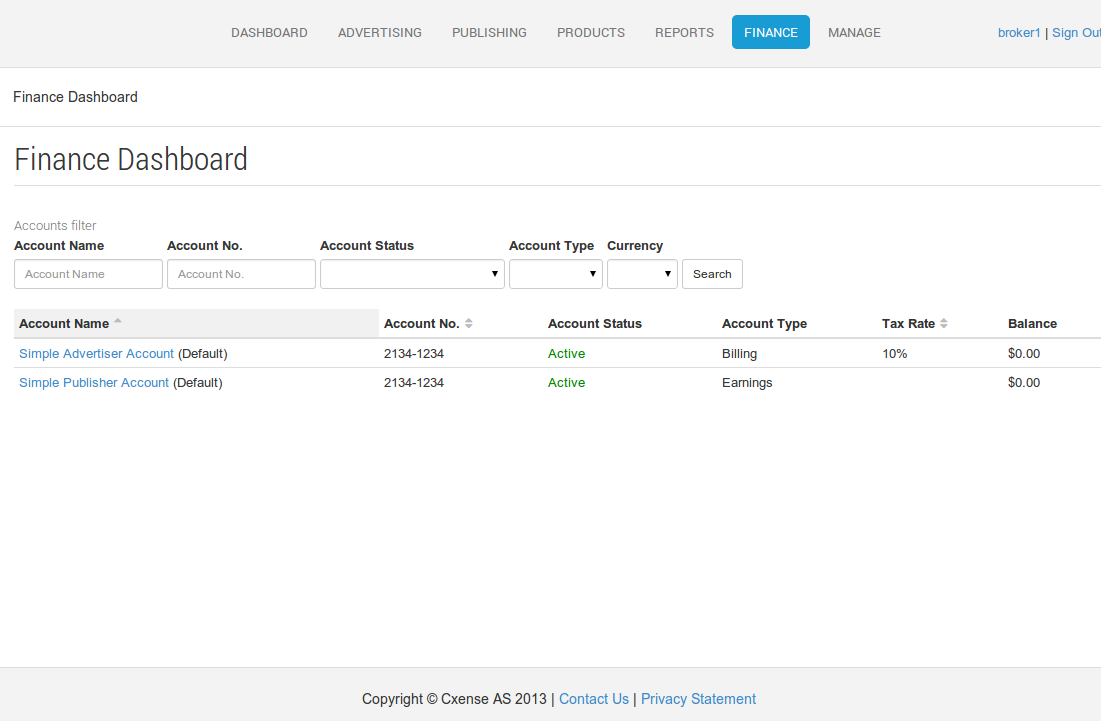
Managing Accounts
To manage an account, simply click on the account name. The account details will be displayed allowing the following actions to be performed.
-
Edit the account name - click the pencil icon next to the account name.
-
Activate or deactivate the account.
-
Update the Account - allows editing of the account properties such as name, currency, address etc.
-
View Transaction History - view transactions associated with this account.
-
View Payment History (billing accounts only) - view payments associated with this account.
-
Make a Payment (billing accounts only) - make an online credit card payment into this account.
Account Types
There are two finance account types within Cxense Advertising;
Billing Finance Accounts
Advertising within Cxense Advertising requires a Billing Finance Account to charge for the costs of advertising.
Earnings Finance Accounts
An Earnings Finance Account accrues the revenue from presenting Cxense Advertising advertisements.