
Background
If CCE modules are called from the frontend (web browser), any custom parameters sent with the pageview event will be piggybacked to the CCE module request as custom user data. This piggybacking is done behind the scene without any modification to the standard CCE script tag, but if you are implementing a server-side paywall, passing custom user data to the CCE API call will have to explicitly be done. This page explains how to do so.
Prerequisites
-
It is assumed that the data you need to pass to CCE is readily available on the server-side
-
The data being passed to CCE is key-value pairs
API usage
Custom user data should be passed in the `parameters` array in the `context` parameter in /public/widget/data call:
|
Use of custom user data in campaign
On CCE UI, the custom user data passed through the API will show up in Step 1 of the campaign configuration:
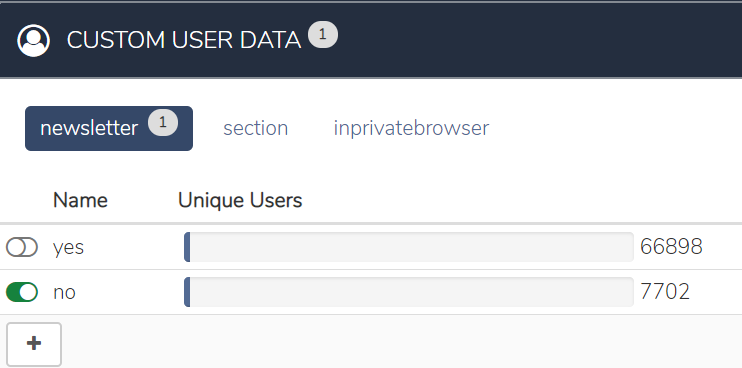
|
As the CCE GUI provides audience sizes for the custom user data fields based on custom parameters with the page views, you also need to pass these exact same key/value pairs as part of “setCustomParameters()” for the page views that follow the server side decision. If this does not happen, you will be working “blind folded”, but you still can setup targeting by manually adding the key/value setup using the "+" symbol. |