The AdSpace Diagnostics function enables Publishers to test their AdSpace(s) for function and configuration. The functionality available on each space is defined dynamically, based on the Ad Products that have been assigned to it.
Ads returned in the AdSpace Diagnostic page do not generate statistics and are not charged to the Advertiser, nor do they generate revenue for the AdSpace. It is simply a function to allow publishers to test valid configuration and gain an insight into Ads shown based on relevant targeting criteria.
Products with Targeting Criteria assigned
Each targeting criteria set on a product presents the Publisher with the ability to set configuration and test which ads are returned for each targeting criteria. Due to the differing nature of each targeting criteria, different interactions are provided per criteria.
Keywords
A text field is presented allowing the user to get results based on keywords
Categories
A text field to search for categories is presented.
Geography
A text field enables searching for supported geographies.
Context
The context parameter allows you to enter a URL that is used by the AdServer to determine the content against which ads will be targeted. You would use this field when testing contextual matching (such as for a newspaper or other content site). Profiles returned for this URL are added to the above criteria.
Non-Targeted Products assigned
For many display Products, Targeting criteria is not available. In these cases, simply clicking the search button will return the appropriate advertisements.
Additional Diagnostic Information
For each diagnostic search, the publisher may also get additional statistical data from each ad that is returned. The level of data returned is based on the User's roles/ permission.
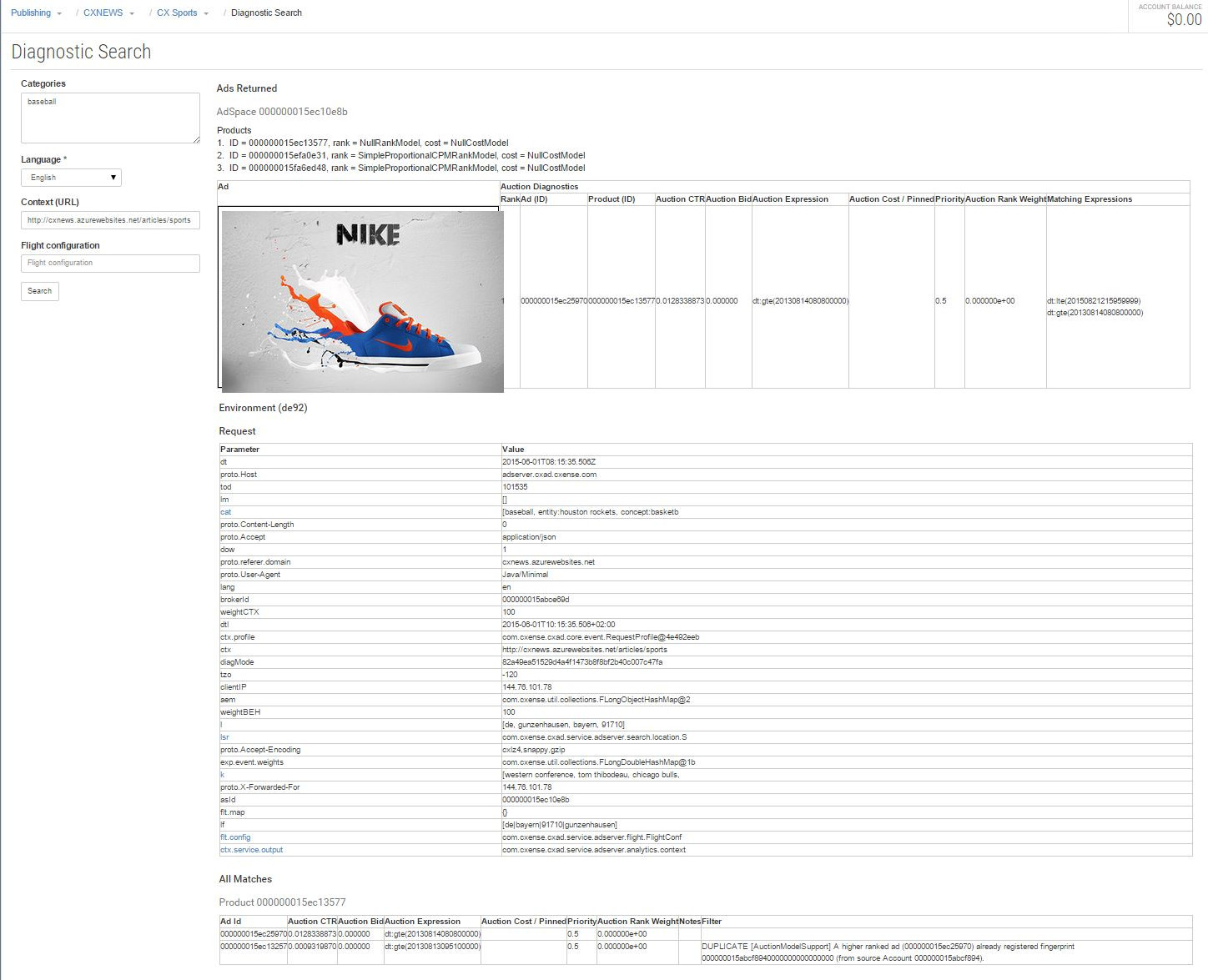
Adspace Diagnostic Result Screen
To get to the adspace diagnostic, you press the "Action" button to the right on the overview screen for the AdSpace. The picture below shows how the results are presented when you run a diagnostic search on an adspace.
-
You get the AdIds that won the auction with a preview of the ad
-
Detailed list of parameters that were submitted with the request
-
A list of all products that are connected to the adspace.
-
You get to see all AdIds that gave a match with details on numbers that went into the auction.