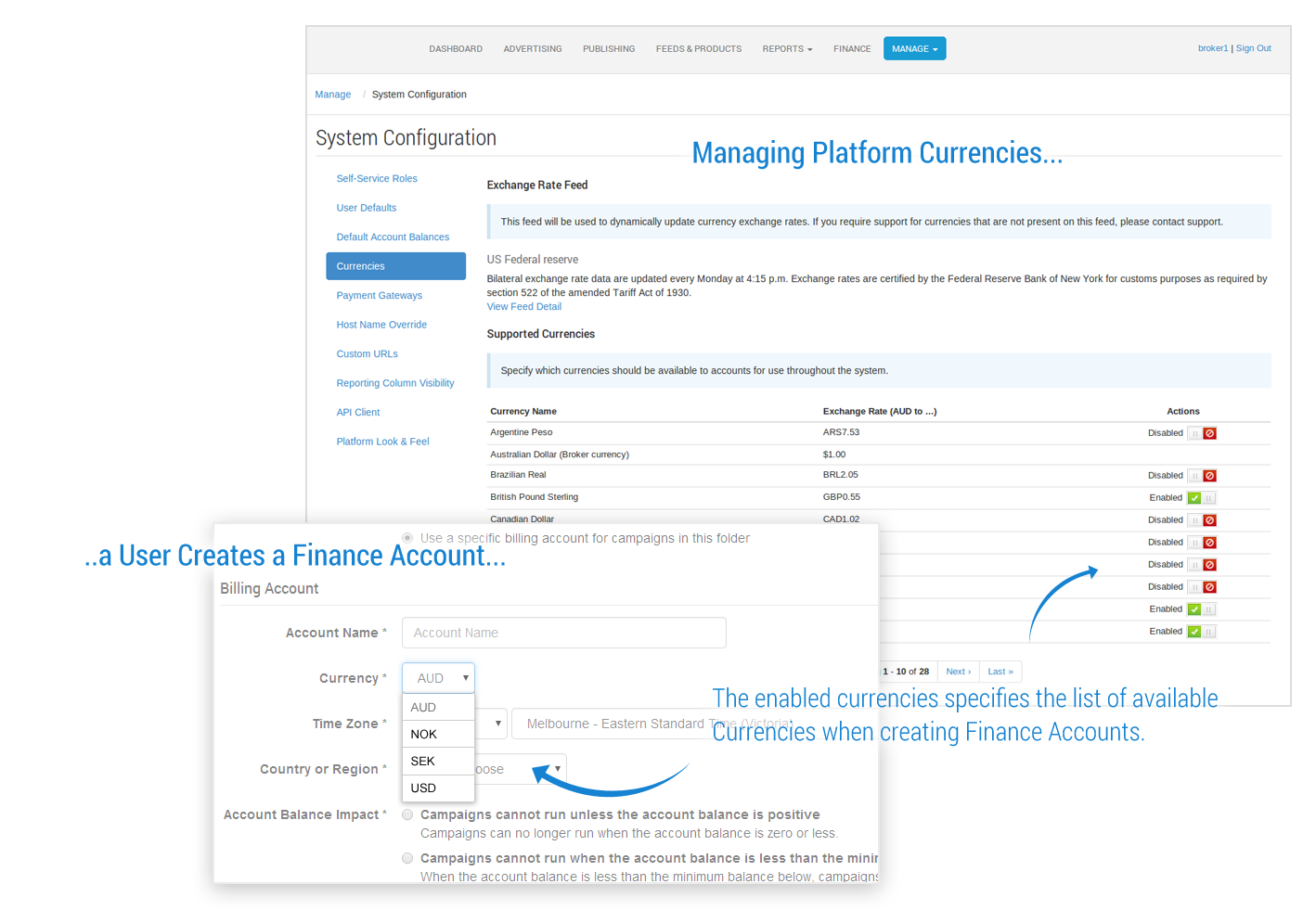
The currencies management page allows the broker the ability to control what currencies are available for use within their network.
This functionality is only available to the following roles:
-
Business Owner
-
System Administrator
Getting There
-
Access your desired environment
-
Production: https://cxad.cxense.com (or the specific url for your environment)
-
Sandbox: http://sandbox.cxad.cxense.com
-
-
Log in as someone who has one or more of the roles above allocated to them.
-
Click on the Manage tab select 'System Configuration' from the System Management list
-
Click on the 'Currencies' link in the left hand navigation
Overview
The Cxense Ad platform synchronizes currency data every hour with live currency feeds to ensure the Interface provides a more specific value for Networks using multiple currencies. Every hour, your platform automatically gets the latest currency values from your default feed, and applies the values wherever currency conversions are required.
For example, a Network owner running a system report on Advertising Spend (including multiple currencies). Previously, the calculations used static currency data, however now the results are converted using the currency values provided from your live feed, to present the totals in your single currency.
The platform supports currency feeds from the US Federal Reserve Bank and European Central Bank feeds.
Platform Default Feed
The appropriate feed will be chosen for your network based on your default currency (also referred to as your 'Broker currency'). For example, brokers that operate in USD will be configured to use the US Federal Reserve Bank feed and brokers that operate in EUR will be configured to use the European Central Bank feed.
Manual Currency Selection
You can customise your Platform currencies by toggling each available Currency within the Manage -> System Configuration view. This in turn customises the currencies available to the advertisers and publishers in your network when creating Finance Accounts.