
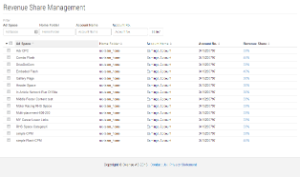
This Page provides the System manager the ability to configure the Revenue Share on all current AdSpaces.
The revenue Share is configured as a percentage of 'Net Advertiser Value'. Revenue share is therefore calculated on the remaining Advertiser Value after the Admin fee percentage has been calculated.
By default, this page lists all AdSpaces within the system, also providing a filter to find individual or subsets of AdSpaces.
There are two ways to update an existing revenue share percentage,
-
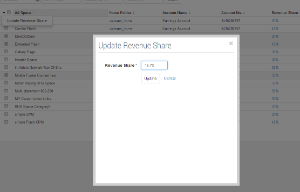
Inline - on the far right hand side column (click the current amount to update it inline)
-
Bulk Manage - select one or more check boxes (far left hand side column) then use the bulk management function to apply a single revenue share percentage to all selected AdSpaces
Example Usage:
System Manager sets a 25% rev share on an adspace, with an NET Advertiser Spend of $100
Each day, as the AdSpace shows Ads, 25% of the total Advertiser Spend for those Ads is attributed to the AdSpace
At the end of the day, the AdSpaces receives 25% of the impression/click cost. so if the AdSpace showed all impressions/received all clicks, they would receive $25 that day.
Please see Revenue Share Concepts for more information on revenue share within Cxense Advertising.
Visual Reference
|
|