
Ad Space targeting allows an advertiser to select the specific Ad Spaces, by name, on which they would like their Ads to be shown.
Setting up the Product
This is done by adding an Ad Space Targeting matching template to the product. Simply follow the steps below to do this.
-
Navigate to the product to which you want to add the ability to target by Ad Space.
-
Use the sidebar menu to add a new Ad Space Targeting matching template instance.
-
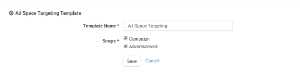
A form will be presented to you in the main page content. Enter a name and the scopes for the template and press Save.
|
|

|
|
01. Entering matching template name |
02. Matching template saved on product |