Matching Templates specify the available Audience targeting options available to Advertisers on each Product. They enable Product Manager to create unique and customized types of Targeting.
Each Template has specific configuration options to enable refinement of the Advertisers Targeting ability. Please refer to each individual Matching Template to view their configurable options;
-
Ad Space Targeting Template — Ad Space targeting allows an advertiser to select the specific Ad Spaces, by name, on which they would like their Ads to be shown.
-
Category Template — Category template enables product managers to make available Categories for the advertiser to target. This functionality integrates with Cxense Analytics.
-
Day Parting Template — Day Parting Template attached to a Product specifies the ability of the Advertiser to select times of day, and days of week to advertise on.
-
Geography template — Geography template provides the ability for Advertisers to target their audience using geographic locations.
-
Geospatial Template — A Geospatial Template attached to a Product allows an Advertiser to specify geographical regions with latitude and longitude co-ordinates to advertise against.
-
Keyword Template — Keyword Template provides the ability for an Advertiser to target their audience using keywords. Product managers can configure a default Bid value on a product, which is then inherited by the Keywords template as the default value for all keywords on the product.
-
Minimum Bids — Minimum bids can be applied on all keywords product-wide or for particular keywords in a product.
-
-
Re-targeting Template — Re-targeting is another method by which you are able to target your audience. This page describes how to implement re-targeting campaigns where a client wants to show advertisements to visitors or customers of client web sites, possibly dependent on certain actions.
-
Site Targeting Template — The Site Targeting Template attached to a Product specifies the ability of the Advertiser to select targeted or blocked sites.
Access Restriction
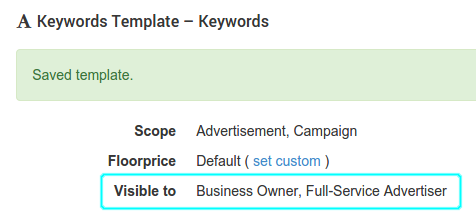
Templates may also be restricted to certain advertising roles. Restricting access allows publishers to choose which advertising roles may view, created and update features associated with the templates.
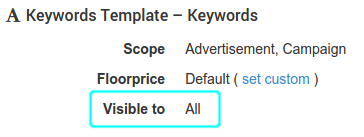
How to restrict access
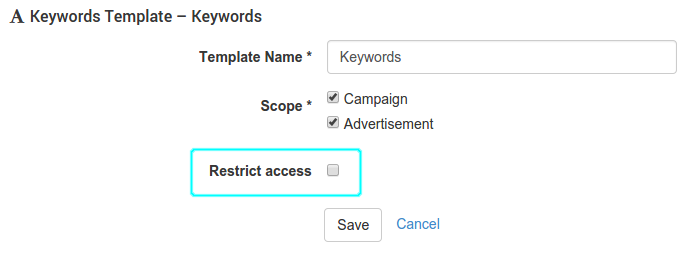
When editing or adding a template, choose "Restrict access"...
then select which roles may access associated features...
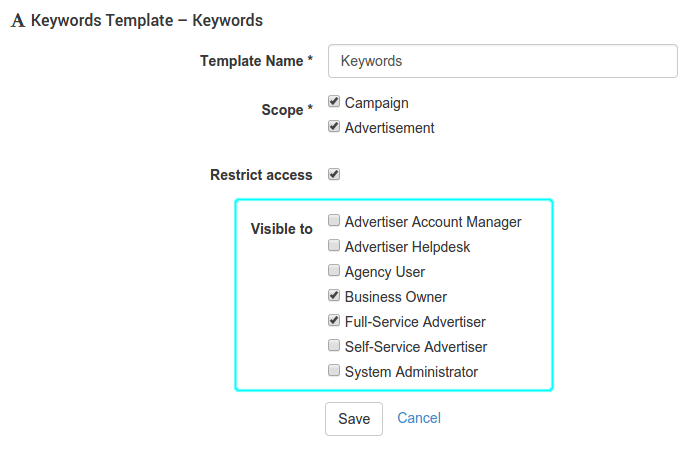
and hit "Save"