
Introduction
If you are new to Cxense Advertising, then navigating the product's GUI is not always a triviel task. If you then on top of it are new to the advertiser industry as such, then the first experience can be quite overwhelming and in that case we recommend that you first read On-line Advertisement Lingo for Dummies.
The purpose of this article is not to explain the Cxense Advertising product per se, but to give any newbie the necessary context and term knowledge to have a chance at understanding the various GUI relationships and options presented.
There are two types of ad servers, the ones that more or less function as a tool for ad-ops in their day-to-day work administrating publishers, advertisers, campaigns and creatives, and the ad server products that take it to the next level and provide a full scale ad trading market place. Cxense Display is an example of the former, Cxense Advertising the latter.
There is also one more significant difference between Cxense Display and Cxense Advertising. Cxense Display is a CPM product (advertisers pay per impression) and does not support CPC (advertiser pay per click). Cxense Advertising is first and foremost a CPC product, even though it for quite some time now have also supported CPM. Cxense Advertising also support Tenancy, fixed price rental of a ad space over a longer time period.
All terms with a special meaning wihtin Cxense Advertising are in italic.
Roles
Being an market place for trading ads and ads spaces, it is necessary to define the roles matching the different actors operating in this market.
The Business Owner and the System Administrator
The owner of the ad server is the Business Owner. A Business Owner have access to two parts of the system, the Billing and Earning Accounts used for paying and receiving payment for the ad Products, and to the ad Products themselves (the term Product will be explained later on). To assist the Business Owner with the management of the ad Products and to create new user in the system, the Business Owner relies on a System Administrator.
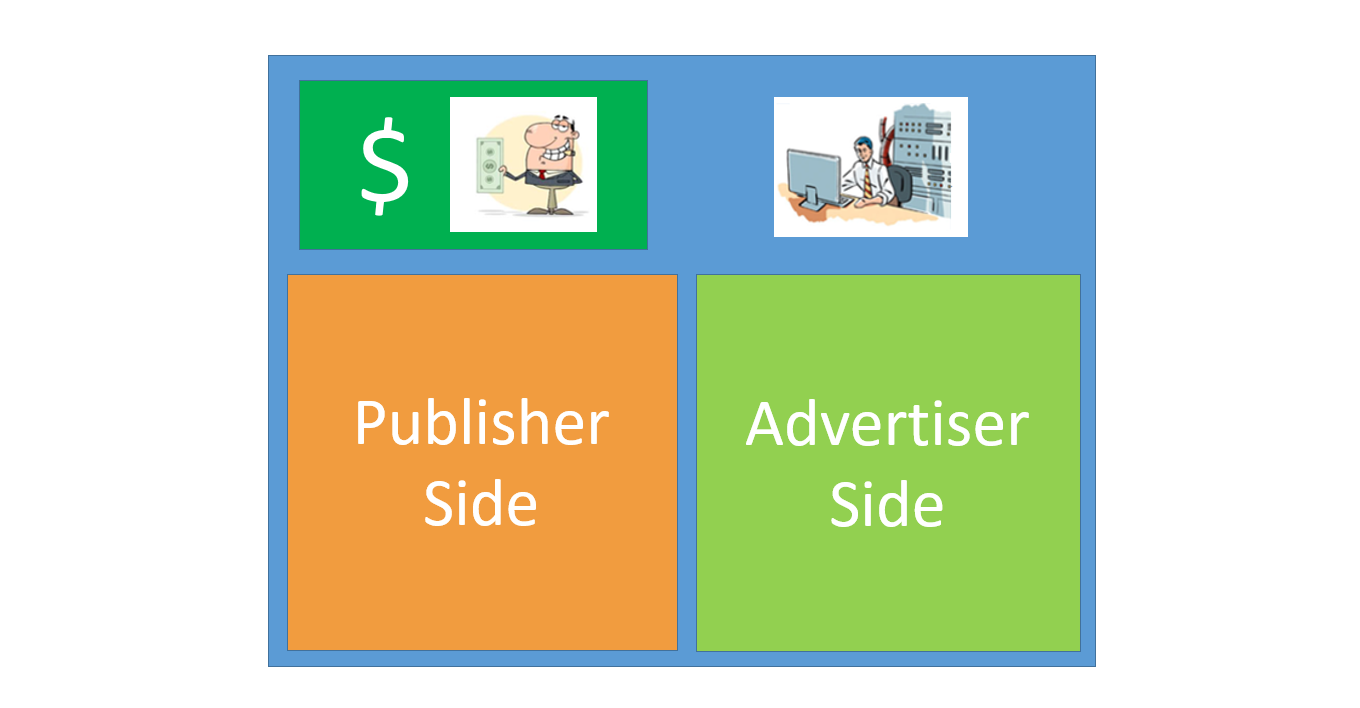
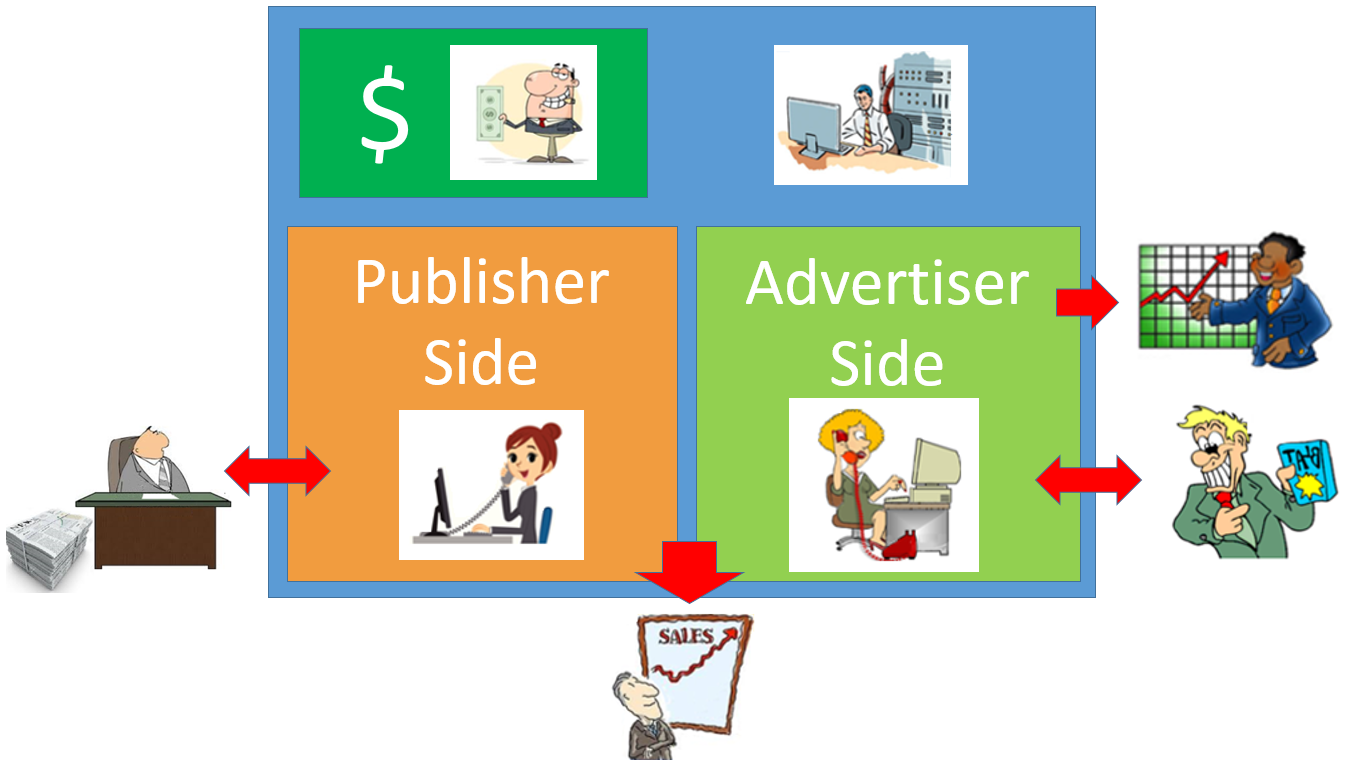
In the figure above we see the Business Owner in control of the accounting part of the system depict to the left, and his right hand man, the System Administrator, shown to the right. Below them we see the publishing and the advertising part of the Cxense Advertising. Neither of the two roles have access to these areas.
Full Service Publisher and Full Service Advertiser
For any market place to function, we need buyers and sellers. In the figure below we have both. Down to the left we see a Publisher behind his desk next to a stack of freshly printed newspaper. Since he is the one with the valuable real estate (the ad spaces), he is the seller. On the opposite site we see an optimistic advertiser showing off his latest product for which he wants to place ads in the ad spaces. He is thus the buyer. We refer to these roles as Full Service Publisher and Full Service Advertiser respectively.
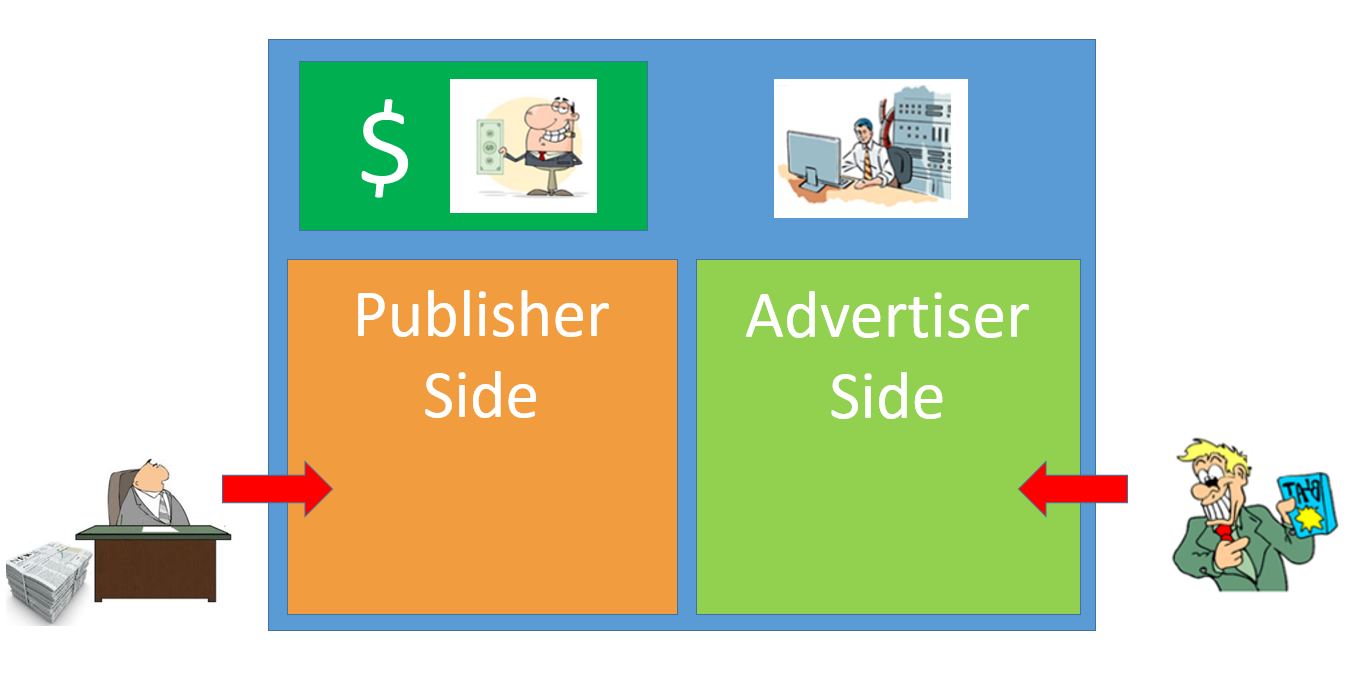
A Full Service Publisher and Advertiser have very limited access to the system as most of their interaction with the system is done via Account Managers (explained in next section).
Publisher Account Manager and Advertiser Account Manager
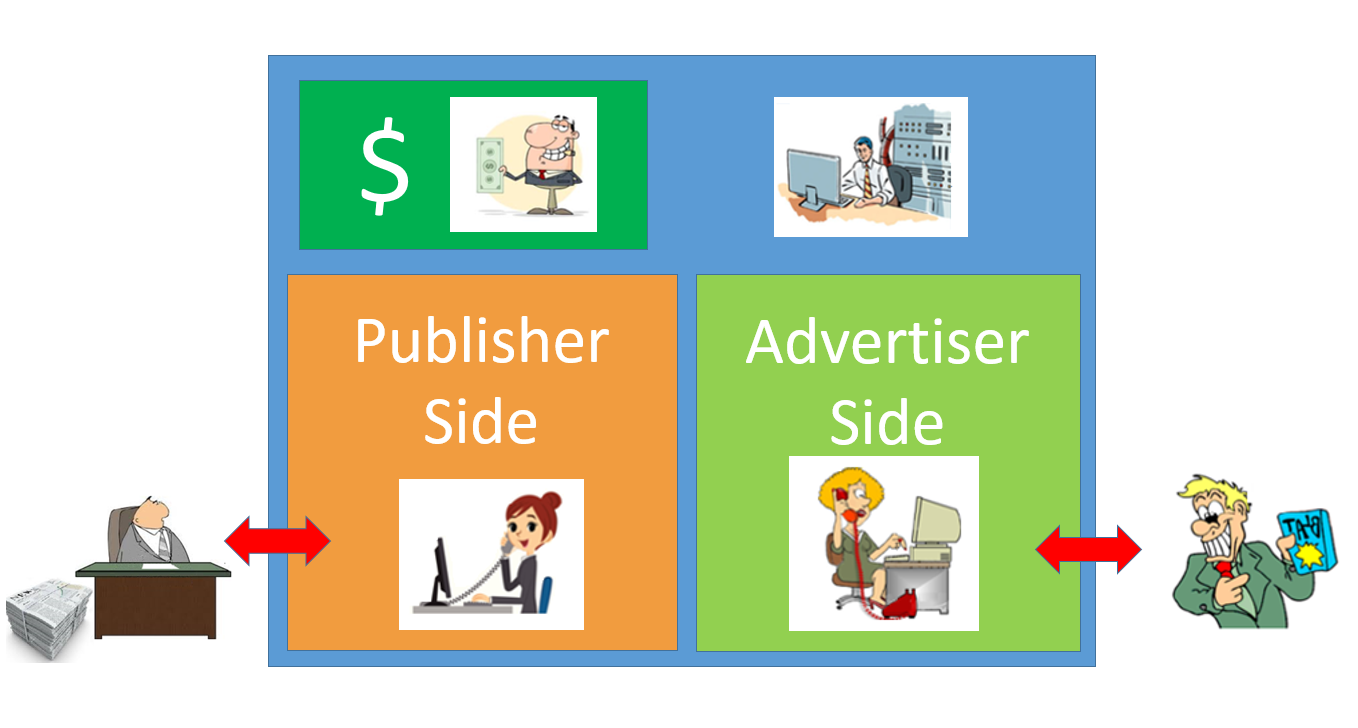
The reason we prefix the role names of the publisher and advertiser above with Full Service is the we inside the system have people to do the job for them. Down to the left on the publishing side we see a Publisher Account Manager interacting with the Publisher, and to the right, we have the same set up where an Advertiser Account Manager do the same with the Advertiser. These two Account Managers, in particular the Advertiser Account Manager, is what we normally refer to as an ad-op.
Agency User
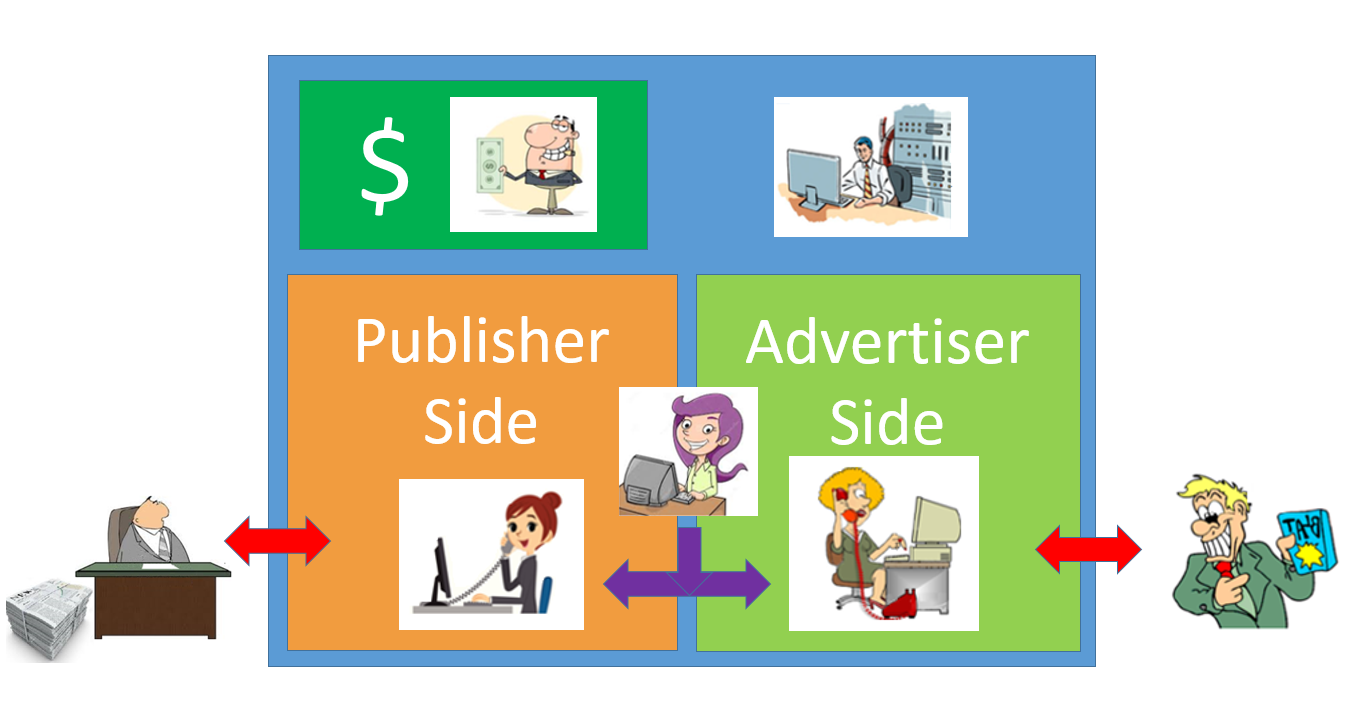
In the figure below we have added an Agency User to the set up we had above. An Agency User is normally an outside contractor that helps out doing the job either as a Publishing Account Manager or as an Advertiser Account Manager (just one of them, never both).
Advertiser Analyst and Business Analyst
There are two more roles with very limited access to the system. To the right we see an Advertiser Analyst that has access to advertiser report, and below we see a Business Analyst with access to reports both from the publisher and the advertiser side.
Self Service Publisher, Self Service Advertiser and Advertiser Helpdesk
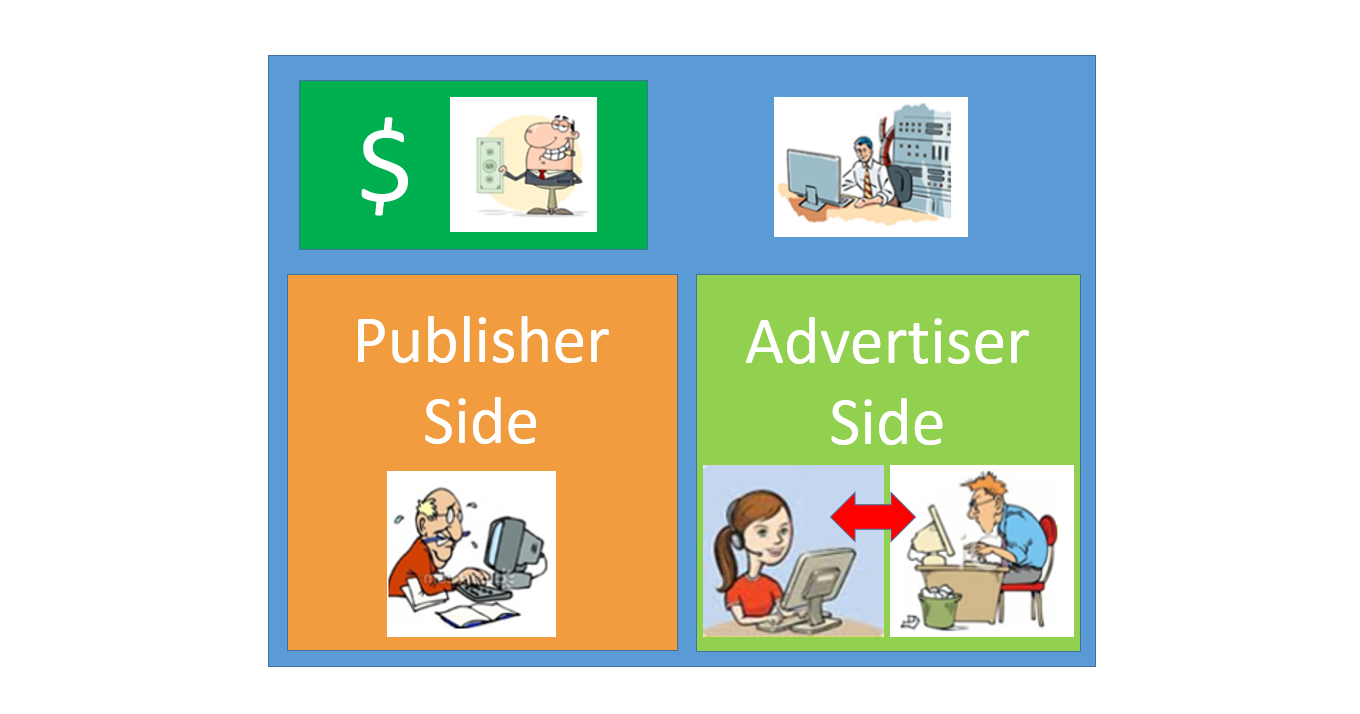
An alternative use of man power is the set up shown below where both the publisher and the advertiser are doing the job themselves. These roles are referred to as Self Service Publishers and Self Service Advertisers. To help out on the advertiser side there is also the role of Advertiser Helpdesk.
The Default Composite Super User "Broker"
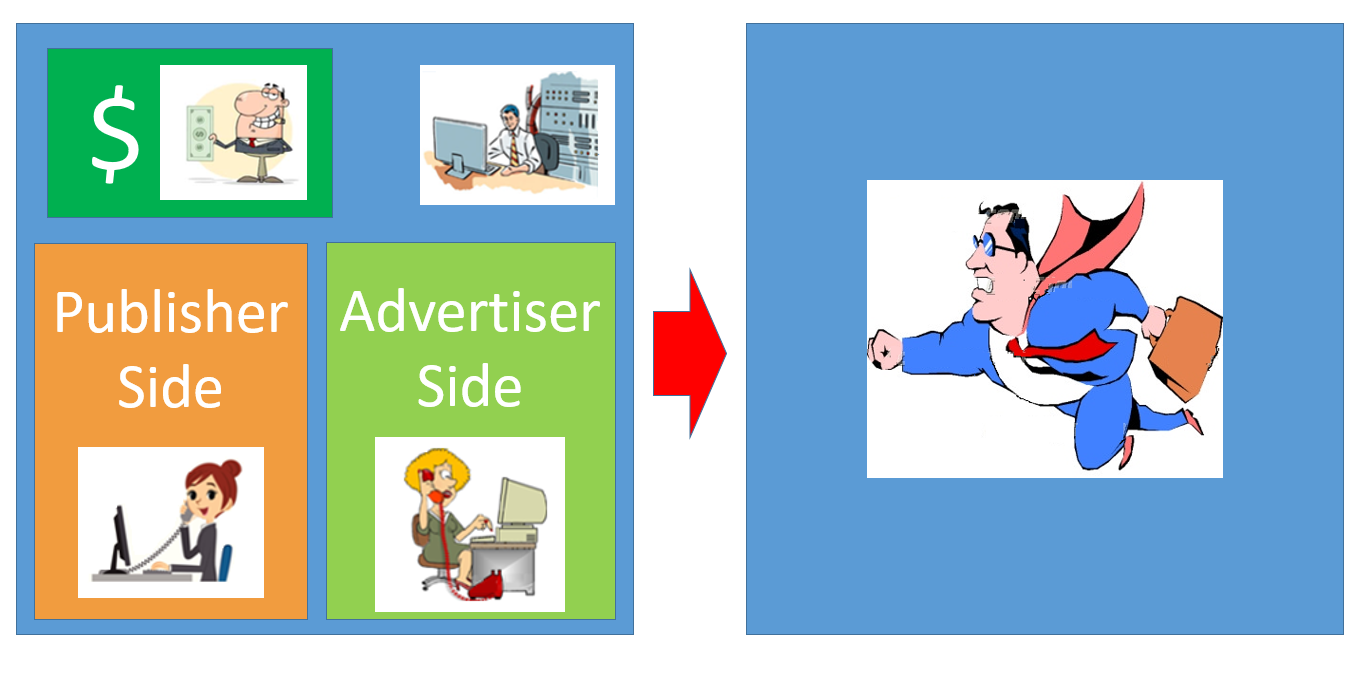
When setting up a new customer in Cxense Advertising, the system will by default create a special user that some like to refer to as the Broker User. This user has all the combined powers of a Business Owner, System Administrator, Publisher Account Manager and Advertiser Account Manager.
Products
As stated before and shown above, Cxense Advertising is a market place with sellers (Full Service and Self Service Publishers) and buyers (Full Service and Self Service Advertisers). But what are they trading?
The trading unit between Publisher and Advertisers are products. Products can only be defined by the Business Owner or the System Administrator and can only be sold by someone on the publishing side and bought by someone on the advertiser side. The product has a whole range of settings, the most important ones at a conceptual level is the type of creatives it will contain (text, banner, rich media, etc) and what the dimensions of those will be (for instance 300 x 250 pixels). The product is also the one that holds holds the data on what kind of pricing that is to be used (CPM, CPC, Tenancy) and what rank model to use when picking which particular ad to display.
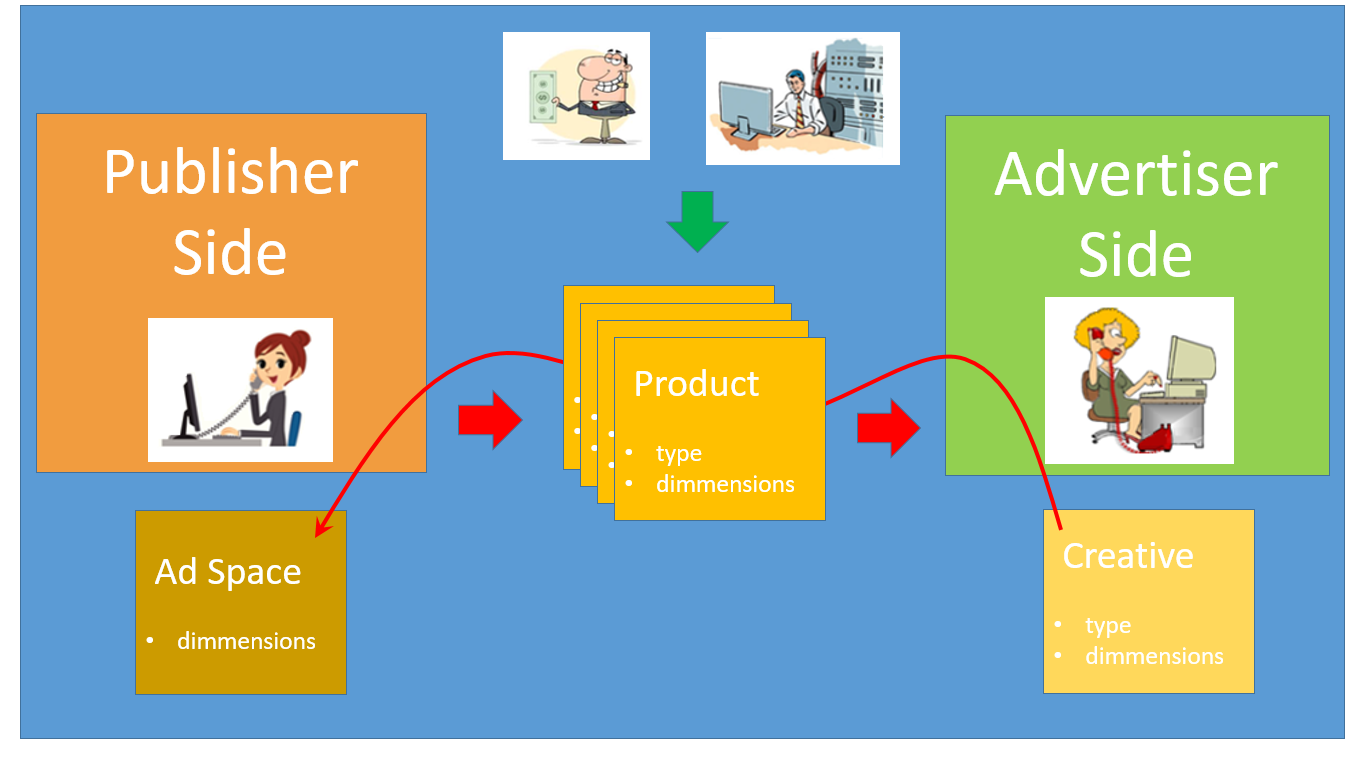
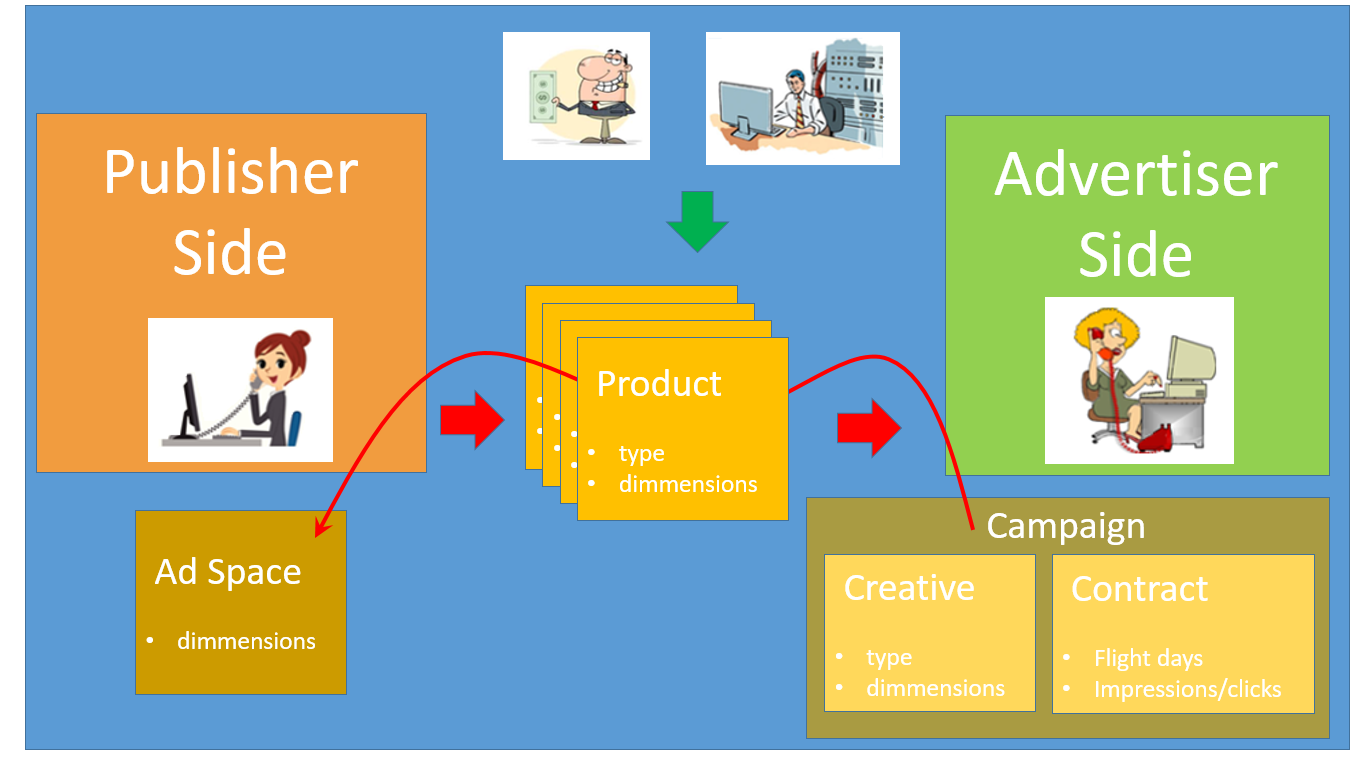
In the figure above we see how a creative fills the ad space using the product as the vehicle to connect the two.
Further details on products can be found here. Note that product settings related to the creative is described here and the ranking here.
Finance Accounts
As Cxense Advertising is a market place where products are traded, there also need to be a way for money to change hands. For this Cxense Advertising support the operations of creating and maintaining finance accounts. Publishers are set up with earning finance accounts and advertisers with billing finance accounts. Payments between the accounts is done via third party, Nets (http://www.nets.eu).
Campaigns
A campaign is the when, what and how much of showing an ad. A campaign need to be set up with a minimum of one creative (the string, image, flash, etc to be visualized). This is the what part. It will also have a start date and an end date which will define the campaign flight days (the day the campaign will run). This was the when part. And finally there needs to be information about how many impressions (ad showings) or how many clicks that there maximum is to be on the ad; the how much part. In Cxene Advertising all of this but the creative is put into what is being referred to as a campaign contract.
Contracts, Flights and Bookings
As stated above and shown in the figure above, campaigns have a contract that regulates the showing of the campaign's ads. In the case of CPM and Tenancy campaigns, contracts are now referred to as flights or bookings respectively (before they all used to be called contracts). The main difference between flights on one hand and contracts and bookings on the other, is that flights in addition to everything that goes into a contract and bookings, also have a few more CPM related settings. Below we see the contracts/flights/bookings input data with the contract/booking fields in bold.
-
Start date
-
End date
-
Priority
-
Required Impressions (number of impression purchased by advertiser)
-
Smoothing (off - consumes impressions until no more left, on - tries to spread the required impressions evenly across all flight dates)
-
CPM (the price per thousand impressions)
Further details on contracts, flights and bookings can be found here.
Targeting
Ad campaigns work the best when they are directed towards the people they are intended for. Very few senior citizens will act the way the advertisers hope for upon seeing an ad for Justin Bieber's next concert, and visa version, ads for retirement saving plans will normally have minimal impact on adolescents. For this, Cxense Advertising supports various types of user targeting.
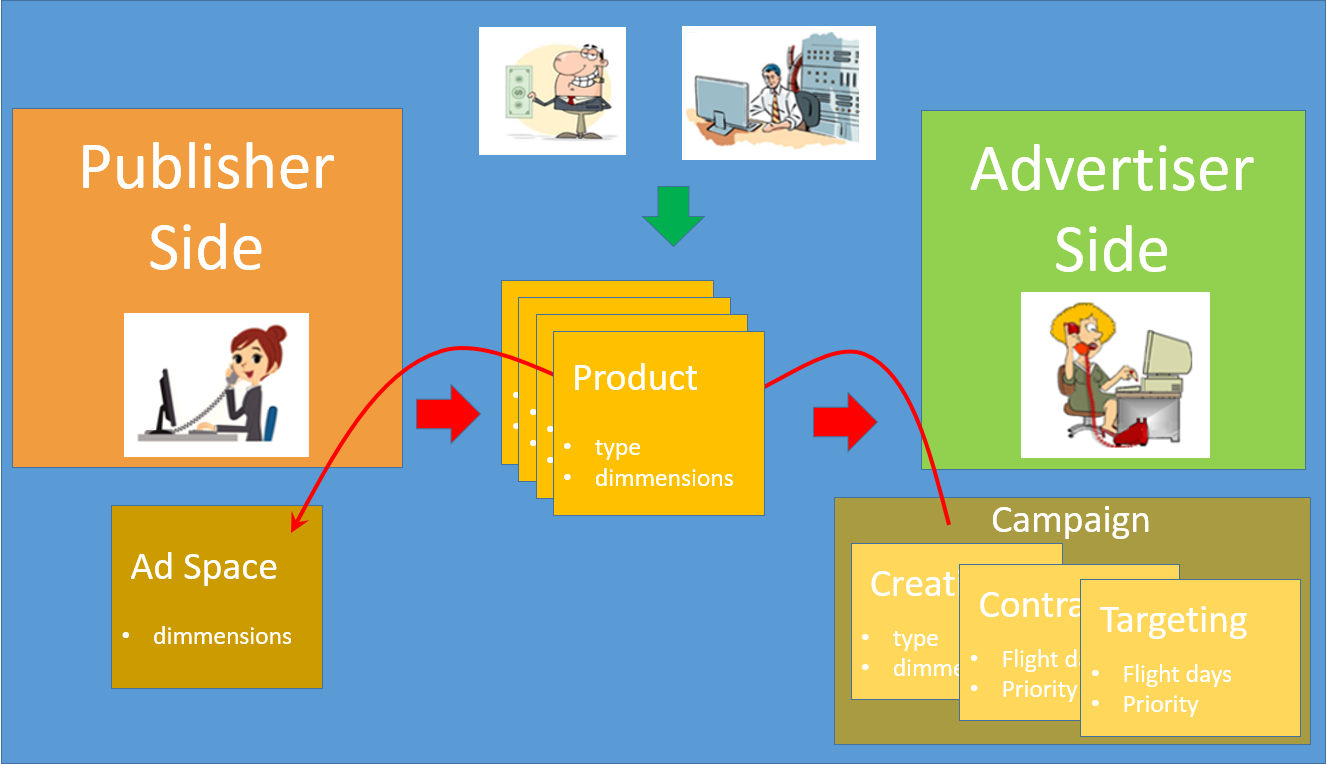
In the figure above we see how audience targeting is yet another aspect that goes into campaign configuration. Here is a list of the types of targeting Cxense Advertising offers:
-
Ad space/site
-
Device
-
Time
-
Geography
-
Category/keyword
-
DMP audience segment
Feeds
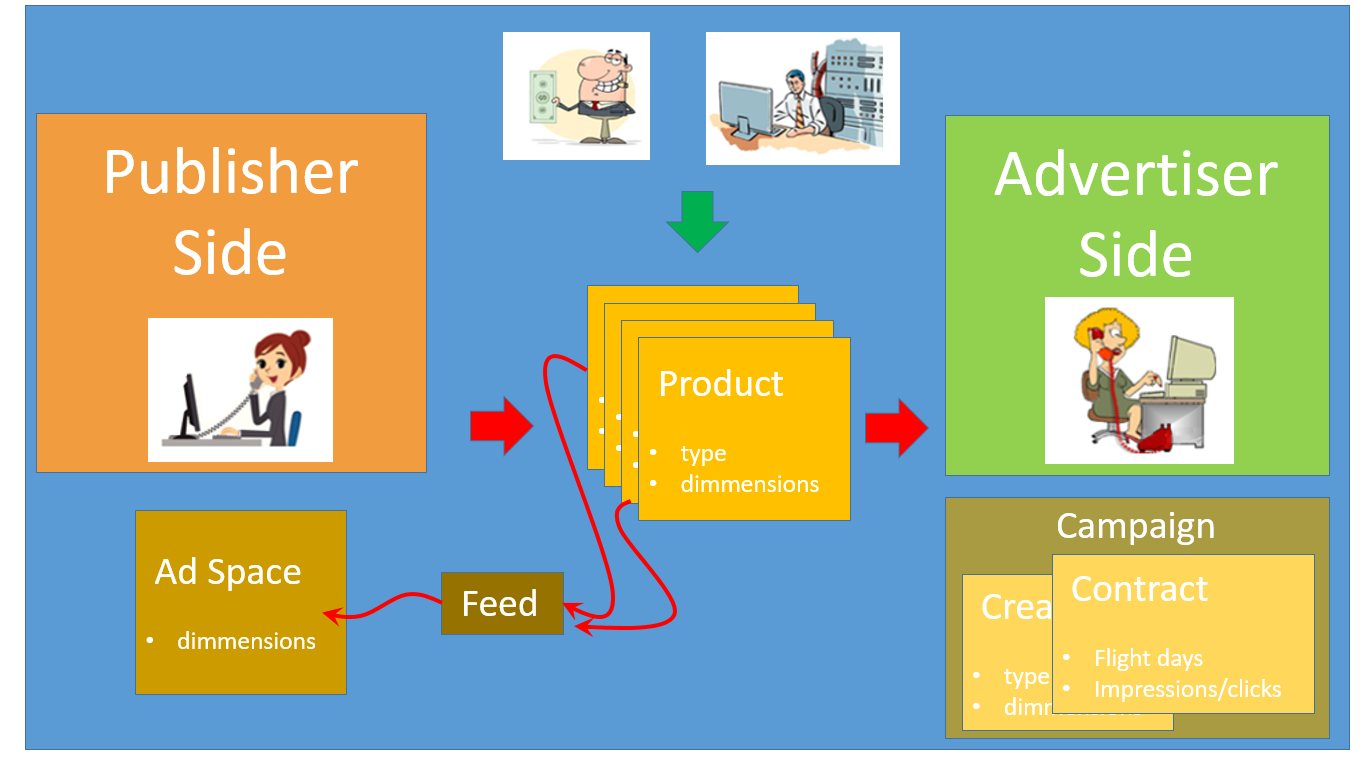
A feed is a collection of products that is to go into the same ad spaces. The use of feeds is not a must. but with many products and many ad spaces, changes to them are much easier to administrate with the use of feeds. For instance if a set of products is to stop displaying ads in one ad space and instead start displaying in another, then that can be handled via one single change to the configuration of one feed. Without feeds, the change would have to be carried out on each single product.
Render Templates
The ad space will hold a piece of JavaScript code (a so-called ad tag). For simple types of creatives such as text strings or a single image or flash files, the unpacking of the creative is done via a single function call in the ad tag. However, in the case of more complex ads such as rich media ads one will need to write or obtain render template code that can unpack the ad data and construct the desired visual effect.
Below we see a very simple example of some creative data.
data = {
	image : 'smile.jpg',
	title : "Hello World!",
	clickURL : "http://www.cxense.com",
}
The job of the render template is to convert that data structure into HTML / JavaScript code that displays the ad in the desired manner. Not much rich media features in the code below, but it does illustrate how the data structure above has been converted into code that display the ad the way we want it to be displayed.
<div id="targetElement">
	<a href="http://www.cxense.com">
		<img title="Hello World!" alt="Hello World!" src="smile.jpg" target="_blank">
	</a>
</div>
Further details on render templates can be found in this tutorial.
Cloud Operations
Cxense Advertising is a SaaS running in the Cloud from a CDN and comes in two variations. There is a production system at https://cxad.cxense.com and a sandbox system at https://sandbox.cxad.cxense.com.