
Device targeting allows Ads to be targeted to users based on the device they are using to access the content page on which an AdSpace appears.
Examples of "devices" in this context are:
-
a desktop or laptop computer
-
a tablet, such as an Apple iPad
-
a smartphone, such as a Samsung Galaxy S III
To target your Ads to different devices simply select the Devices matching feature tab on your Campaign or Ad.
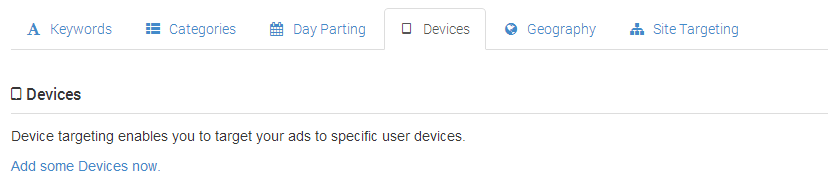
Then choose the required combination of device attributes from the list available.
-
Platform - whether the device is a computer, tablet or phone device
-
Operating system - the name of the operating system that runs on the device
-
Brand - the name of the company that manufactures the device
Targeting by Platform
Selecting at least one device Platform is mandatory. By default all platforms are targeted. If you do not require all Platforms then simply remove any which are not required from the selected list.
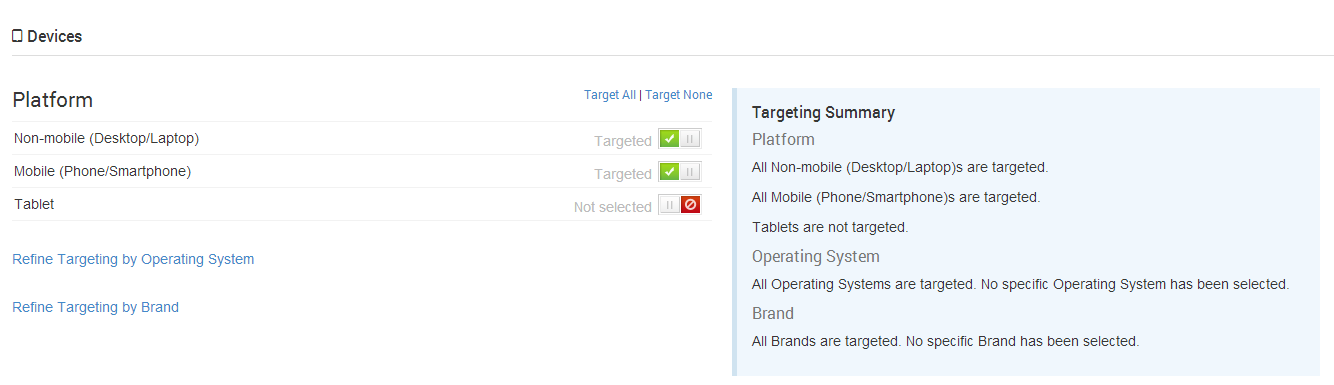
If no platforms are selected then, regardless of any selections you may make in the other device attributes, your Ads will not be shown on any devices. Please ensure you have chosen at least one Platform.
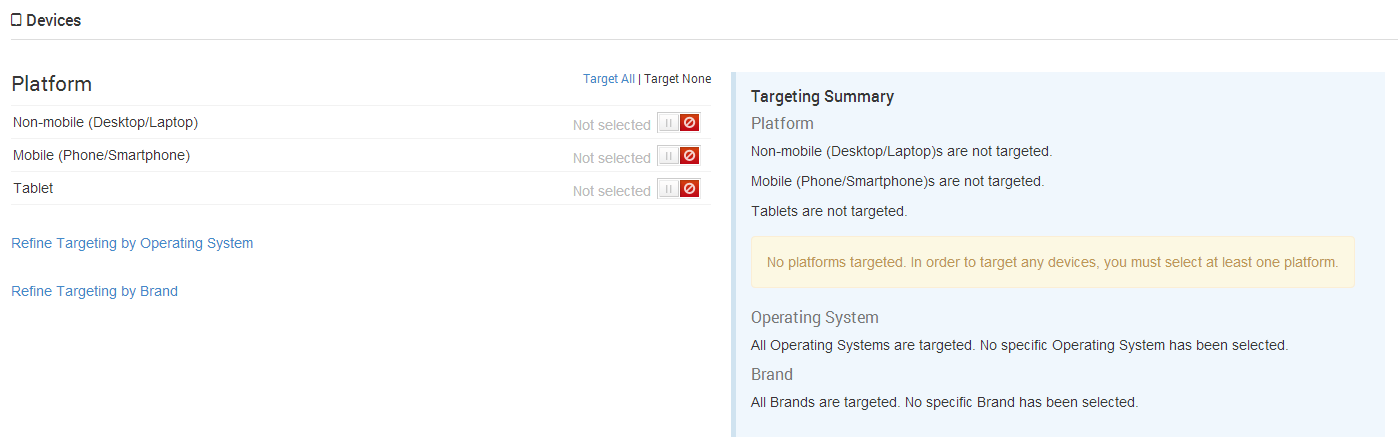
A warning message will be displayed in the Targeting Summary in the event that no Platforms have been selected.
Targeting by Operating System
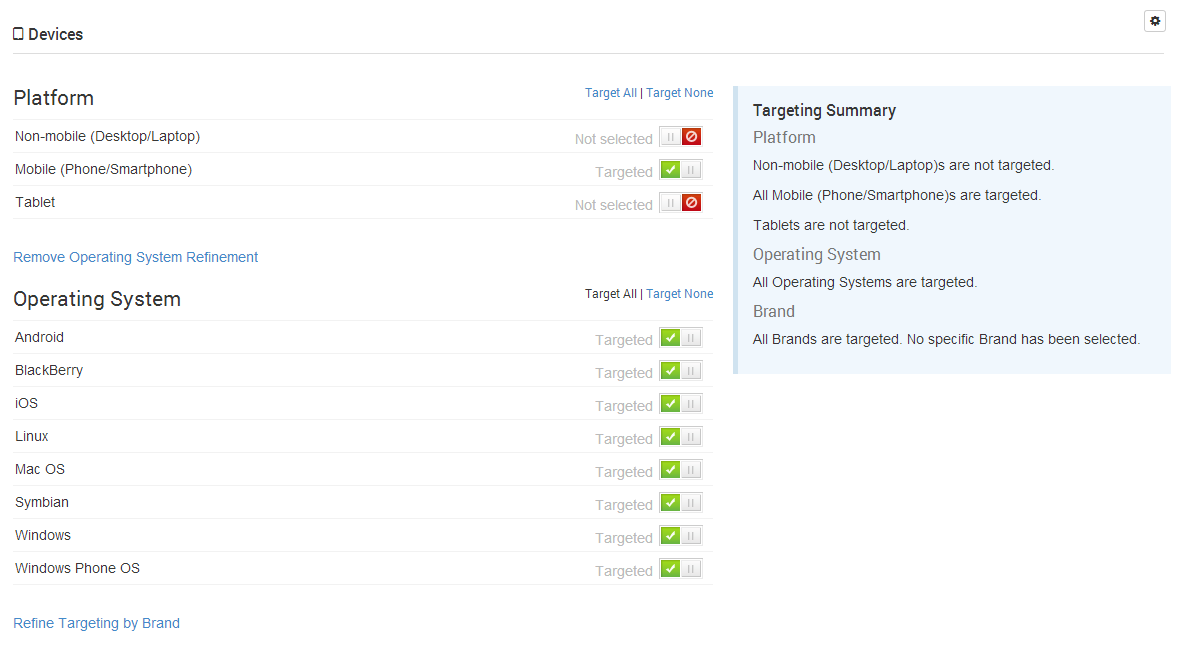
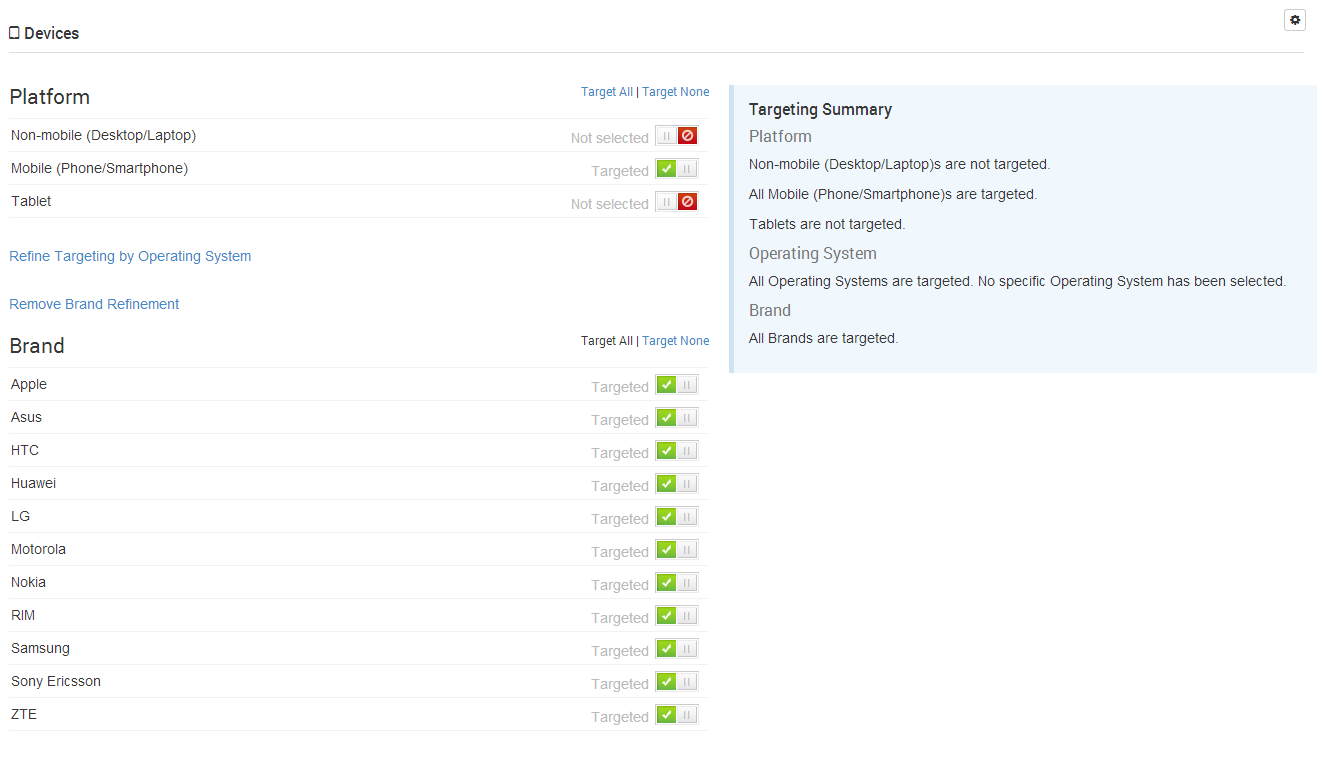
Once you have chosen the Platform(s) you wish to reach you can then choose to refine this by targeting specific device Operating Systems - such as iOS or Android. Click the 'Refine Targeting by Operating System' link and make your selection from the list of device Operating Systems displayed.
Targeting by Brand
Once you have chosen the Platform(s) you wish to reach you can then, also, choose to refine this by targeting specific device Brands - such as Apple or Samsung. Click the 'Refine Targeting by Brand' link and make your selection from the list of device Brands displayed.
Specific examples
Apple iPads
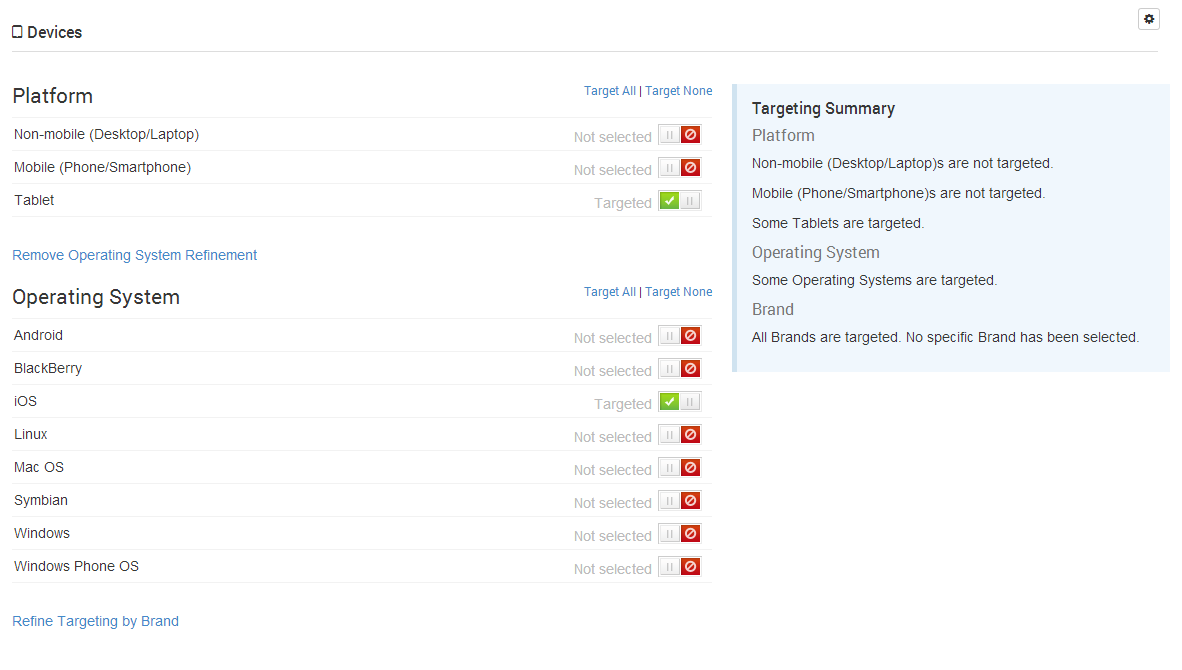
In order to target all Apple iPad devices you have two choices, simply either select the Tablet Platform and the iOS Operating System ...
... or select the Tablet Platform and the Apple Brand.
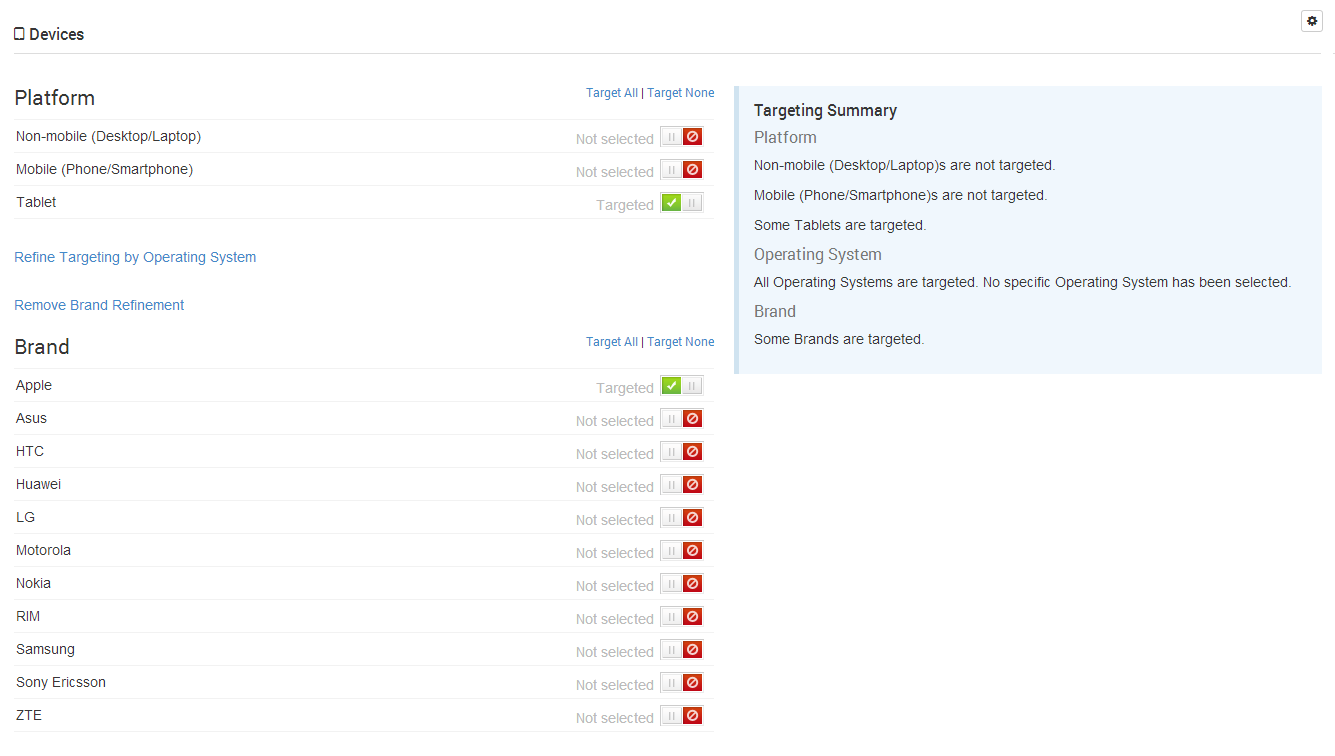
Both will achieve the same outcome of targeting all Apple iPad devices.
All iOS and Android tablets
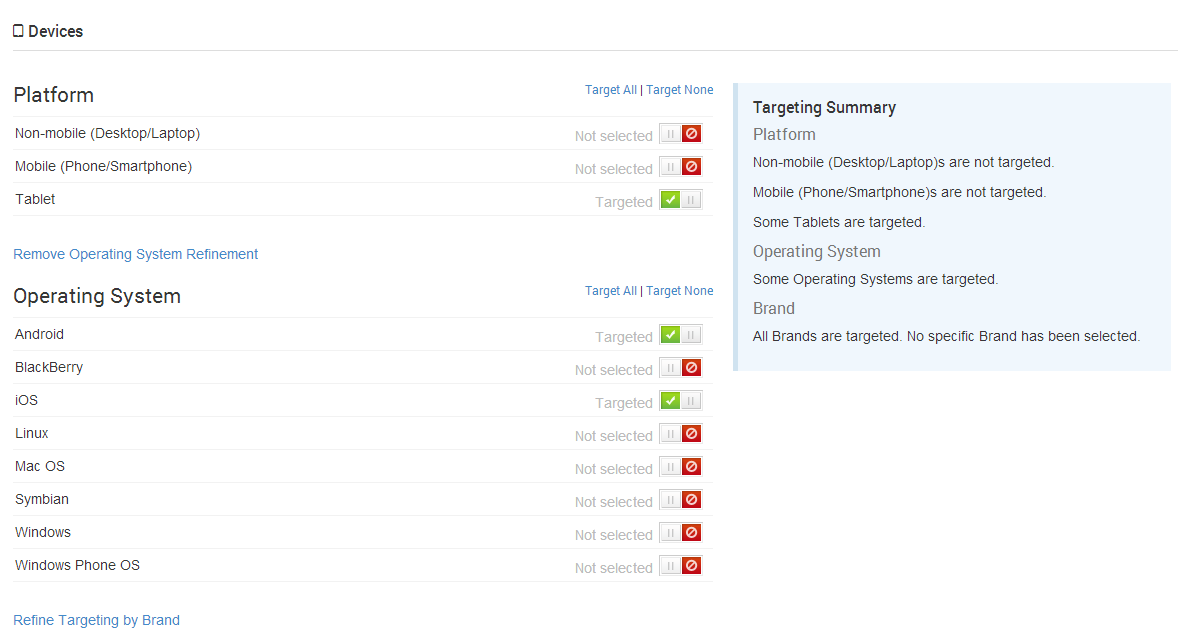
In order to target all tablet devices running either iOS or Android simply select the Tablet Platform and the iOS and Android Operating Systems.
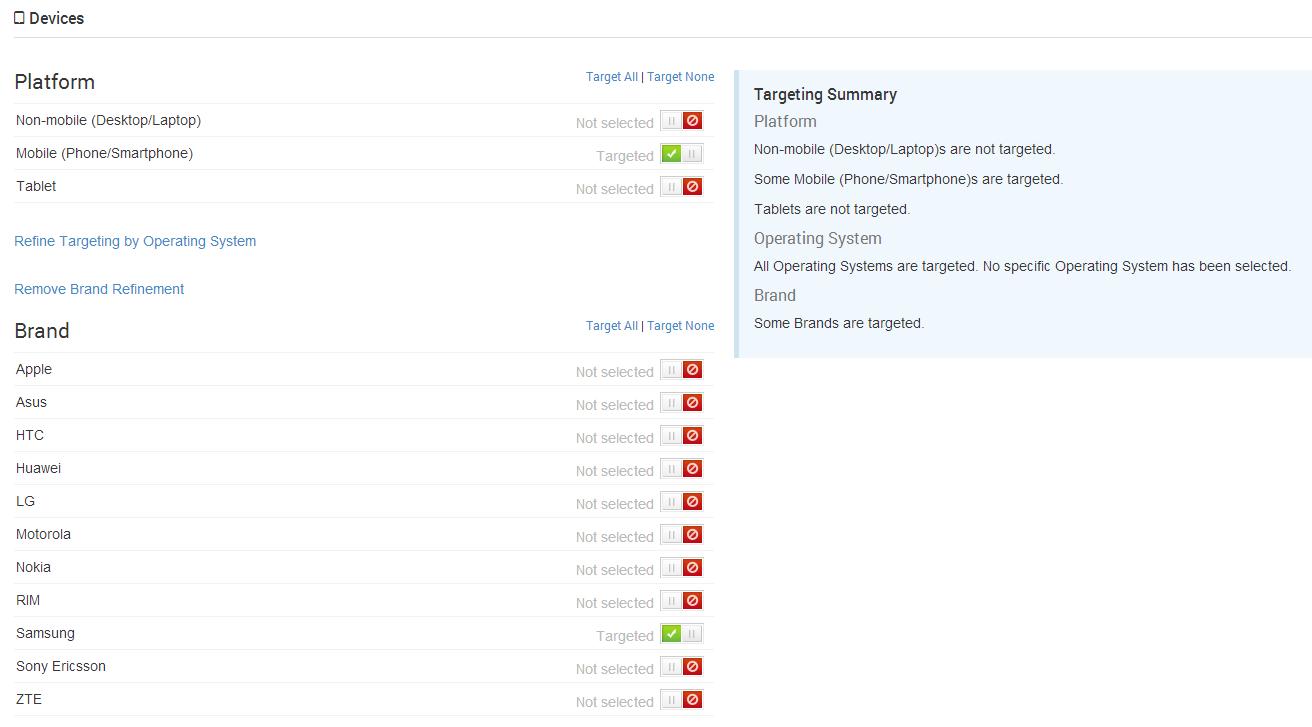
Samsung mobile phones
In order to target all Samsung mobile phones simply select the Mobile Platform and the Samsung Brand.
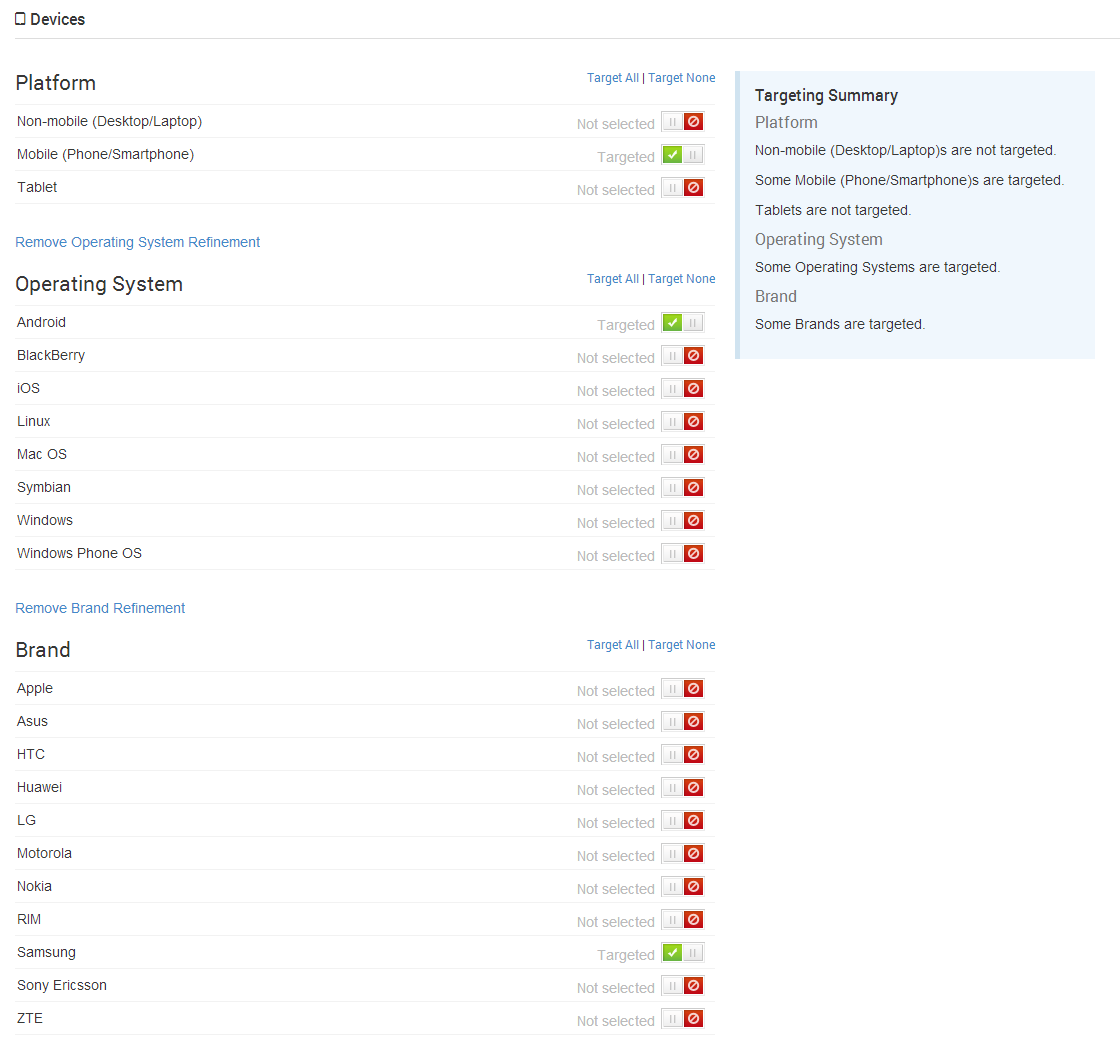
Samsung Android mobile phones
In order to target all Samsung mobile phones running Android simply refine the selection in the previous example by also selecting the Android Operating System.
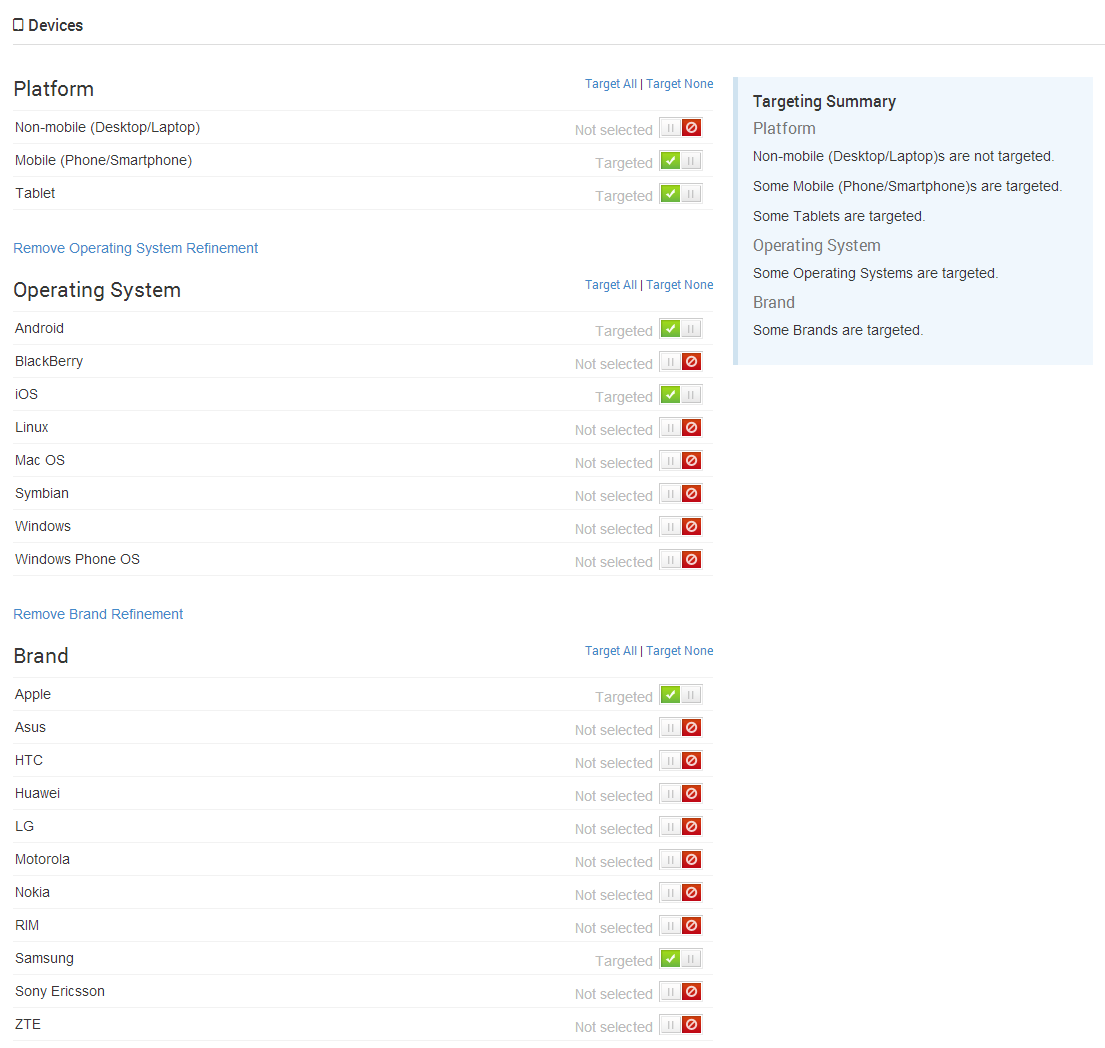
All Android and iOS mobile phones and tablets produced by Apple and Samsung
This is a more complicated example for illustrative purposes and can be achieved by simple selecting the Tablet and Mobile Platforms, the Android and iOS Operating Systems and the Apple and Samsung Brands.
Incompatible selections
Please note that incompatible selections will be ignored when targeting Ads. For example if you were to remove the Samsung Brand from the selections shown in the previous example then the Android Operating System selection would be considered incompatible and would be ignored by cX::ad as there are no Android devices made by Apple.
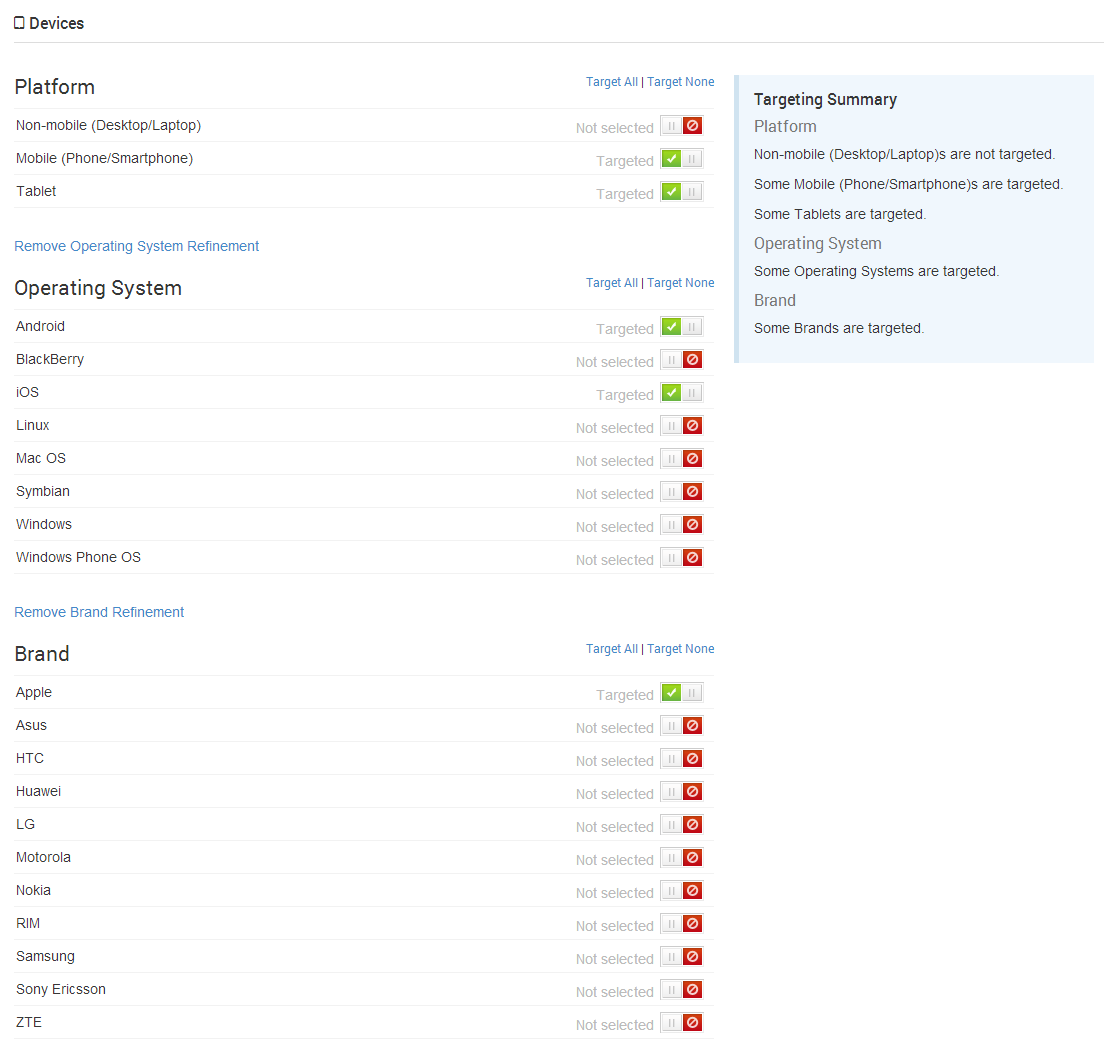
Caution: The above selection is incompatible and, despite the fact that the Android Operating System has been selected, no Android devices will be reached as they will not satisfy the requirement that they are also one of the selected Brands.