
The process of making a payment to a billing finance account is as follows.
Please note that payments can only be made if a payment gateway has been configured.
Steps
Click on the Finance tab to bring up a list of your accounts and, if known, enter search criteria to locate your account of choice.
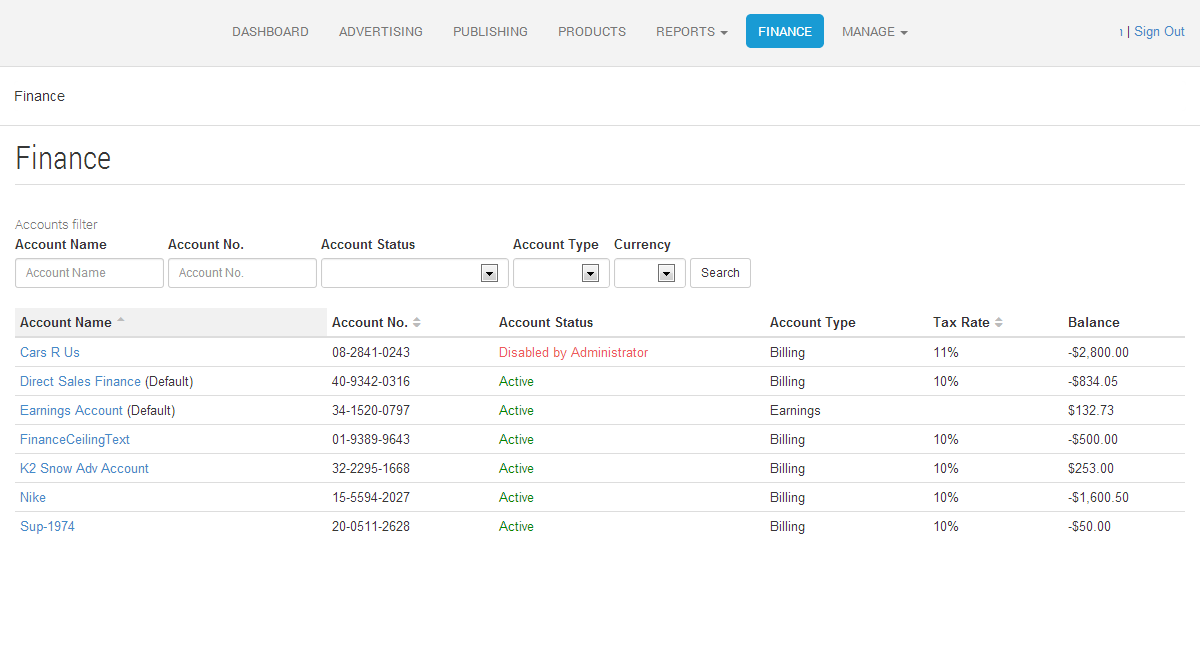
Click on the account name to view the details for the account.
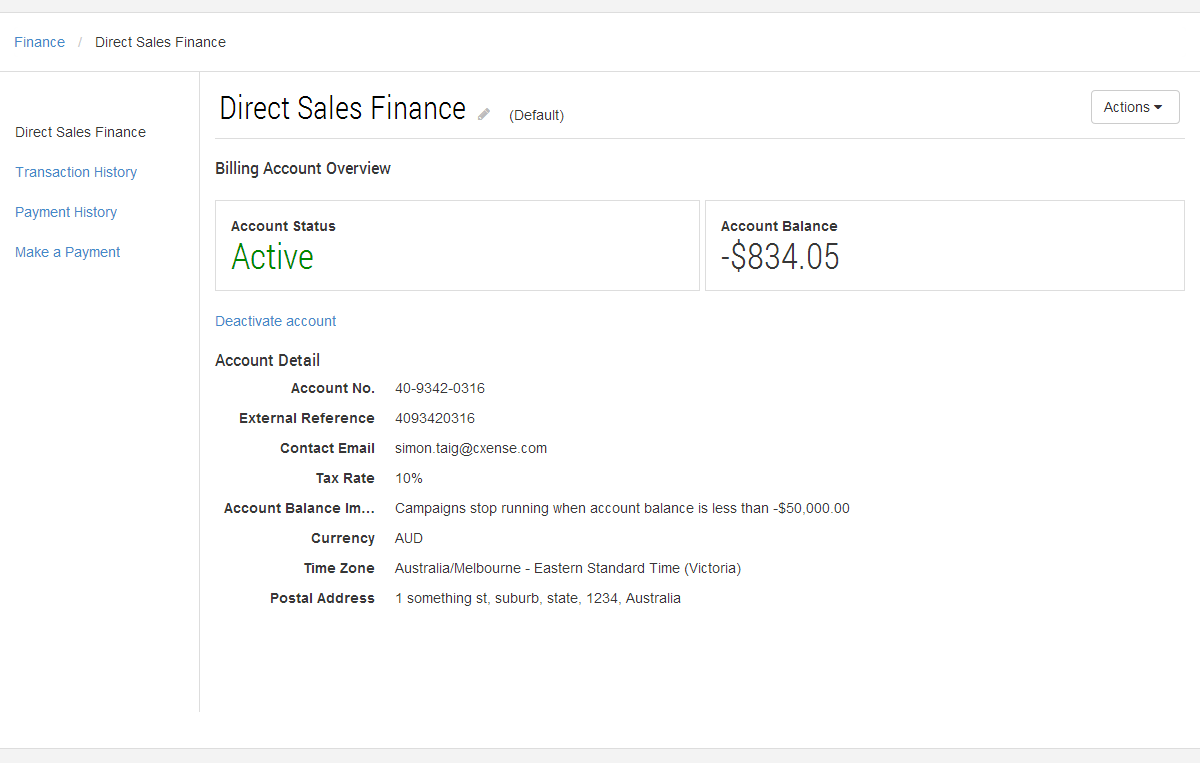
Clicking on the Make a Payment link will ask you to choose an amount for the payment before proceeding
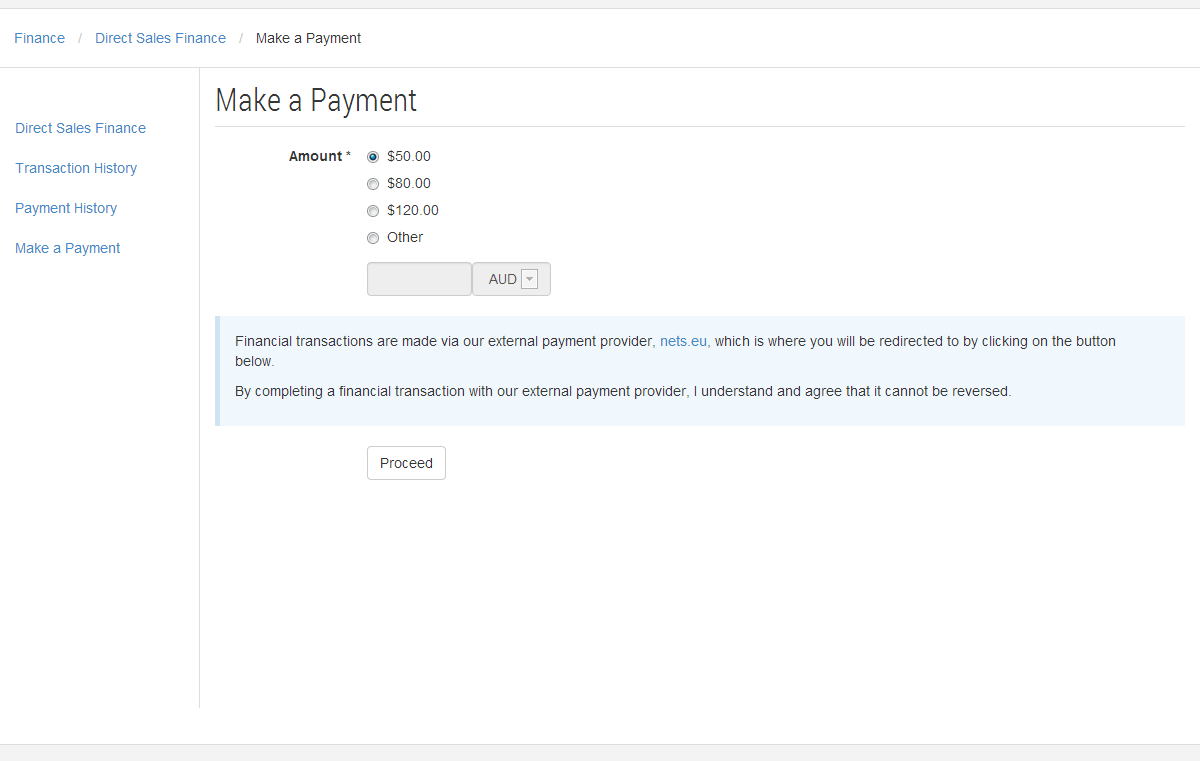
Once you have chosen an amount for the payment click the Proceed button and you will be taken to the credit card entry screen provided by our payment gateway provider,
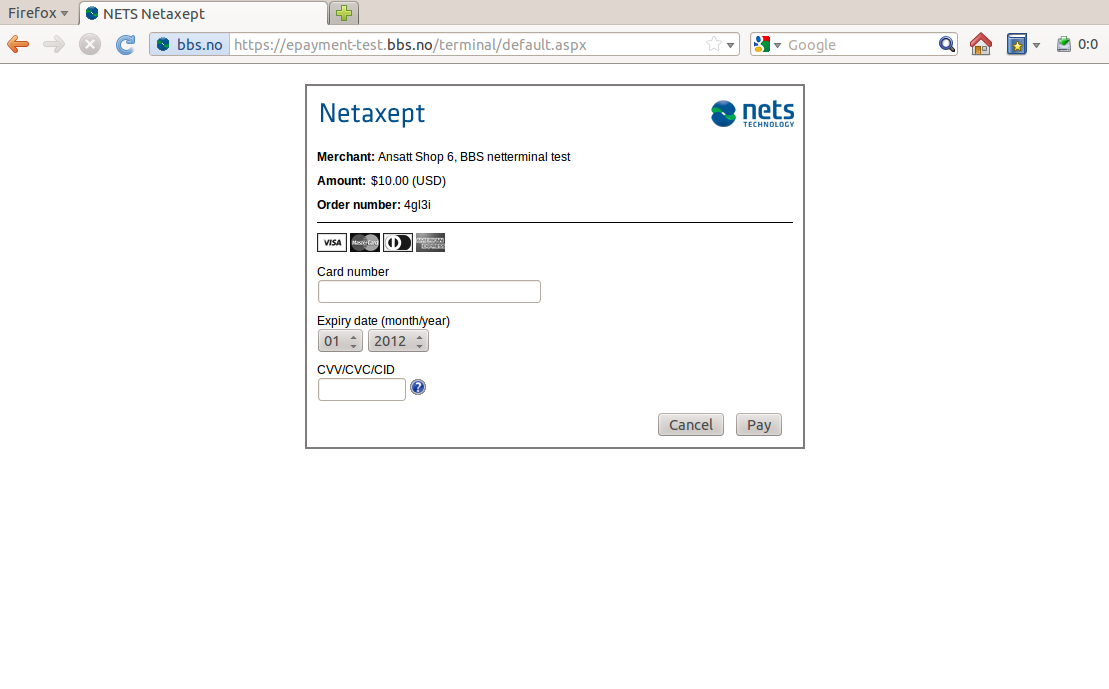
Complete this form with your credit card details and press the Pay button, you will then be returned to Cxense Advertising and the status of your payment (success or failure for whatever reason) will be displayed in a message above the account details.