Third-Party Creatives allow ads from third-party systems to be incorporated into Cxense Advertising campaigns.
Currently, we support the following third-party ads:
-
AdAction
-
AdBroker
-
AdForm
-
AD Generation - Click tracking not supported
-
Adition
-
Adjust - Click tracking not supported
-
AdMotion
-
Ad Sense - Click tracking not supported
-
adstir - Click tracking not supported
-
AdTech
-
AdVantage - Click tracking not supported
-
Advertising.com - Click tracking not supported
-
AppliPromotion - Click tracking not supported
-
Atlas
-
Boost Banner Creator
-
Celtra
-
CPXi - Click tracking not supported
-
Crisp
-
Criteo
-
Cxense - Click tracking not supported
-
DoubleClick
-
Emediate
-
Exponential - Click tracking not supported
-
Geniee - Click tracking not supported
-
ImpAct - Click tracking not supported
-
Improve Digital - Click tracking not supported
-
Innity - Click tracking not supported
-
Kiosked - Click tracking not supported
-
Localworld
-
Logly - Click tracking not supported
-
Mediaplex
-
MediaMind
-
MicroAd
-
MSN
-
OpenX - Click tracking not supported
-
Orange Advertising
-
PlatformOne - Click tracking not supported
-
Predicta
-
PubMatic - Click tracking not supported
-
Re:cord - Click tracking not supported
-
Rubicon Project - Click tracking not supported
-
Sizmek
-
Smarti
-
Smart AdServer
-
SwitchAds - Click tracking not supported
-
Tradedoubler
-
Vasco
-
Weborama
-
Xrost - Click tracking not supported
-
Yield Lab
-
Zanox
Entering Data into Third-Party Creatives
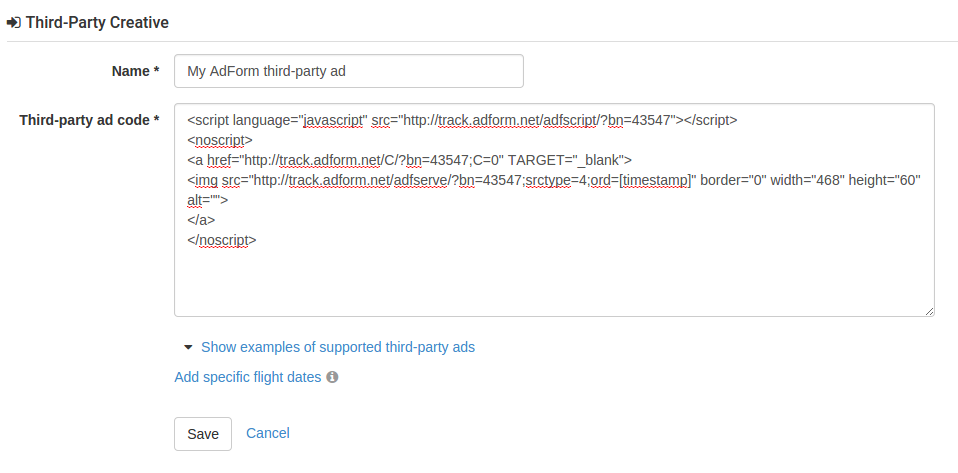
Just copy-and-paste your ad code into the text area and Cxense Advertising will handle the rest. Here's an example with an AdForm ad: