
Creatives are what a user will see when an advertisement is served to them.
Creative Templates
Creative Templates specify the creative formats that are valid for each product. For more information, refer to Creative Templates
Campaigns, Ads and Creatives
Campaigns and Ads can contain a variety of creatives, which prescribe how a particular ad will appear when published on a website.
For further information on creatives and the specific formats and file types they support, please read Combo Creatives, Text Creatives, Image Creatives or Flash Creatives.
Campaign Configuration
Choosing where you add your Creatives and Targeting Critieria can help with ongoing management of your Campaigns. Within Cxense Advertising, Product Managers have control over what options are available per Ad Product. Due to the nature of Product variation, we cannot clarify exactly what may be available to you as an advertiser, however here is a two contrasting examples of a simplistic Campaign and a more advanced one.
Simple CPC Campaign Settings:
-
Text Creatives available on the Campaign
-
Keywords editor available on the Campaign
The above configuration enables all Creatives and Keywords to be added to the campaign, hence the Advertiser doesn't need to navigate through to the single Advertisement. Multiple Creatives (Creative Variants) can be added on the campaign as an advanced option to see which 'tone of voice' works best.
Usage Example:
Campaign: Shoes
Campaign Keywords: 'shoes',
Campaign Creative #1: "Shoes sale, Buy Now"
Campaign Creative #2: "Free Delivery with shoes purchase"
The above example describes a simplistic Ad Campaign, where all configuration is done within the campaign view, never needing to consider Advertisement configuration.
Intermediate CPC Campaign Settings:
-
Text Creatives added on both Campaign & Advertisement level
-
Keywords added on both Campaign & Advertisement level
The above configuration enables suitably advanced advertisers the ability to set generic/ fallback creatives and matching criteria on the campaign level, and evolve the campaign with multiple Advertisements with specific Creative Variants and matching criteria (Matching Variants).
Usage Example
Campaign: ShoesCampaignKeywords: Shoes, Runners, BootsCampaignCreatives: "We have the best Shoes in town"
Ad #1: Sporting enthusiasts
Ad#1Creative#1: "Super sports shoes"Ad#1Creative#2: "Ultra Light X-Trainers"Keywords: Running shoes, X-trainers, Tennis Shoes, ...Ad#2: Hiking EnthusiastsAd#1Creative#1: "Tough Walking Boots"Ad#1Creative#2: "Lightweight Hiking Boots"Keywords: Exploring Boots, Trekking, Hiking,Walking boots, ...
The above example highlights an intermediate campaign, with generic matching, and one 'generic' Creative at the Campaign level. In addition to this, there are two Advertisements that target specific sub sets of the intended audience - Sporting enthusiasts, and Hiking Enthusiasts. Each Ad has different Creative messages tailored to the tone of voice appropriate for each audience. Additionally, the targeting criteria is set to ensure a specific audience subset is targeted. There are now 5 Creatives messages on the campaign, allowing comparison of which message and which targeting criteria works best for each audience. More advanced Campaign management can also be done by variations in bid management and matching type, such as 'shoes, broad with bid of $1 on a campaign, and "running shoes" exact with a bid of $4 on the Advertisement level.
Destination URL preview
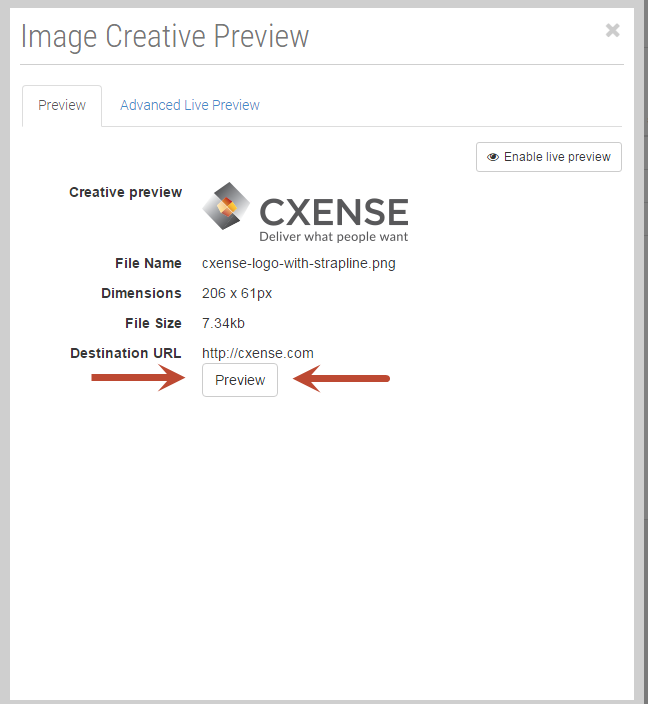
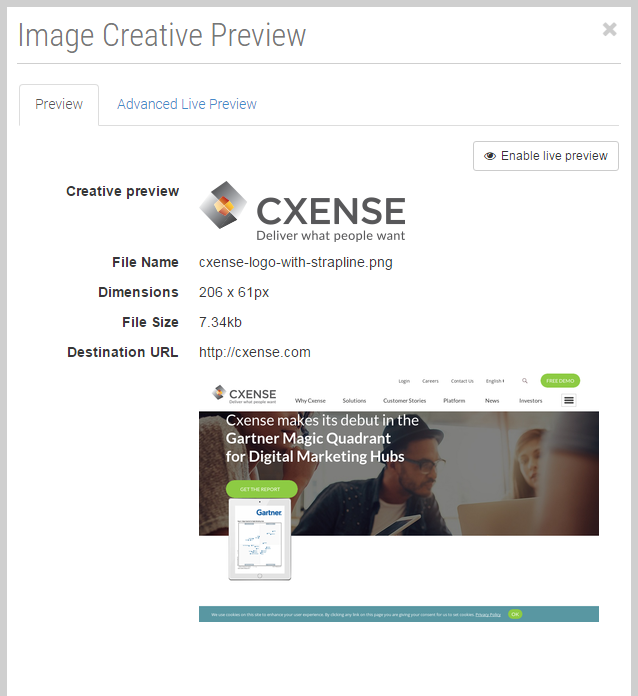
While previewing a creative you may quickly check that a destination URL is correct - just click "Preview" button.
Note: it takes some time to load a page, make a screenshot and pass it to CxAd. Commonly it takes 10-15 seconds but may increase up to 30 seconds. As soon as the first screenshot of the page was made it is cached for 30 days and will be returned within a moment.
Visual Examples
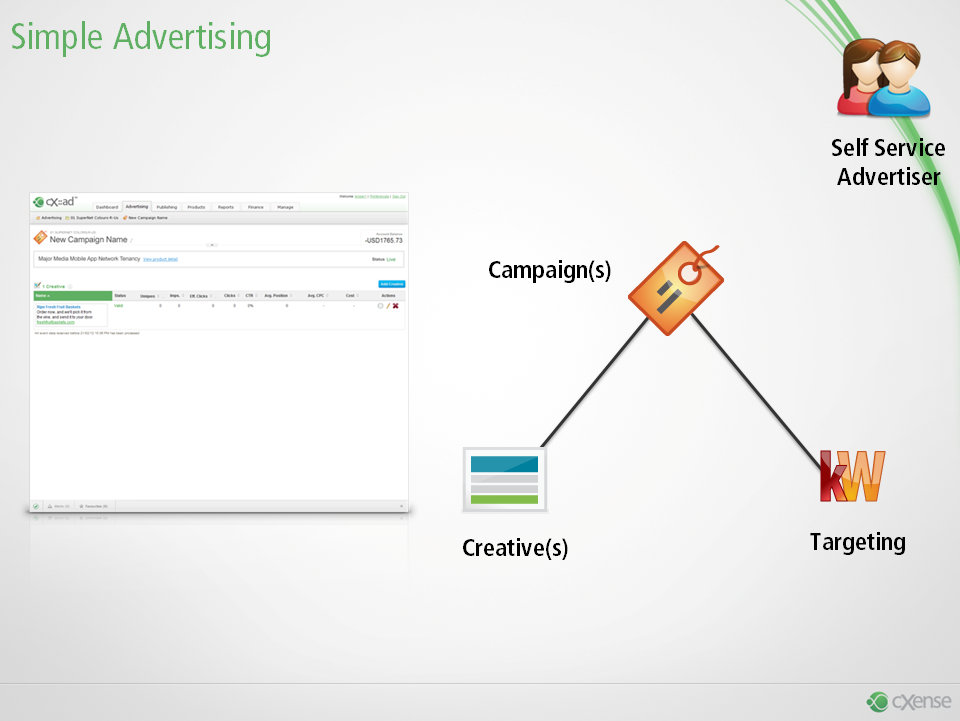
Simple Advertising Campaigns have Creatives and Targeting set on the Campaign.
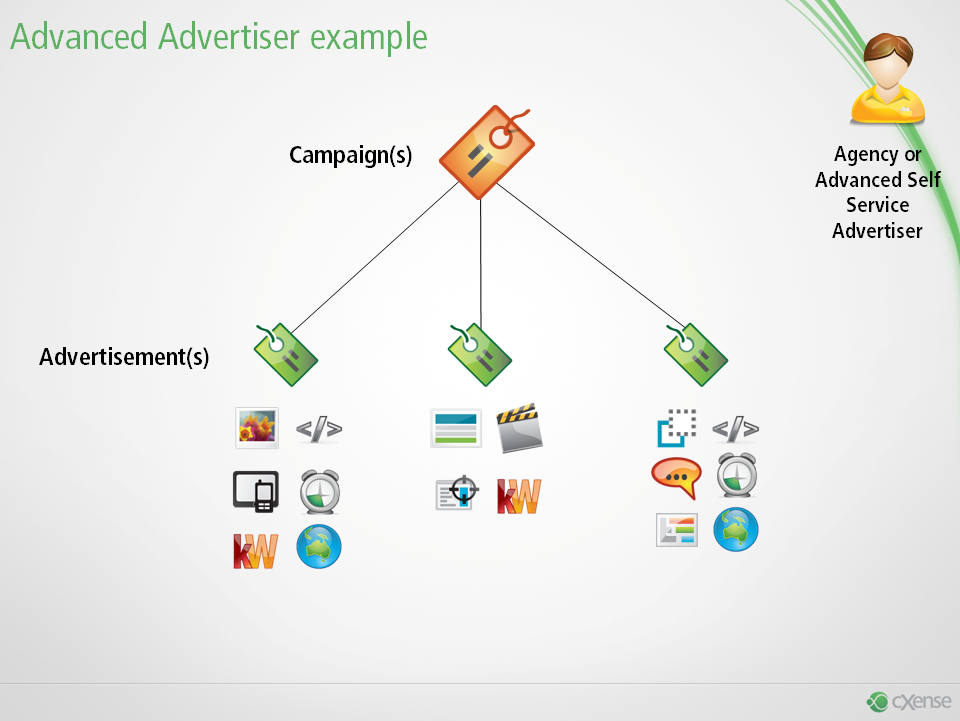
More Advanced campaigns have multiple Advertiesments with Creative & Matching against each Ad, as well as the Campaign level.