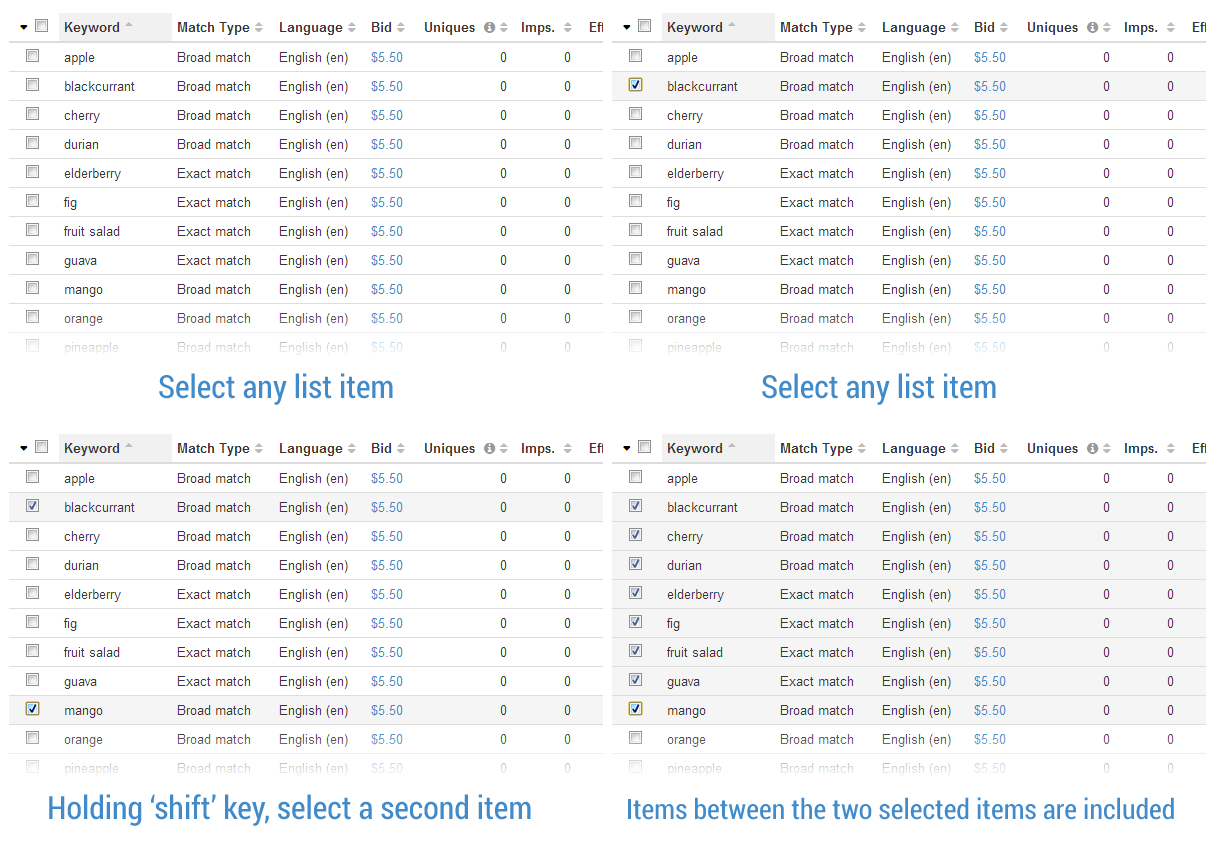
Keywords can be managed in bulk so that multiple keywords can be updated at the same time.
When this is coupled with the filter functions we have available, it provide a rich set of tools for managing a large number of keywords.
Here are a few examples:
Increase bids on all exact-match keyword bids by $2
1. Set the Filter to;
a. Match Type: Exact Match
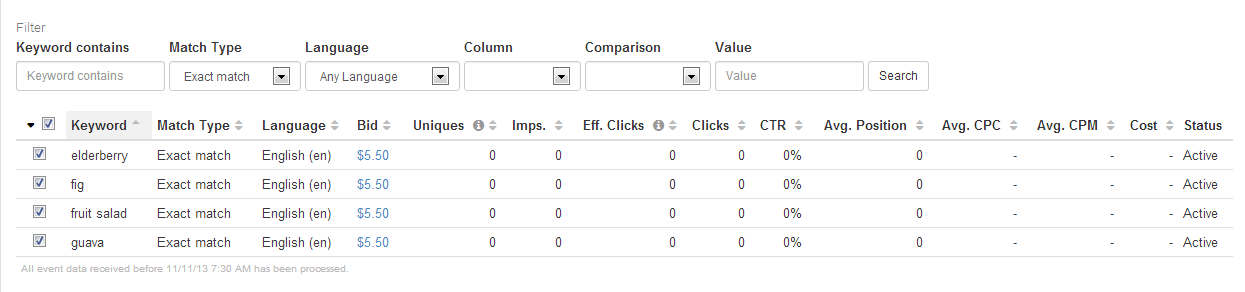
2. Select All (or a subset as required)
3. Select Update Bids from the Bulk Management Drop Down
4. Choose "Adjust bid by an amount" and set a relative amount to increase (or decrease) the selected Keyword bids to
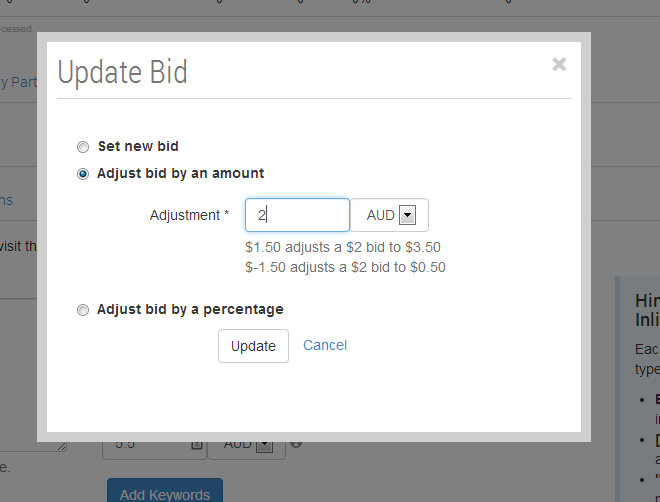
5. Select Update
Increase bids on all broad-match keywords that are below $5 by 17.5%
-
Set the Filter to;
-
Match Type: Broad Match
-
Column: bid
-
Comparison: less than
-
Value: $5
-
-
Select All (or a subset as required)
-
Select Update Bids from the Bulk Management Drop Down
-
Choose "Adjust bid by a percentage" and Set a relative percentage to increase the selected Keyword bids to (e.g. 17.5)s
-
Select Update
Reduce bids on keywords whose cost is greater than $300 by 7.5%
-
Choose the appropriate Date Range
-
Set the Filter to;
-
Column: Cost
-
Comparison: Greater Than
-
Value: 300
-
-
Select All (or a subset as required)
-
Select Update Bids from the Bulk Management Drop Down
-
Choose "Adjust bid by a percentage", and set a relative amount to decrease the selected Keyword bids to (e.g. -7.5)
-
Select Update
Quick select multiple items
Hold Shift whilst making a selection of Keywords to select all Keywords in between the previous selection.