Dependencies
The Piano Composer Show Template is available as an AAR via Maven Central. To add dependencies, open your project’s build.gradle/build.gradle.kts and update the dependencies block as follows:
Kotlin DSL
dependencies {
    implementation("io.piano.android:composer-show-template:$VERSION")
}
Usage
Add code into your ShowTemplate listener.
// Use one of these
ShowTemplateController(showTemplateEvent, customJavascriptInterface).show(activity)
ShowTemplateController(showTemplateEvent, customJavascriptInterface).show(activity, inlineWebViewProvider)
How to show templates inline
First, you need to prepare some content with a webview placed inline:
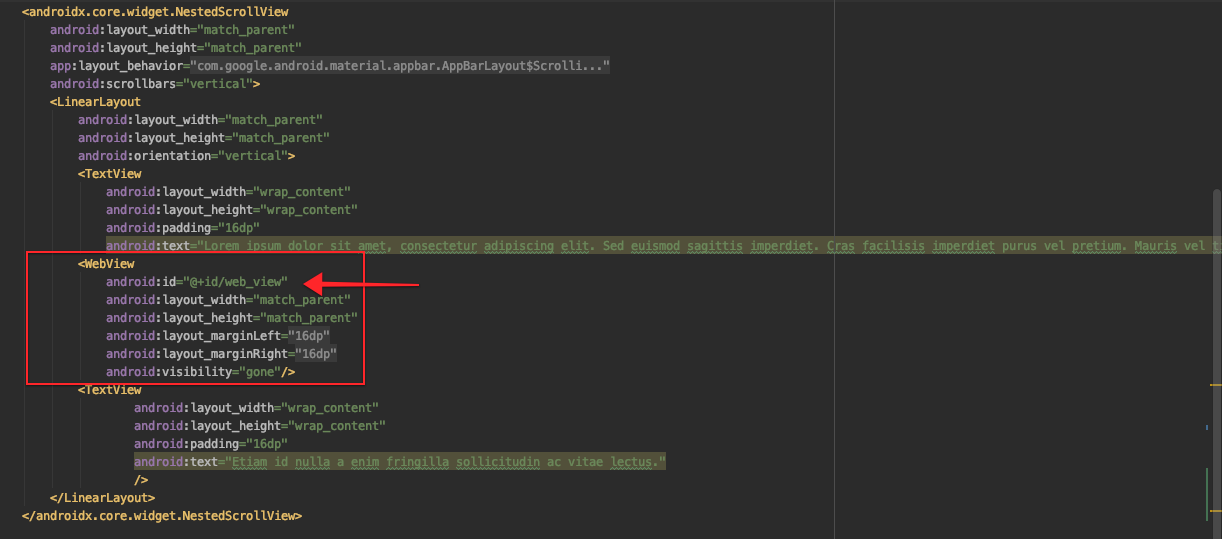
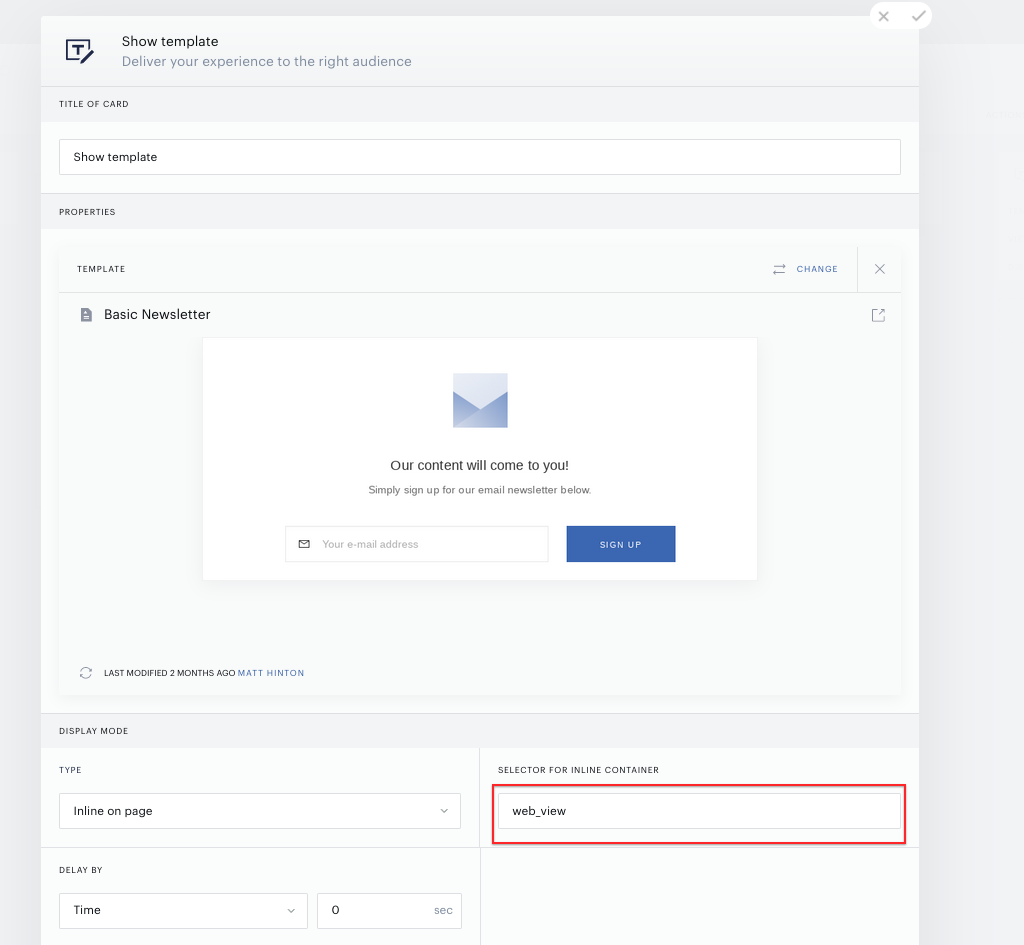
Then, you can target this webview in Composer by adding the ID of the webview into the inline container selector field:
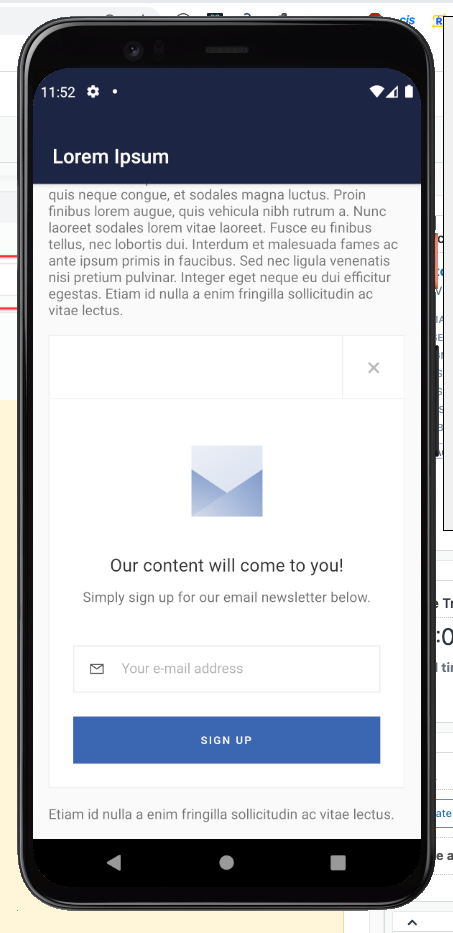
This will result in the template being shown inline in your Android app. For example like this: