
Not sure which keywords you should purchase for your advertisement? Automated Suggestions can help. We can suggest potential keywords based on either a URL, or on the pages where your ad is likely to be displayed.
This tab will only appear if your broker has configured the connection between Cxense Advertising and Cxense Analytics. That connection can be configured via the Manage System Configuration page.
Generate Keyword suggestions from a web page
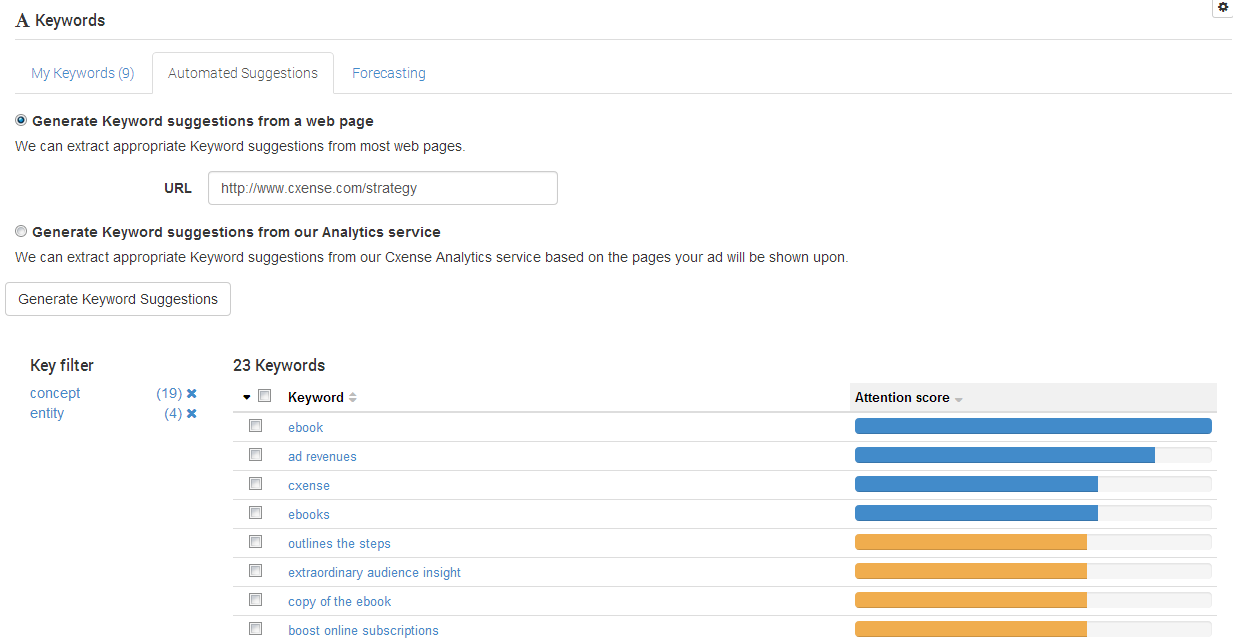
-
Enter the URL you wish to scan for keywords in the URL field. Please note that the URL must start with either http or https
-
Click "Generate Keyword Suggestions". Please note that it may take up to 30 seconds to obtain the keywords for that URL.
-
You will now see a list of the keywords we found, ordered by relevance. You can now either:
-
Add a single keyword by clicking on it.
-
Add all of the keywords displayed on this page by clicking "Add 10 displayed suggestions" above the table.
-
Add all keywords by clicking "Add all 56 suggestions" above the table.
-
Generate Keyword suggestions from our cX::analytics service
-
Select "Generate Keyword suggestions from our cX::analytics service".
-
Click "Generate Keyword Suggestions".
-
You will now see a list of the keywords we found, ordered by relevance. You can now either:
-
Add a single keyword by clicking on it.
-
Add all of the keywords displayed on this page by clicking "Add 10 displayed suggestions" above the table.
-
Add all keywords by clicking "Add all 26 suggestions" above the table.
-
Troubleshooting Automatic Keyword Suggestions
The keywords returned are based on the pages that contain an ad space where this ad might be shown. This is somewhat intricate chain of specification:
-
Campaign specifies the Product
-
Product specifies which AdSpaces
-
AdSpace placements specify which pages
-
Pages specify Keywords
If no keywords are returned, it means that either:
-
The ad space hasn't been added to any pages.
Please ensure the AdSpaces for that product are actually live, and contain data -
The cX::analytics script isn't present on those pages.
The script must be present in order to generate KW data -
The pages with that ad space haven't yet been indexed by cX::analytics.
This process can take a minutes or a day or two depending on a few factors. Login to cX::analytics, and view the relevant Account(s) and site(s) for data - if you can see KW data within Analytics, it will be presented - disregarding any other configuration issues mentioned here.
If the product you have selected hasn't been added to an ad space yet, all potential keywords will be returned.