
Configuration (Admin)
In the Cxense Admin Interface (admin.cxense.com) has basic support for creating and configuring content widgets.

The content widgets tab (Cont. widgets)
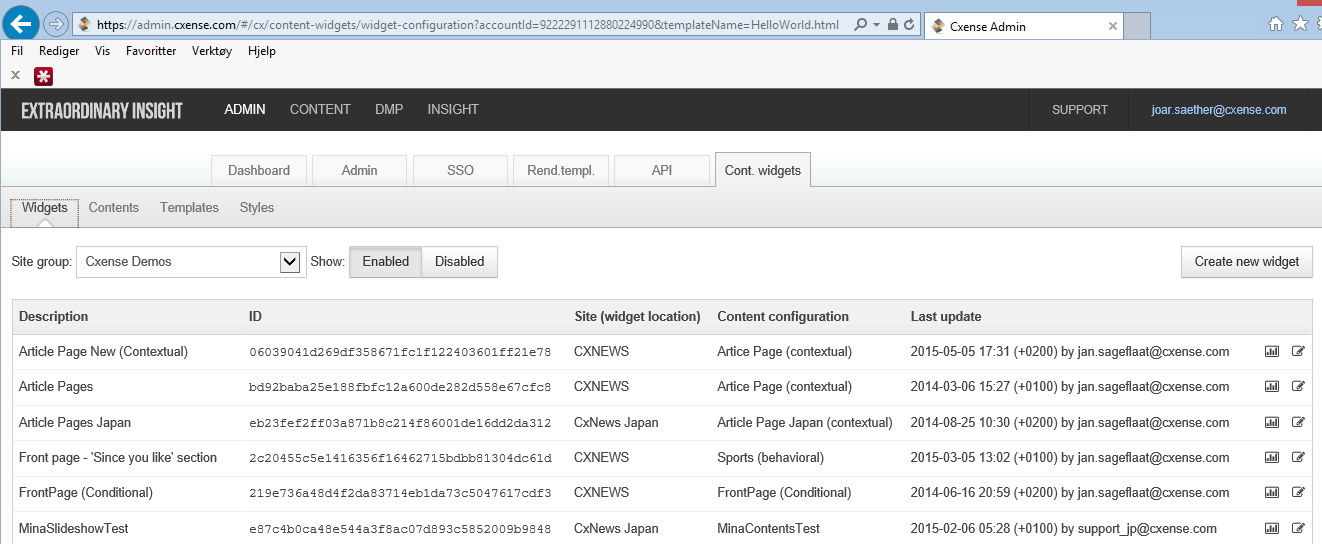
The Tab labeled "Cont widgets" has four sub-Tabs that control widgets' content and the look and feel
Widgets
Here you can create and manage your widget objects. The API methods are documented here, while the screenshot below shows what happen when you click "Article Page New (Contextual)" in the screenshot above.
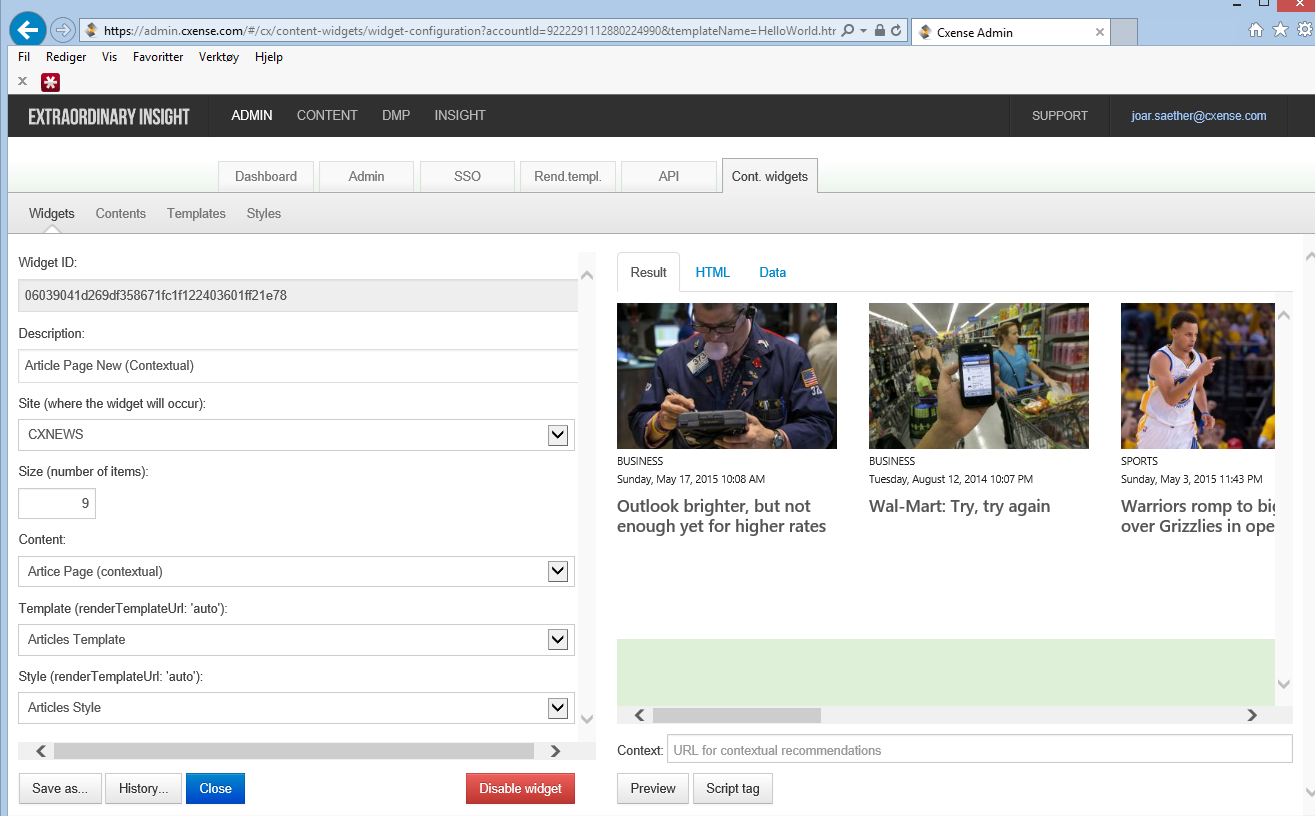
The above screen contains information on how the widget is composed in terms of content configuration, template and style. This screen allow you to choose from a set of configurations, renderTemplates and Styles that are defined in the sub-TABs explained below. You will for instance have to make note of the exact name that is selected in the drop down for renderTemplate before clicking "Templates" to adjust the actual rendertemplate.
Content
Here you can create and manage your content configurations, without having to use the API interface to content configurations.
To reach the actual content configuration used for the "Article Page New (Contextual)" widget in the above screenshot, you click the "Contents" sub-TAB in the screenshot above, and you then get to a screen looking like the picture shown below here. I have marked in Yellow where the "Contents" sub-TAB is, and also highlighted in Yellow the line containing the content configuration for the widget we are looking at above.
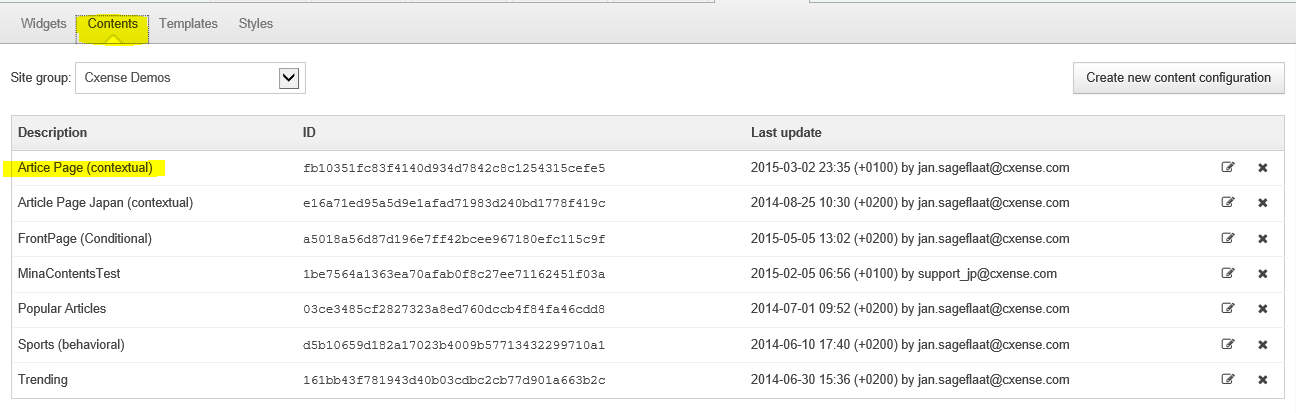
Click the "Article Page (contextual)", and you are brought to a screen looking like this:
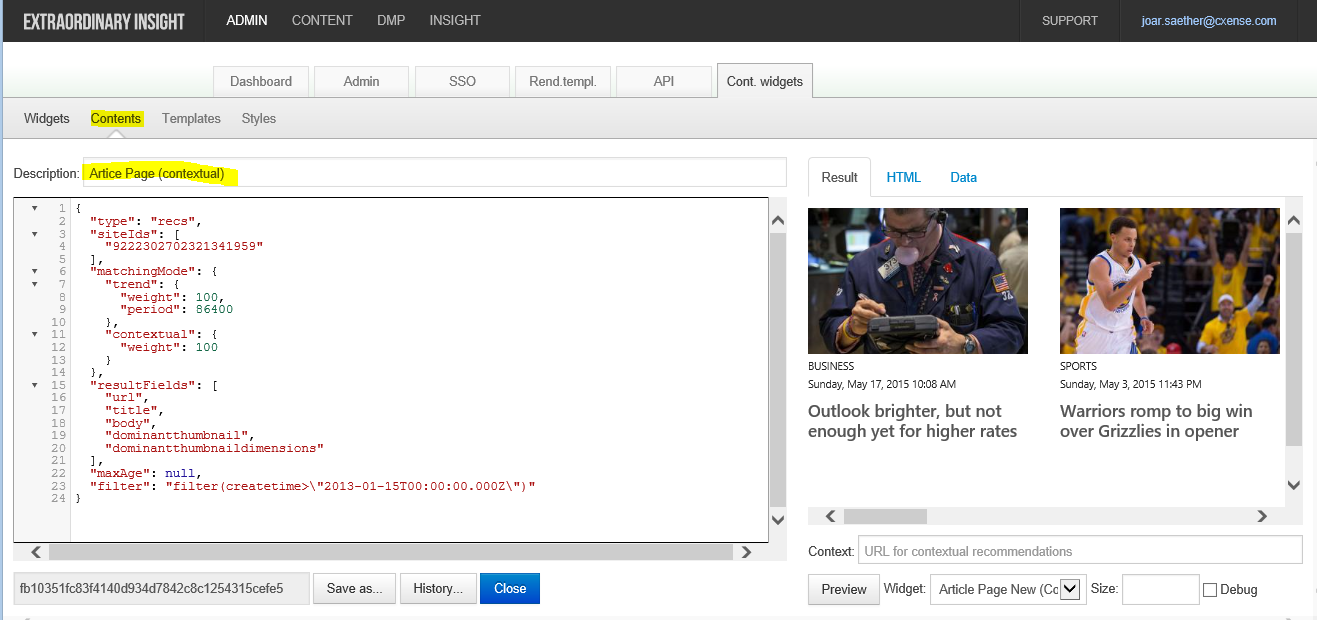
Again, the two yellow highlights match those in the previous screenshot and explain how we got here
Template
Here you can create and manage your render Templates, without having to go through the API to tweak the Content widget template object.
Style
Here you can create and manage your styles.
The render templates tab (Rend.templ. under http://admin.cxense.com )
Depreciated:
|
CDN based templates is the "old way" of managing the rendering/layout of your widget.
|
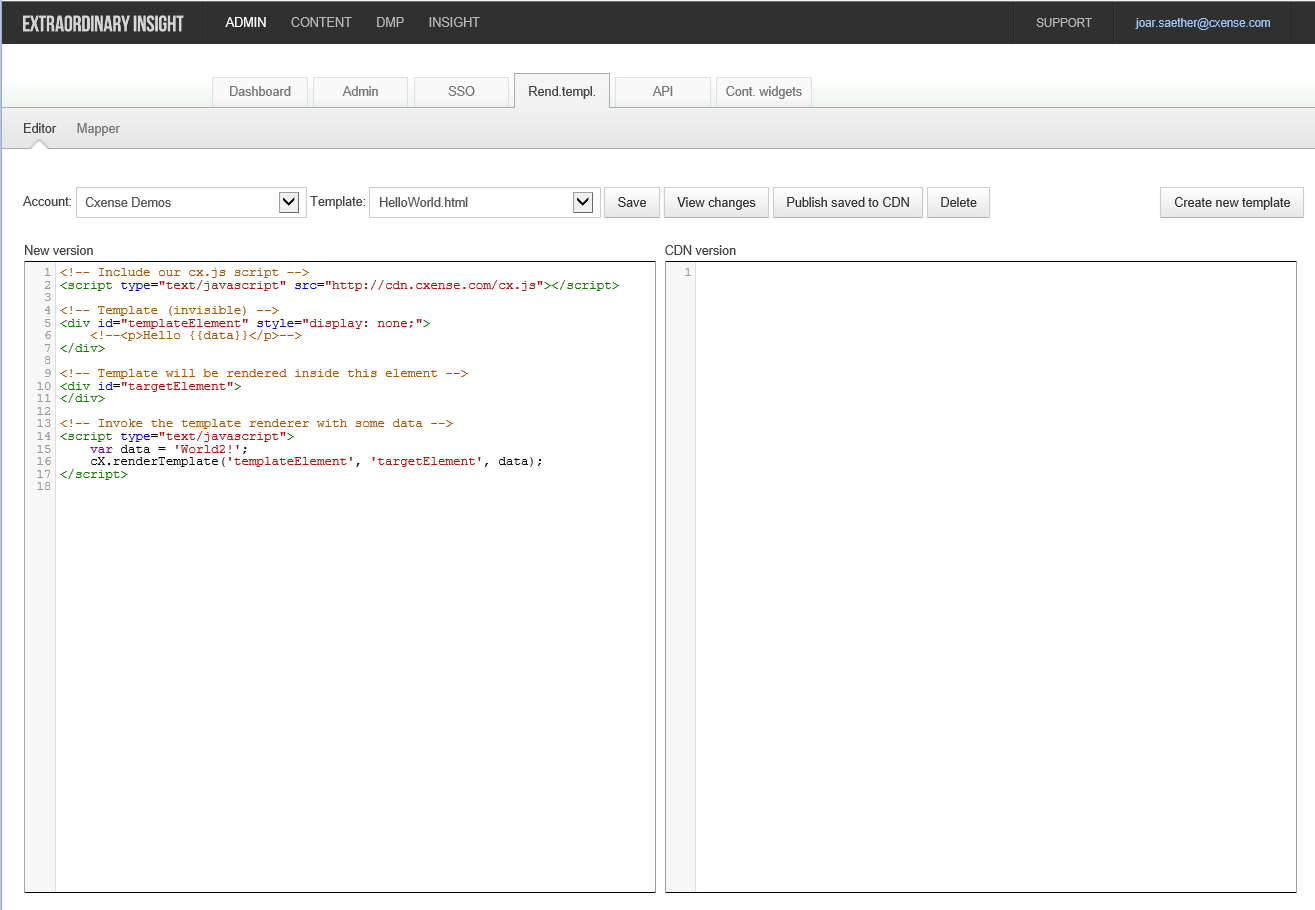
Editor: Here you can create and manage your CDN based templates.
Mapper: Here you can set up mapped render templates, i.e. specify which widgets should use which CDN based templates.
(This is similar to mapping templates to ad-spaces which is described in Using the render template editor.)
Reports - use Cxense Insight
Many parts of the Cxense Insight User Interface (insight.cxense.com) are useful when you want to improve the performance of your content recommendations.
Reports | Recommendations: Daily reports showing the performance of your widgets.