
User segments are a powerful way to categorise your user base into areas of interest for advertisers. Once defined in Cxense DMP, it is straightforward to use these segments as targeting criteria in Cxense Advertising. When a user views a page that requests ads, all segments associated to that user are automatically sent to the Cxense Advertising ad server by Cxense DMP. An introduction to Cxense DMP and the benefits it can bring your ad network can be viewed here - please talk to your account manager in order to gain access to Cxense DMP.
In order to enable User Segment integration in Cxense Advertising, you first need to link your Cxense Advertising account to your Cxense Analytics account. This is described here.
As always, the targeting features that an advertiser can use when creating a campaign are defined by the associated product. Therefore, the product manager must enable the User Segment feature in desired products before it will be made available to advertisers:
-
Navigate to the product to which you want to add the ability to target by User Segments.
-
Use the sidebar menu to add a new User Segment matching template instance.
-
A form will be presented to you in the main page content. Enter a name and the scopes for the template and press Save.
Advertisers who then purchase this product will be able add user segments to the campaign via the User Segment tab:
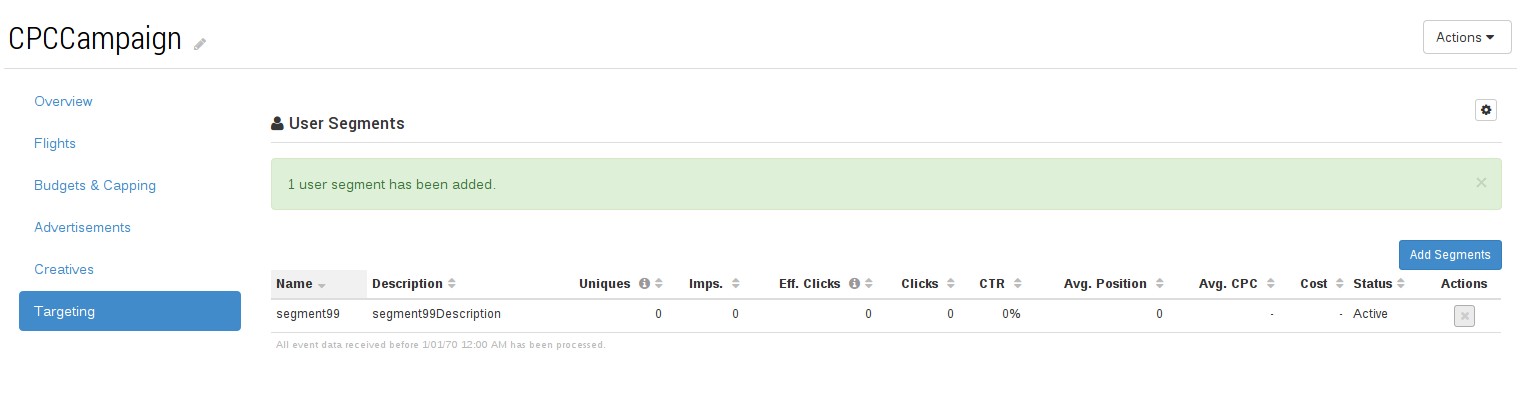
Clicking the 'Add Segments' button brings up the following modal window:
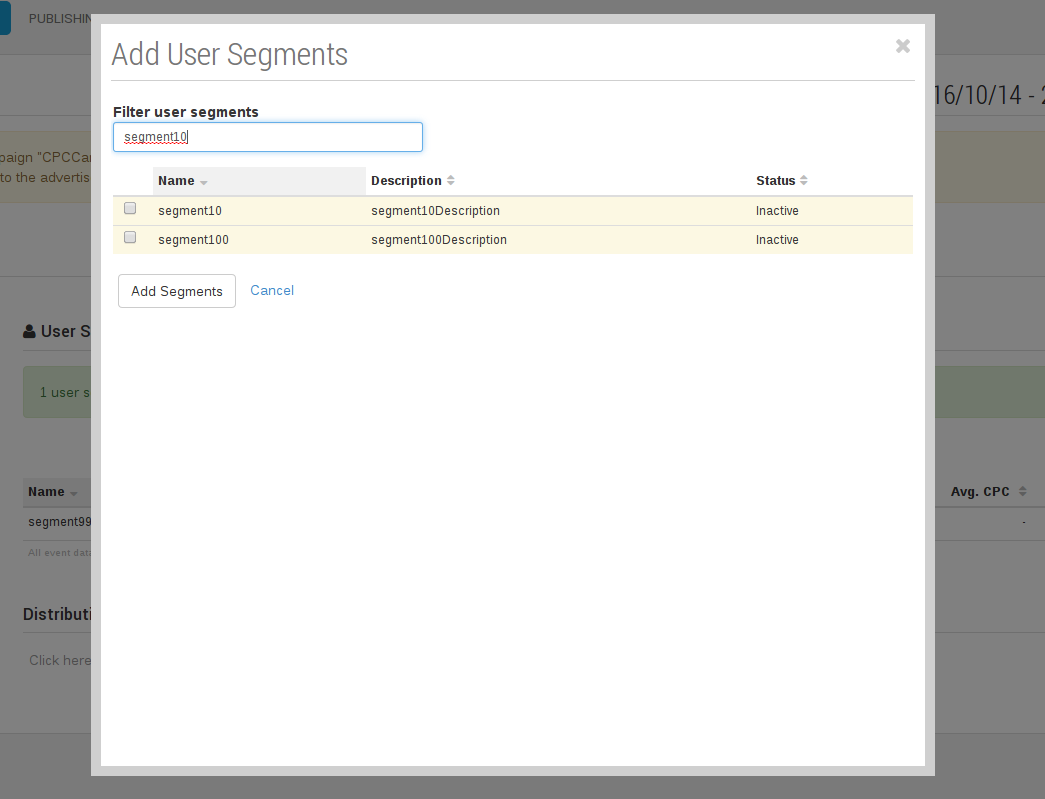
Once one or more user segments are targeted, delivery of the Campaign's Ads will only occur when a user viewing a page is associated with one of the selected segments, as determined by Cxense DMP.
REST API
This feature has a corresponding REST API for programmatic management of User Segment features on Campaigns and Ads. Please see the User Segment Targeting REST API documentation for details.