CleverPush is a push notifications provider that helps brands to increase reach, revenue & engagement. They provide their clients with their own made segmentation feature, but it makes sense to use a DMP in order to have a centralized platform to manage your audiences. That being said, together with a mutual client they have set up an integration that lets them access our segments themselves, as well as a user's segments client-side.
For this to work we need two things:
-
PersistedQueryIdin order to fetch segments of a user client-side (API endpoint: /profile/user/segment - referred to as Public segments) -
PersistedQueryIdin order to fetch the segments of a given siteGroup (API endpoint: /segment/read - referred to as Private segments)
If you're not familiar with the concept of persisted Queries, please read the linked explanation.
Once having them created on Piano's side, you can go to Channels → Integration in your CleverPush dashboard:
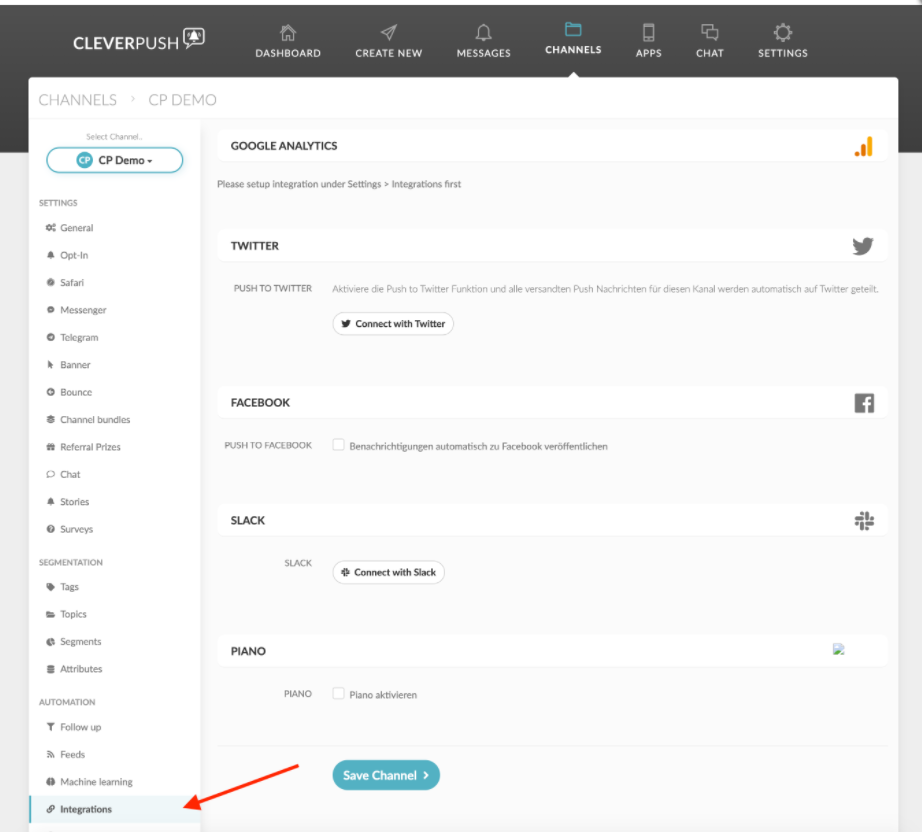
Enable the integration and enter the IDs as follows:
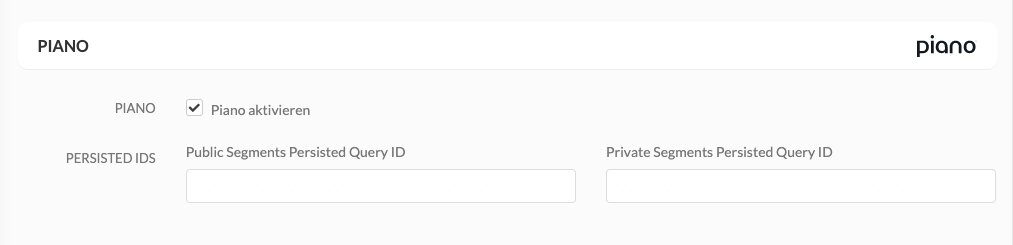
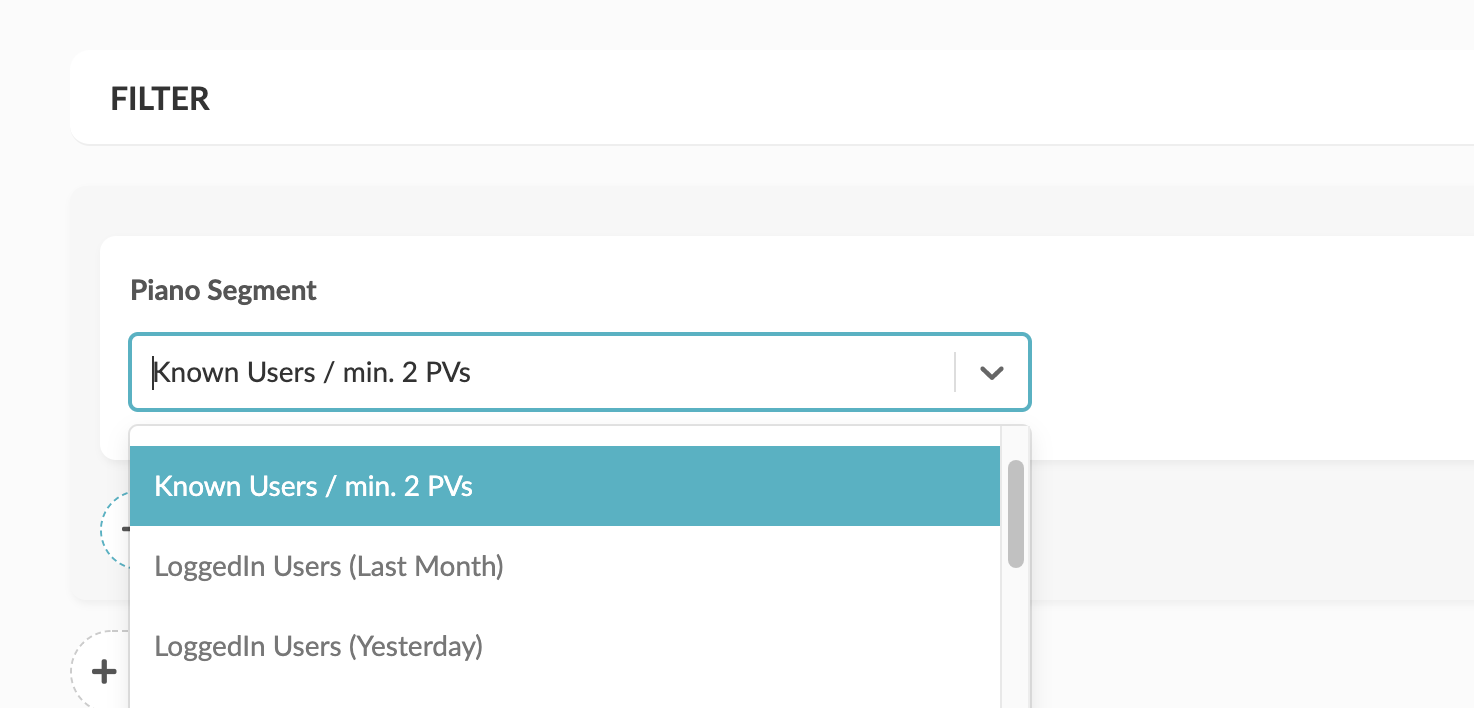
As soon as the integration is properly set up, the segments are updated once a day. The segments of a given user are being fetched client-side via "getUserSegmentIds" and hence are real-time compatible. Clients have then the option to use them for targeting:
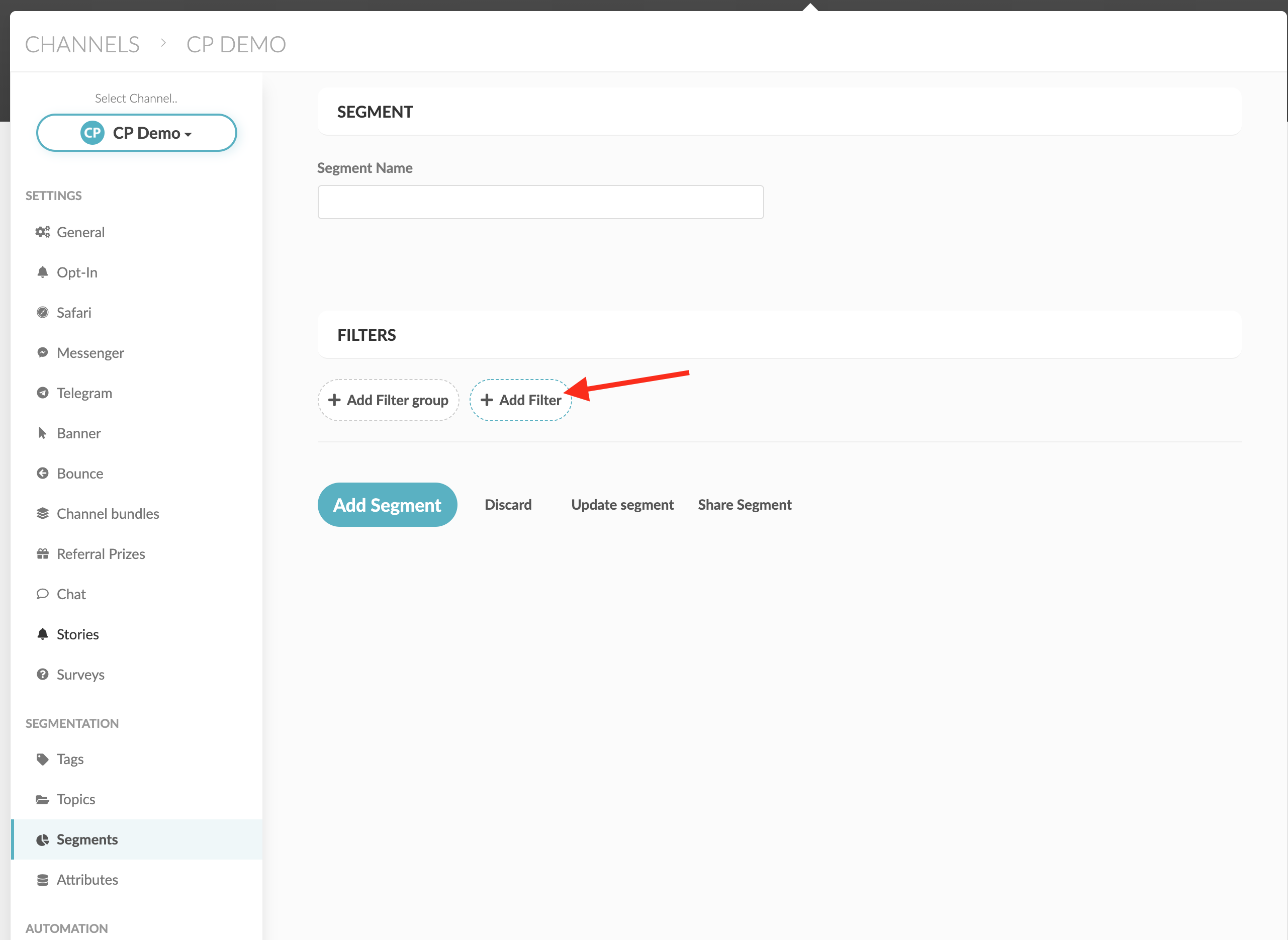
Click Add Filter and the segments should pop up: