
Templates determine what Socialflow pulls in from your RSS feed and in what format, which will determine how your social post looks. The default is for us to pull the title of the article and the link, but you may want more descriptive text for example.
Here are the steps for editing your template.
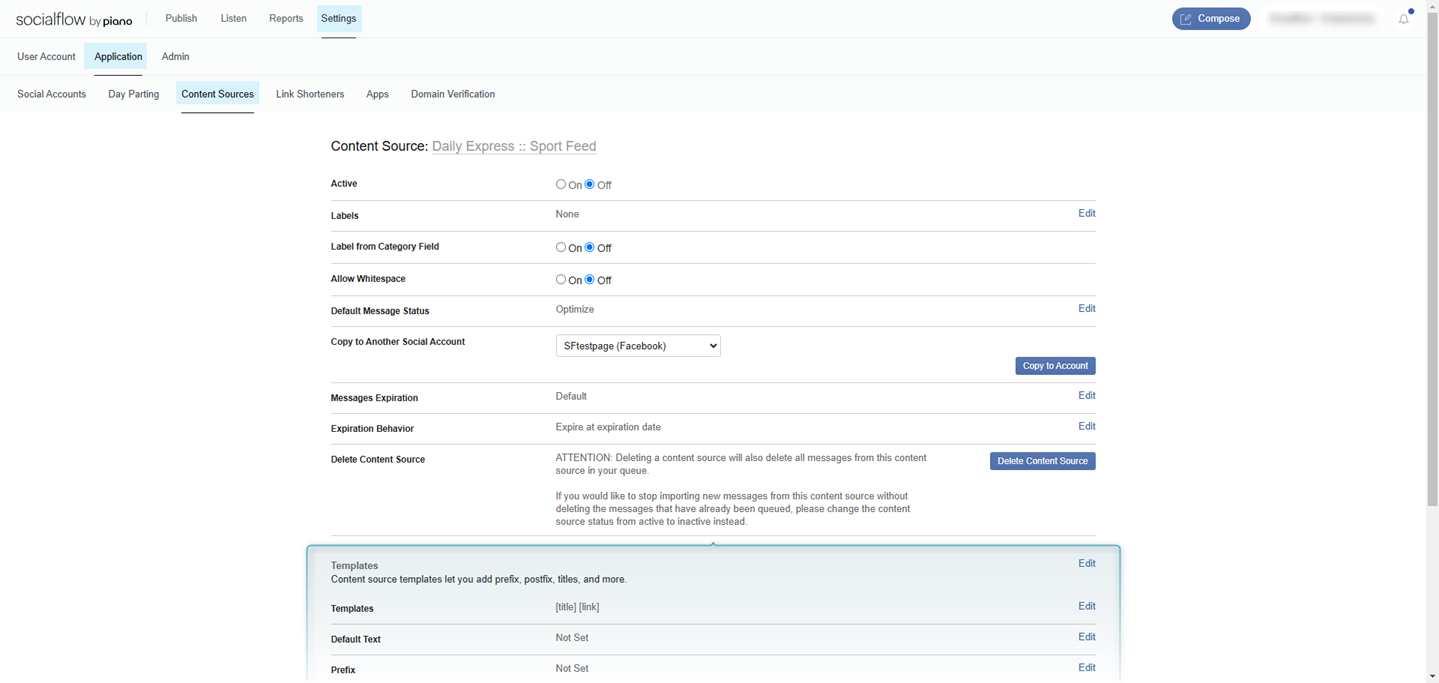
Go to Settings → Application → Content Sources and select the corresponding content source (RSS feed) you wish to edit.
Then scroll down to the Templates section:
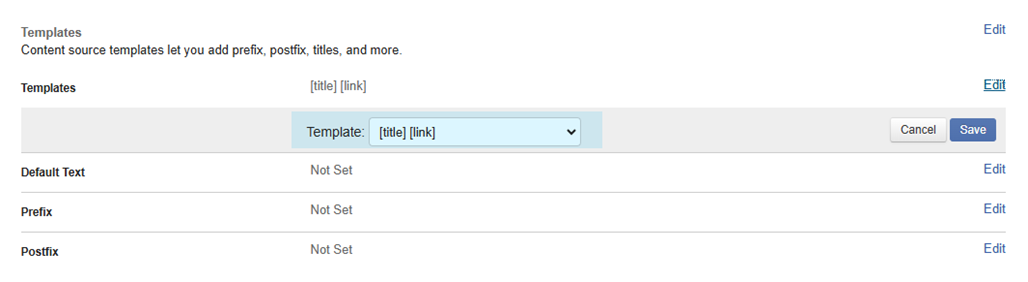
Here you can edit the template you are using, and select the desired template from the drop-down list:
A common use case for changing the template is to use the "deck" or article's meta description as the social message, instead of the title.
One of the following templates could work for you:
-
[scrape:og:description] 0r [scrape:og:description][link]
-
[summary] 0r [summary][link]
The [summary] template will only pull the description text IF there is both a "content:body" and "description" field in the RSS feed itself.
Remember, X and Threads both need the link in the post text in order to work, so always choose a template that includes [link] in that case.
Facebook will keep the link clickable underneath the post even if you don't explicitly have it in the post text, so it is not required to have [link] in your template unless you want fans to see the URL.
Advanced Tip
If you add your RSS feed to Socialflow over again as if it were a new feed, you can use the preview option in that workflow to see what templates will work for your desired results. Then do not add the feed, simply cancel the action and go edit the existing feed settings.
-
Go to Settings → Application → Content Sources
-
Enter the feed URL into the box and click Next
-
Click Template
-
Select different templates from the dropdown
-
Discontinue adding the feed, navigate elsewhere and come back to edit the current feed