
Overview
The Piano Analytics connector exports user profile attributes, representing zero party data, from Piano Audience to Piano Analytics. Users can review and manage these attributes using the Piano Integration Designer. To learn more, see Integration Designer Overview.
Prerequisites
-
A Piano Audience account with user profile attributes configured.
-
A Piano Analytics account mapped to your Piano instance. Piano automatically performs a lookup to detect a mapped Analytics account.
-
Administrative access to Piano Integration Designer.
If no Piano Analytics account is detected, you cannot configure the connector. If you use Piano Analytics but no mapping is found, contact support@piano.io for assistance.
Configuring the Piano Analytics Connector
Follow these steps to set up and configure the Piano Analytics connector:
Access the connector:
-
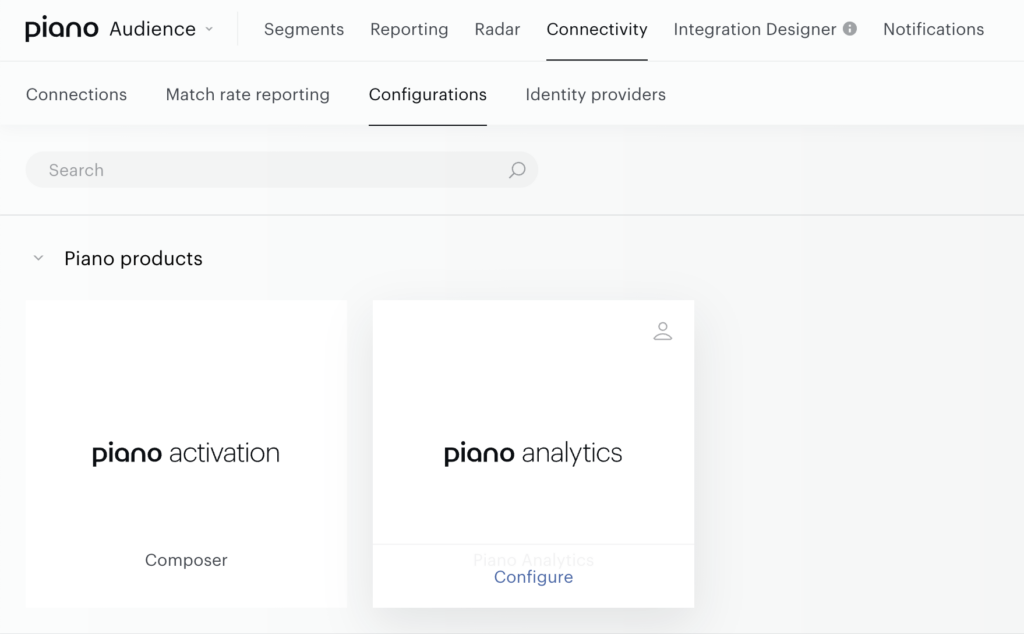
Navigate to the detail view of a specific user profile attribute to find the link, or go to Connectivity Hub -> Configurations in your Audience dashboard directly.
-
Select Piano Analytics and hit "Configure"
Select Attributes for Export:
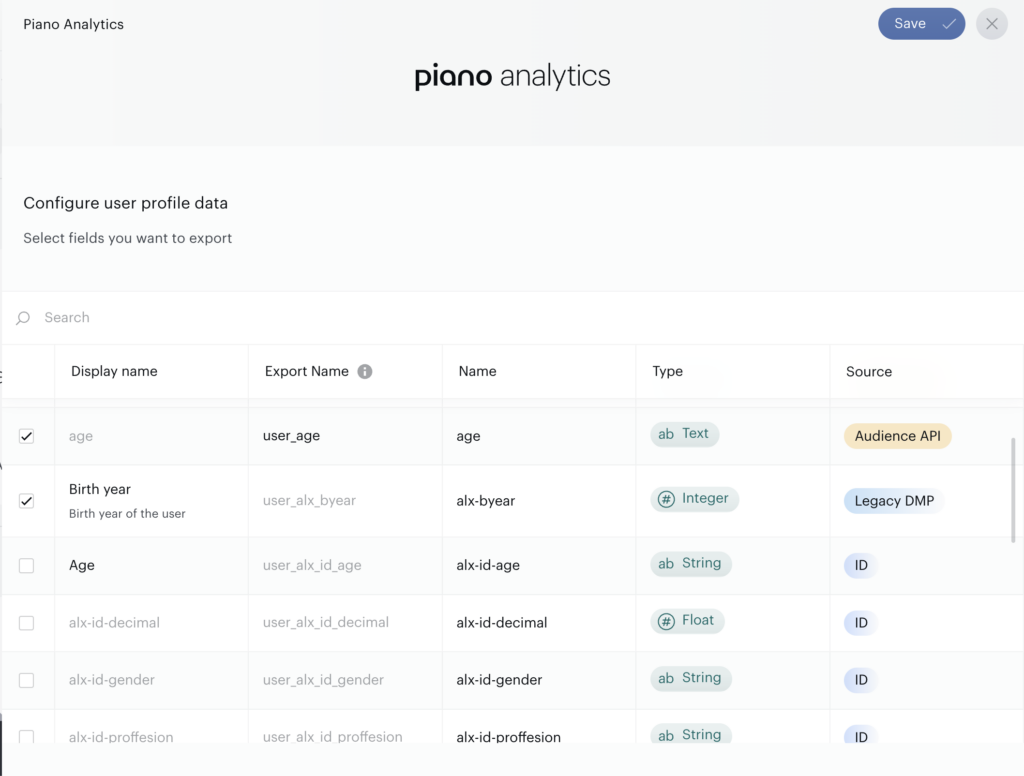
Choose the user profile attributes from Piano Audience to export to Piano Analytics.
-
Enable each attribute you want to include in the export by toggling the export option.
-
Ensure selected attributes meet the supported field criteria (see Limitations below).
Configure Export Names:
-
Assign an export name to each selected attribute. This name will be used in Piano Analytics.
-
Important: Set the export name before enabling the attribute for export. Once enabled, the export name cannot be edited.
Review Limitations:
Certain field types and categories cannot be exported (see Limitations below).
Save and Activate:
-
Review your configuration.
-
Save the integration and activate it to begin exporting attributes to Piano Analytics.
Export Frequency
Attributes are exported to Piano Analytics in real-time as they are updated in Piano Audience.
Limitations
The following fields cannot be exported:
-
Property Category:
-
Key
-
-
Property Types:
-
Object
-
Mixed
-
REF (References)
-
Nested Objects
-
-
Export Name Editing: Export names must be set before enabling an attribute for export. After enabling, the name is locked.
-
Account Dependency: A mapped Piano Analytics account is required. Without it, the connector cannot be configured.
-
Amount of Properties: A maximum of 100 properties can be shared with Analytics.
Troubleshooting
-
No Piano Analytics Account Detected:
-
Ensure your Piano Analytics account is properly linked to your Piano instance.
-
Contact support@piano.io if you believe an account should be available but isn’t detected.
-
-
Export Name Locked:
-
Disable the attribute’s export setting, adjust the export name, then re-enable it.
-
-
Unsupported Field Type:
-
Verify that selected attributes do not fall under restricted categories (e.g., Key) or types (e.g., Object, Mixed, REF, Nested Objects). Only supported field types can be exported.
-