
Introduction
Workspaces are a new way to get the most out of Piano Analytics data. Workspaces make it easy for analysts and business users to collaborate and get insights, regardless of their skill level.
-
Effortlessly create and share boards: Workspaces make it quick and easy to create and share boards that combine Piano Analytics' out-of-the-box and custom reports.
-
Easily meet diverse data and reporting requirements: Workspaces are highly flexible and can be customized to meet the needs of any team.
-
Empower end users to make better decisions: Workspaces give business users the power to analyze data and turn it into actionable insights without having to be analysts.
Overview
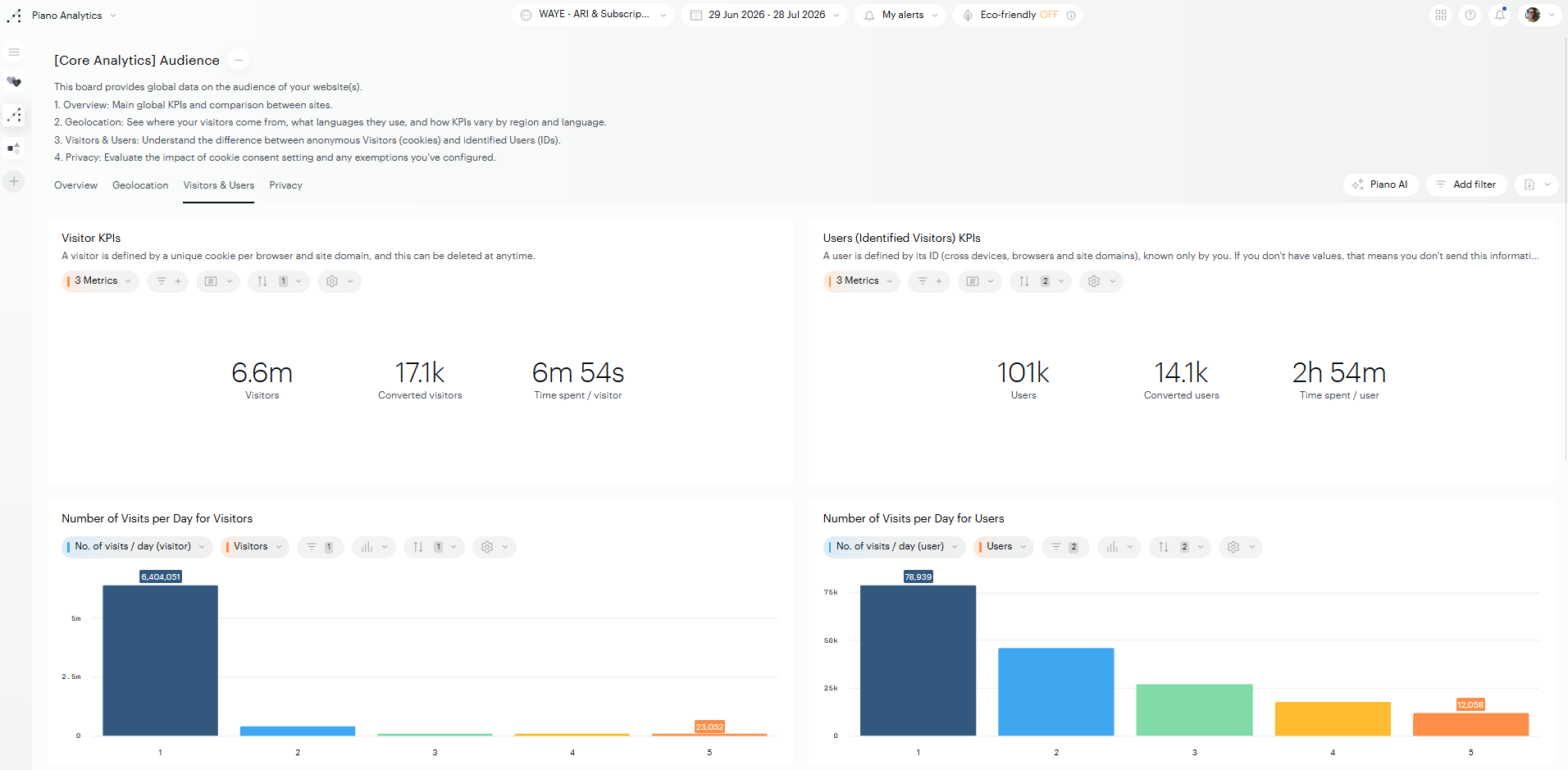
Access Rights
Editing
-
Only users with a "Manage data" role or higher can create a board or a workspace.
-
Only the editors of a board (or the administrator of the organization) can edit, share or delete that board.
Viewing
➡️ Public boards:
-
All users, regardless of their role, can view a public board.
-
Private reports incorporated into a public board are visible to all users who view it. They cannot be viewed outside the board.
➡️ Private boards:
-
Only the owners of a private board can view it.
Manage the Workspaces bar
The Workspaces bar corresponds to the list of Workspaces displayed on the left. From it, you can create Workspaces, control which ones appear, set a default, and change their order.
Create a Workspace
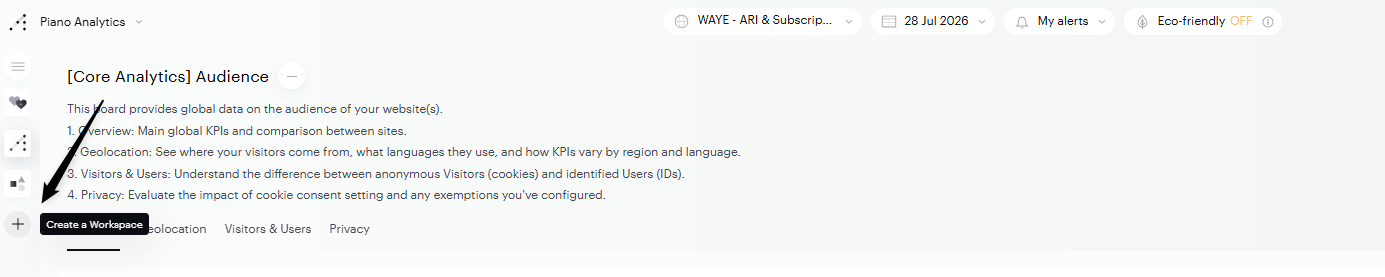
To create a new Workspace, click the "+" button on the Workspaces bar, on the left.
Reorder the Workspaces
You can change the order in which Workspaces appear in the bar:
-
Open the hamburger menu (the three horizontal lines above the list of Workspaces).
-
Click the edit pencil.
-
Hover over the Workspaces — drag-and-drop icons appear on the left.
-
Drag a Workspace to the position you want and drop it.
Set a default Workspace
You can define a Workspace to open automatically each time you launch Piano Analytics. This lets you skip the manual selection step and land directly on the Workspace you use most often.
Your default Workspace is a personal preference — it only affects your own experience and doesn't change what other users see.
To set a Workspace as your default:
-
Open the hamburger menu (the three horizontal lines above the list of Workspaces).
-
Click the edit pencil.
-
Hover over the Workspace you want to set as default. A "..." icon appears at the end of the Workspace name.
-
Click the "..." icon and select Set as default Workspace.
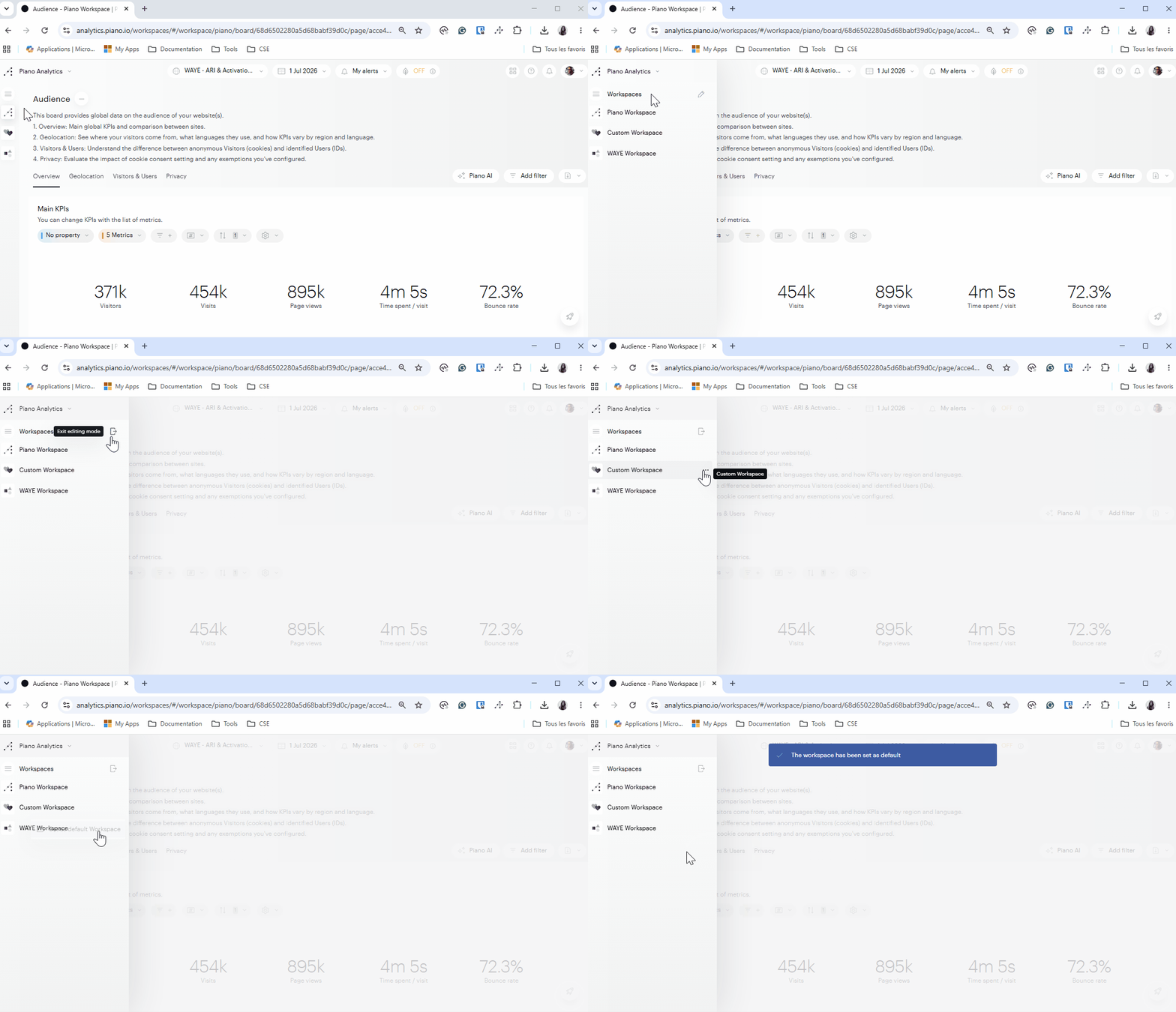
The next time you access Piano Analytics, this Workspace will load automatically. You can change your default at any time by repeating these steps with a different Workspace.
Remove a Workspace from the bar
Removing a Workspace from the bar takes it off your list but does not delete it — you can add it back at any time.
-
Open the hamburger menu.
-
Click the edit pencil.
-
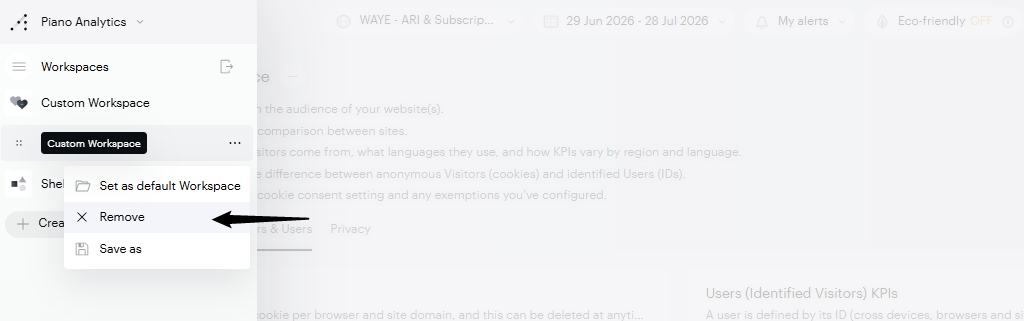
Hover over the Workspace you want to remove. A "..." icon appears at the end of the Workspace name.
-
Click the "..." icon and select Remove.
Add a Workspace back to the bar
If you previously removed a Workspace, you can add it back to the bar:
-
Open the Workspace from the Library.
-
In the Workspaces bar, a "+" button appears.
-
Click the "+" button to add the Workspace back to the bar.