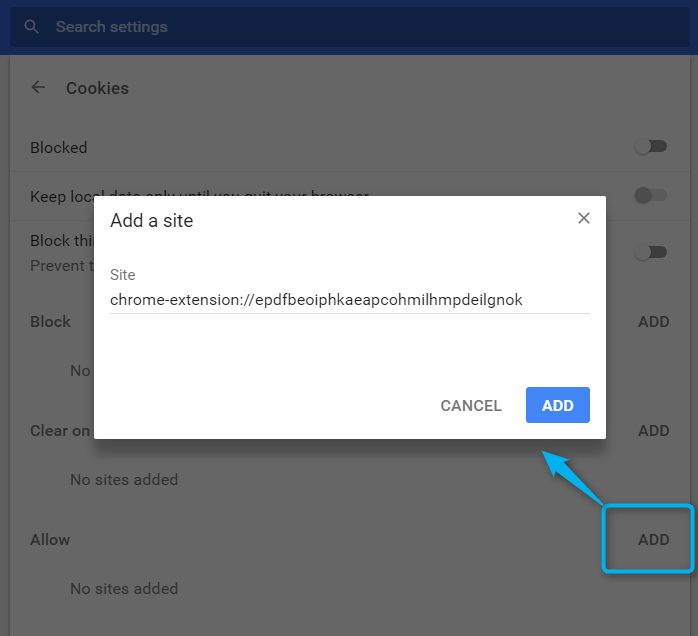
Tag Inspector will not store your parameters if your Google Chrome’s settings do not allow cookies.
In this case, you can edit this parameter through Google Chrome’s settings via: Settings > Advanced > Content Settings > Cookies (chrome://settings/content/cookies), and click on “allow websites to save and read cookie data”:
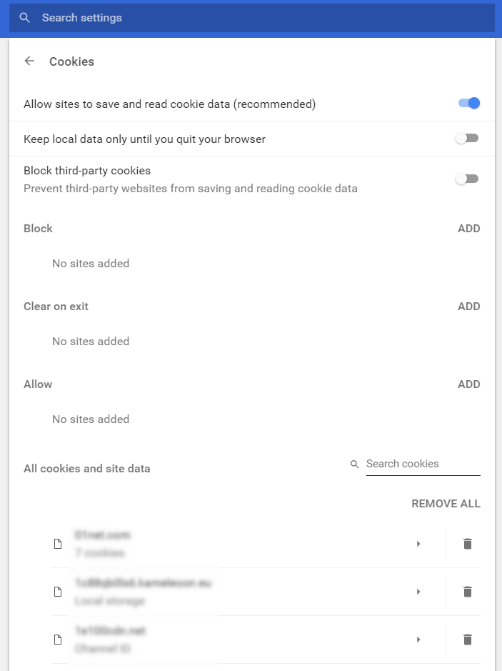
If you don’t want to allow all the websites to save and read cookie data, it is possible to add exceptions.
To do so, you would not allow the websites to save and read the cookie data, but you’ll just have to add our extension’s path, which is the following, to the list of exceptions:
chrome-extension://epdfbeoiphkaeapcohmilhmpdeilgnok