
You no longer have to log into Apple’s separate dashboard to see how your content is performing - you can add your Apple News account to Socialflow and see the reporting alongside your other social accounts.

There are 3 requirements to add Apple News:
-
You have admin rights in Socialflow
-
You have admin rights to the Apple News channel
-
You have social handles available on your Socialflow account
If you have those requirements met, you can complete these steps to auth in the channel:
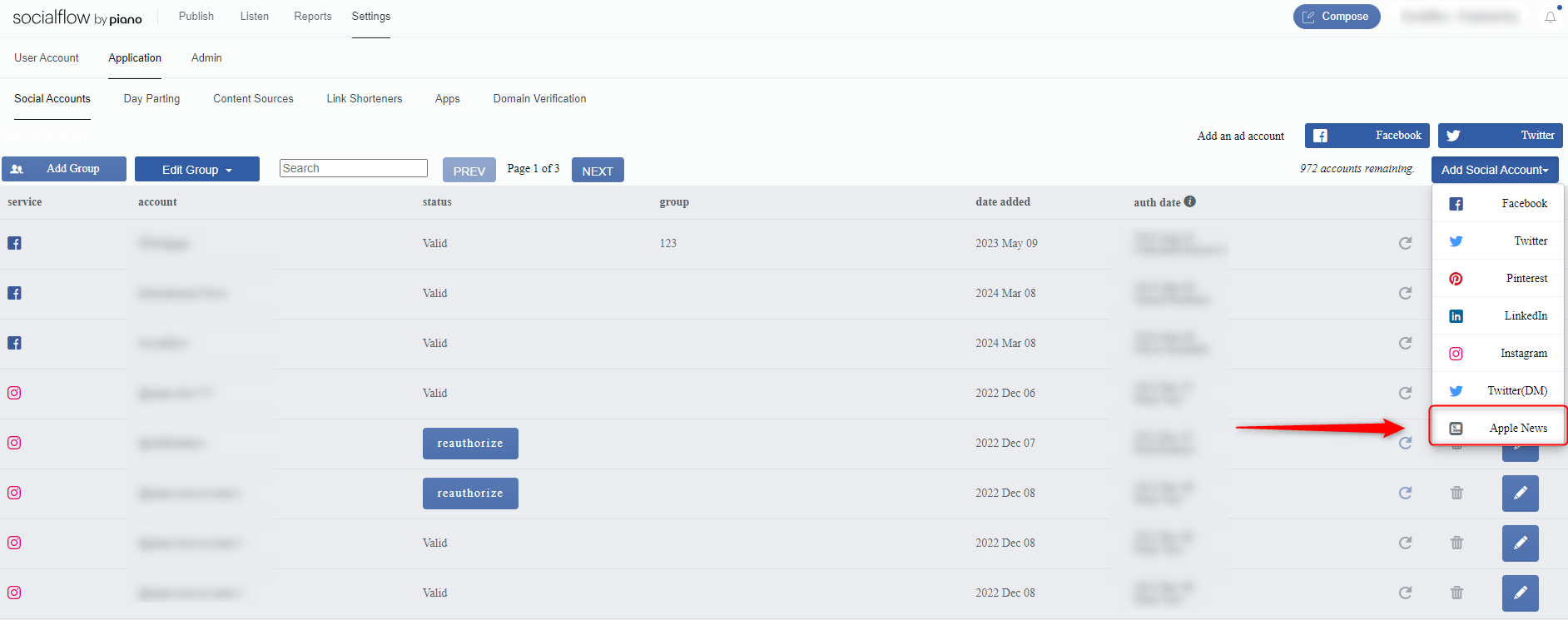
Head to Settings → Application → Social Accounts → Click Add Social Account → Select Apple News
In the OAuth pop-up, add Channel ID, Key ID, and Secret and click submit.
To find your credentials, log into https://www.icloud.com/#newspublisher and Navigate to Settings > Connect CMS. Then click on the 'API Key' link.
You can read more about using the Apple News API Key here.
You must be an Administrator of the channel to find the necessary credentials. If you reset the API Key, a new key will be generated. Any platforms using the old API Key will need to be reauthorized.