
If you are experiencing issues re-authorizing your Facebook account, you can remove the SocialFlow app from your Facebook page in order to trigger the Reauthorize button on the Application page.
-
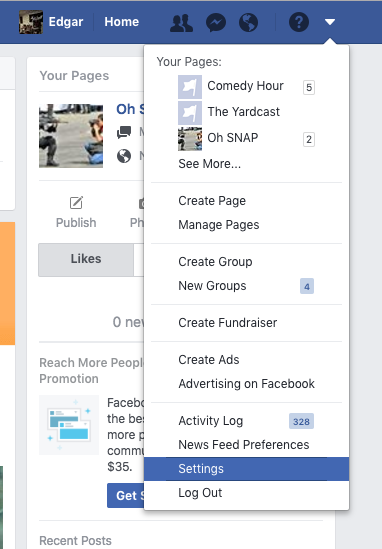
Log into your Facebook account. Click the down arrow on the top toolbar and click the option for Settings.
-
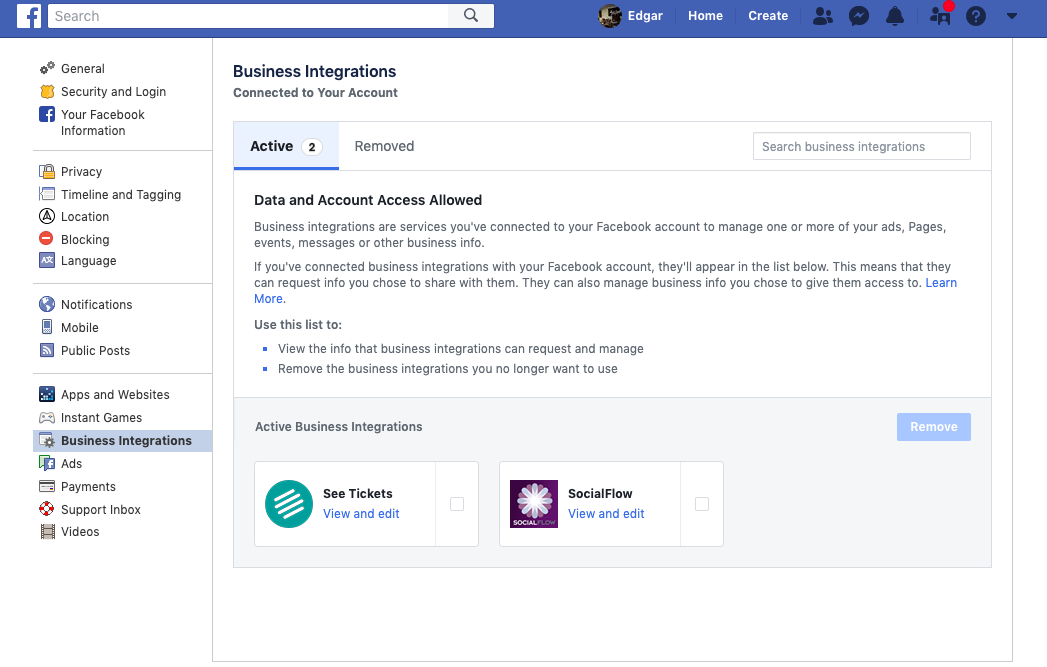
In the Settings screen, click the setting for Business Integrations. Facebook displays a list of all the integrations to which it's connected.
-
Select the SocialFlow icon.
-
Click the Remove button (click Remove again in the dialogue box to remove the app)

-
Go back to SocialFlow in your browser.
-
Go to Settings → Application → Social Accounts
-
Click the Reauthorize button beside the account.