
Socialflow now supports publishing to Threads!
The implementation includes our most efficient time-saving features including RSS feed ingestion and automatic link shortening and tracking tags for traffic analysis.
Steps to Add Threads to Socialflow:
-
Go to Settings > Application > Social Accounts.
-
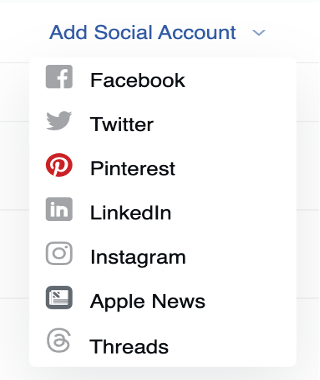
Click on Add Social Account and select Threads
-
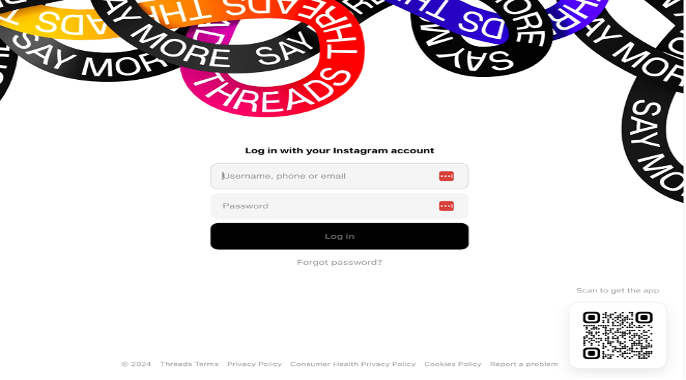
A new window will appear asking for your login information. Log in if prompted.
-
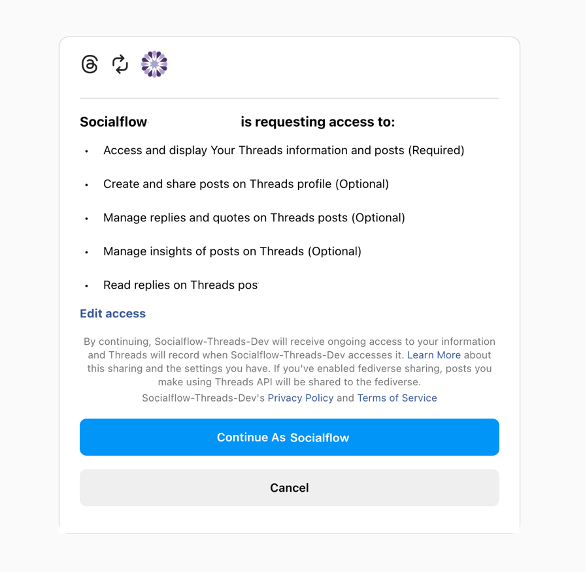
Threads will request authorization for Socialflow to publish on your behalf. Without changing any settings, click “Continue as (your name).”
-
Your authorization is now complete, and you should see your Threads handle listed on the Social Accounts page.
Please note: Threads requires re-authorization every sixty days.
If you have any questions, just reach out to your CSM, Account Manager, or Support at support@piano.io.