
Our real-time Google Analytics integration allows you to see and sort your top-performing content based on Visitors stats. Then you can easily recycle, duplicate, or cross-post from there.
How Do I Activate This?
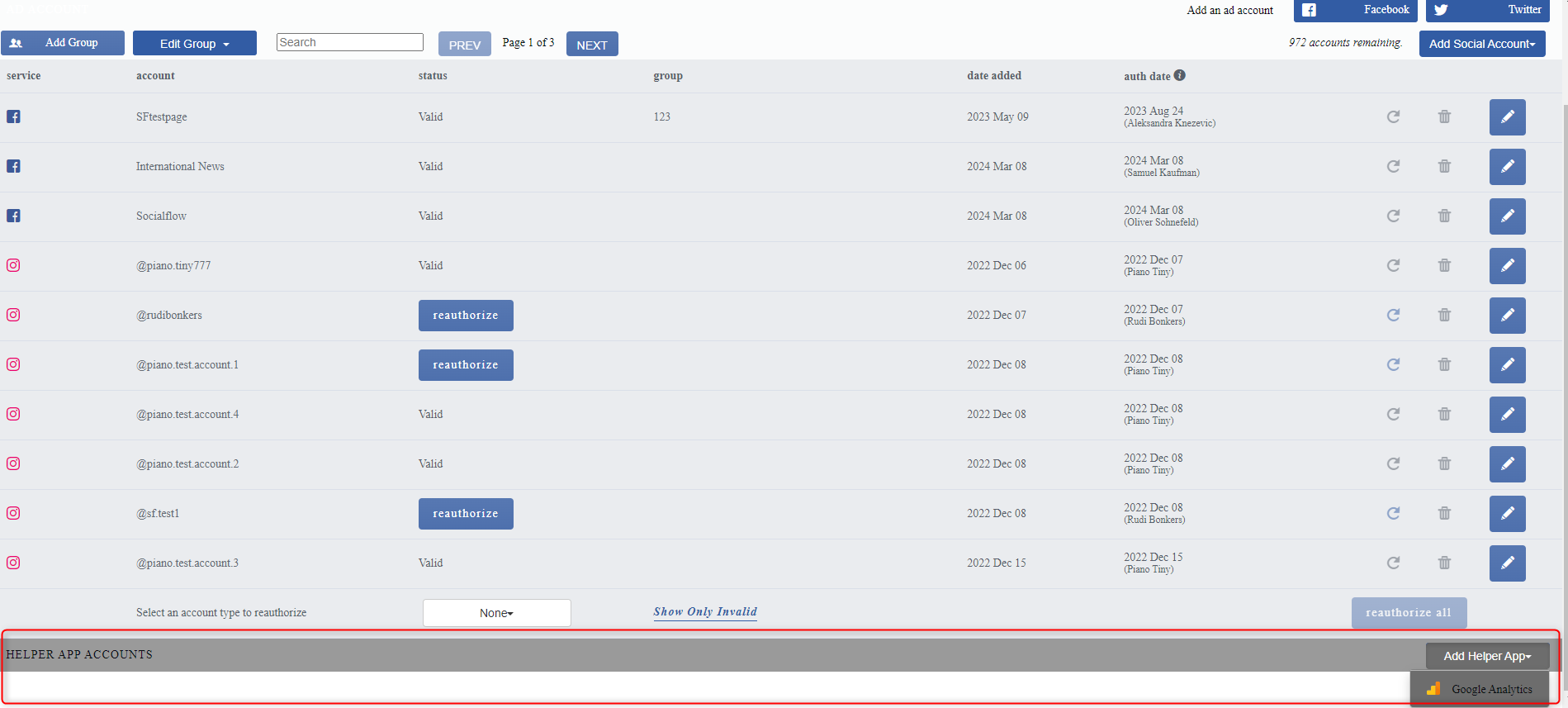
Socialflow Admins can add Google Analytics accounts by navigating to Settings → Application → Social Accounts, and clicking “Helper App Accounts” on the bottom right corner:
Visitors on Messages Page
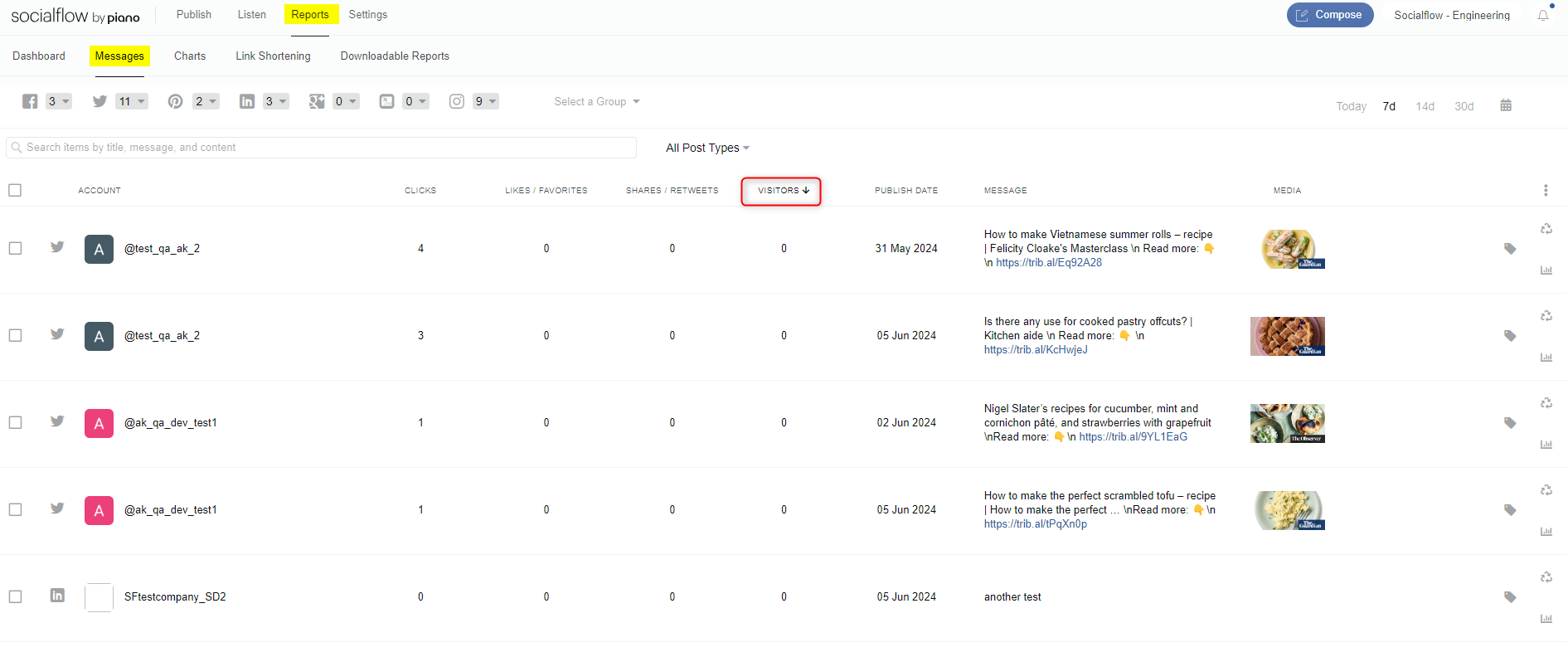
After Google Analytics is added, the Messages page in Reports will show a sortable “Visitors” column.
These visitors come from Google Analytics' real-time API. This lets you see which posts are currently generating the most traffic and quickly take action such as recycling or sending to another page.
Additional Audience Page
Once GA is added, an Audience page will appear under the Reports tab. The Audience page shows all webpages for your domain(s) sortable by real-time unique visitors. This view also shows if the webpage's URL is currently in the queue for one or more of your social accounts, or if it has already been published to one or more of your social accounts via Socialflow.
If a webpage is generating high traffic and has not been published to a social network, reach and referrals can easily be extended by publishing to one or more social accounts from here. Similarly, high-performing posts can easily be crossposted to other accounts for a traffic boost.

Need Help?
Please let us know if you have any questions about this process. You can contact your client services rep or email us at support@piano.io.