
LtS In-App Model Details
Piano's LtS In-App (Likelihood to Subscribe In-App) model uses machine learning to detect patterns of behavior among in-app subscribers to create propensity scores for non-subscribers using mobile applications. These scores indicate how likely a mobile app visitor is to convert to a subscription through in-app purchases on a scale from 0 to 100.
The model operates separately from the standard LtS model due to differences in behavior between web vs app (with app visitors typically having much higher engagement) and data differences between web vs app (with certain data points, like referrer, highly relevant in web but not applicable in-app).
Enhanced Mobile Features
The LtS In-App model includes all standard LtS behavioral characteristics plus mobile-specific features:
Standard Features (~100 total):
-
Contextual data (referrer, device type)
-
Behavioral data (article consumption, time of day, active days)
-
Preference data (content categories consumed)
Mobile-Enhanced Features:
-
Mobile phone brand detection (iOS vs Android behavioral differences)
-
Connection type analysis (WiFi, cellular, etc.)
-
App-specific engagement patterns
Data Processing
-
Device Filtering: Only processes mobile and tablet pageviews (excludes desktop)
-
Product-Specific Training: Trained on in-app subscription products
-
Real-time Scoring: Updates propensity scores on each mobile pageview
-
Active Access Exclusion: Automatically removes users with active access from training to prevent skewing the model.
Model Requirements
Prerequisites
-
Composer 1X implementation
-
At least 31 days of mobile app pageview events sent to Piano
-
At least 100 in-app subscription events tracked in the last 31 days (external term conversions are preferred).
-
Mobile app SDK implementation: The C1X SDK must be implemented. See the SDK implementation guides for iOS and Android.
Propensity Score Ranges
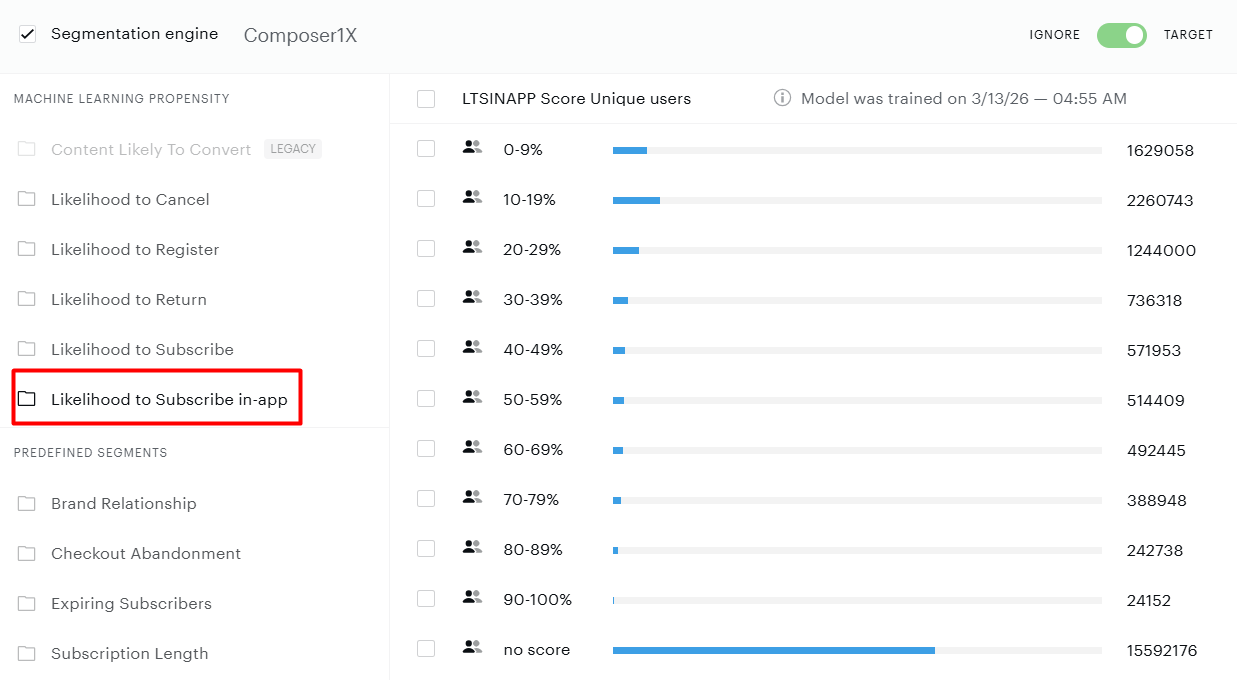
LtS In-App uses the same 0-100 scoring scale as standard LtS, broken into 10 targetable segments:
-
0-9: Lowest likelihood to subscribe in-app
-
10-19 through 80-89: Progressive likelihood ranges
-
90-100: Highest likelihood to subscribe in-app
-
No score: Users with insufficient mobile engagement to score (one-pageview visitors)
Composer Setup
Once LtS In-App is enabled, select "Likelihood to Subscribe (In-App)" segments in Composer 1x:
Note that the share of subscribers tends to be higher in app than on web, meaning that it is more important to exclude subscribers from training so they don't skew the model. For this model, Piano therefore automatically removes all users with active access from training (including access via Payment Terms, Dynamic Terms, Linked Terms, Custom Term, External Terms, or Registration Terms). For clients not using Piano terms, subscribers are not excluded from the model, which can degrade performance.
The in-app model is currently in beta with a select set of Piano clients who meet the model requirements. If you would like to join the beta, the Piano data science team will need to activate the model after you meet the requirements for model training.