
We offer Predefined and Bespoke segments, accessible with Composer and Audience licenses. To use these segments effectively, it is essential to understand their operation logic.
Composer 1X segments are organized into various categories, which can be found in the sidebar pane. Examples of these categories include Likelihood to subscribe, Brand relationship, Subscription length, User recency, User frequency, etc.
In this article, we will focus on the operation logic between these categories. The operation logic is defined by the toggle located above all Composer 1X categories. This toggle has two states:
-
Target
-
Ignore
To describe the operation logic between two Composer1X categories, let’s consider the following example:
-
Brand Relationship is Registered users
-
User frequency is 1 visit day last month
Operation logic in case the toggle is set to "Target"
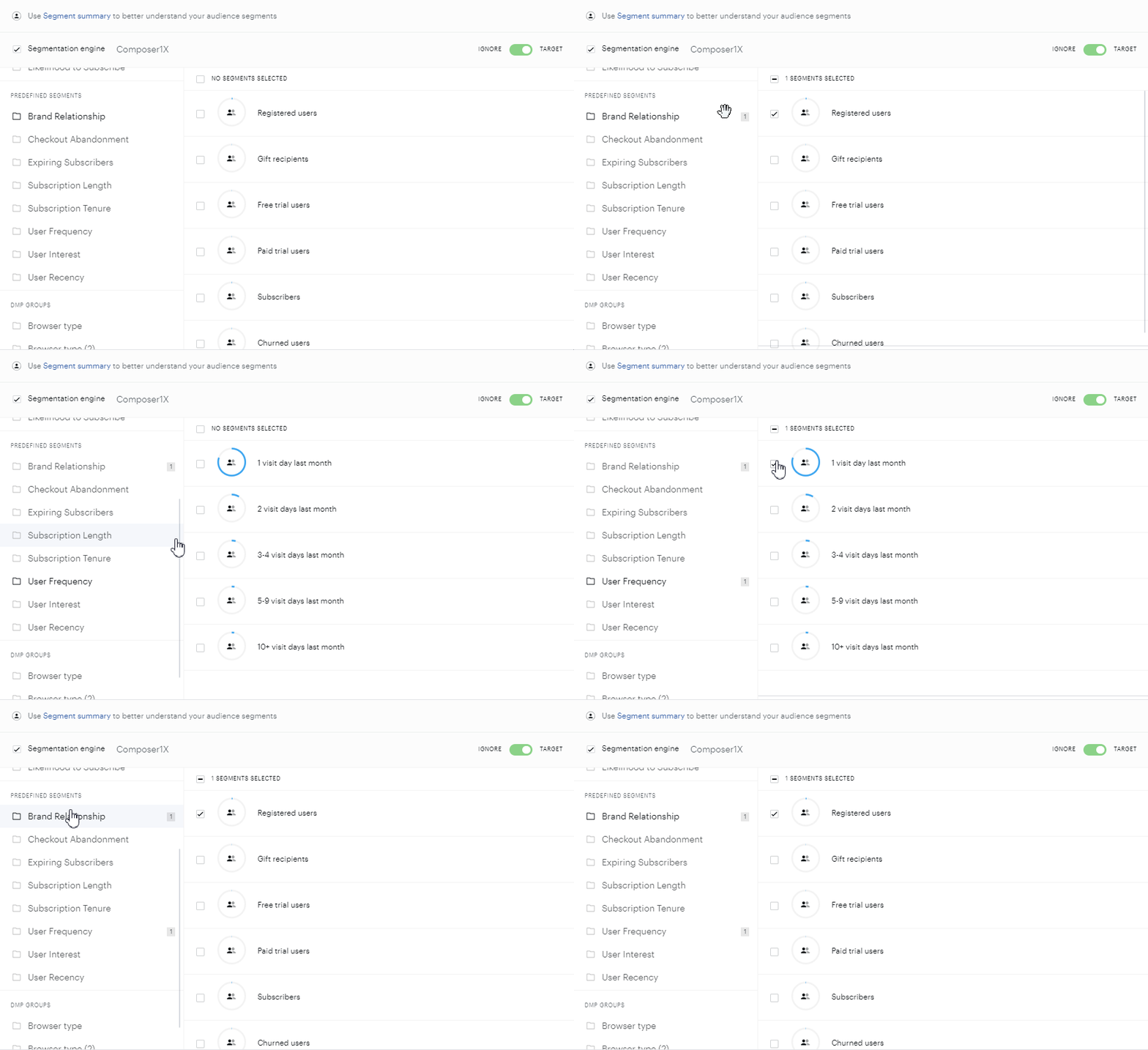
Composer 1X categories use [AND] as operation logic. The purpose is to target a user who fits into both categories:
-
User targeting returns TRUE if the user is registered AND had 1 visit day last month;
-
User targeting returns FALSE if the user is not registered OR did not have 1 visit day last month;
If your user does not match even 1 category, the user targeting returns FALSE;
Operation logic in case the toggle is set to "Ignore"
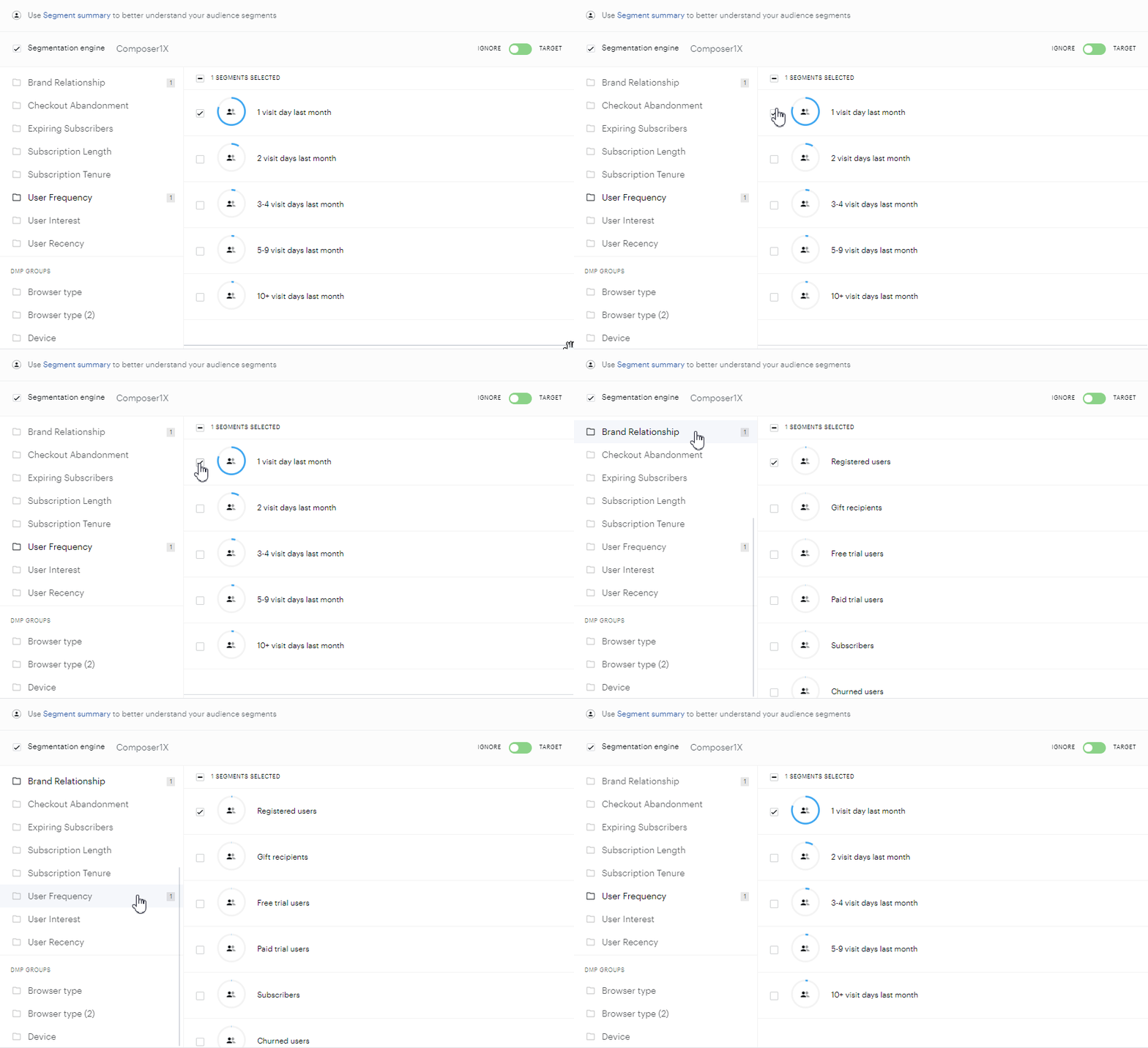
Composer 1X categories use [AND] as operation logic. The purpose is to ignore a user who fits into both categories:
-
User ignoring returns TRUE if User is registered AND had 1 visit day last month;
-
User ignoring returns FALSE if User is not registered OR did not have 1 have visit day last month;
If your user does not match even 1 category, the user ignoring returns FALSE;
Composer utilizes Boolean logic between these categories. As you can see from the example, the following Boolean operators are being used between Composer 1X categories: AND, and OR. Please, find more information on the Boolean logic here.