
System Fields
System fields are Piano software configurations that include the categories resources and offers, payments and values, subscription, inquiries, consents, and data. System fields cannot be configured by the publisher, but they represent the publisher's individual settings (such as their offers). User data from system fields can be mined, similar to data from custom fields.
Search combines two elements: user name and email, and selected custom fields. Search by name checks all entries by First Name and Last Name fields. Search by email returns either an exact email match or all possible emails. For example, if the search term is user@host.com, it can returns an exact match or the following variants:
user123@host.com, 123user@host.org, user@host123.su.
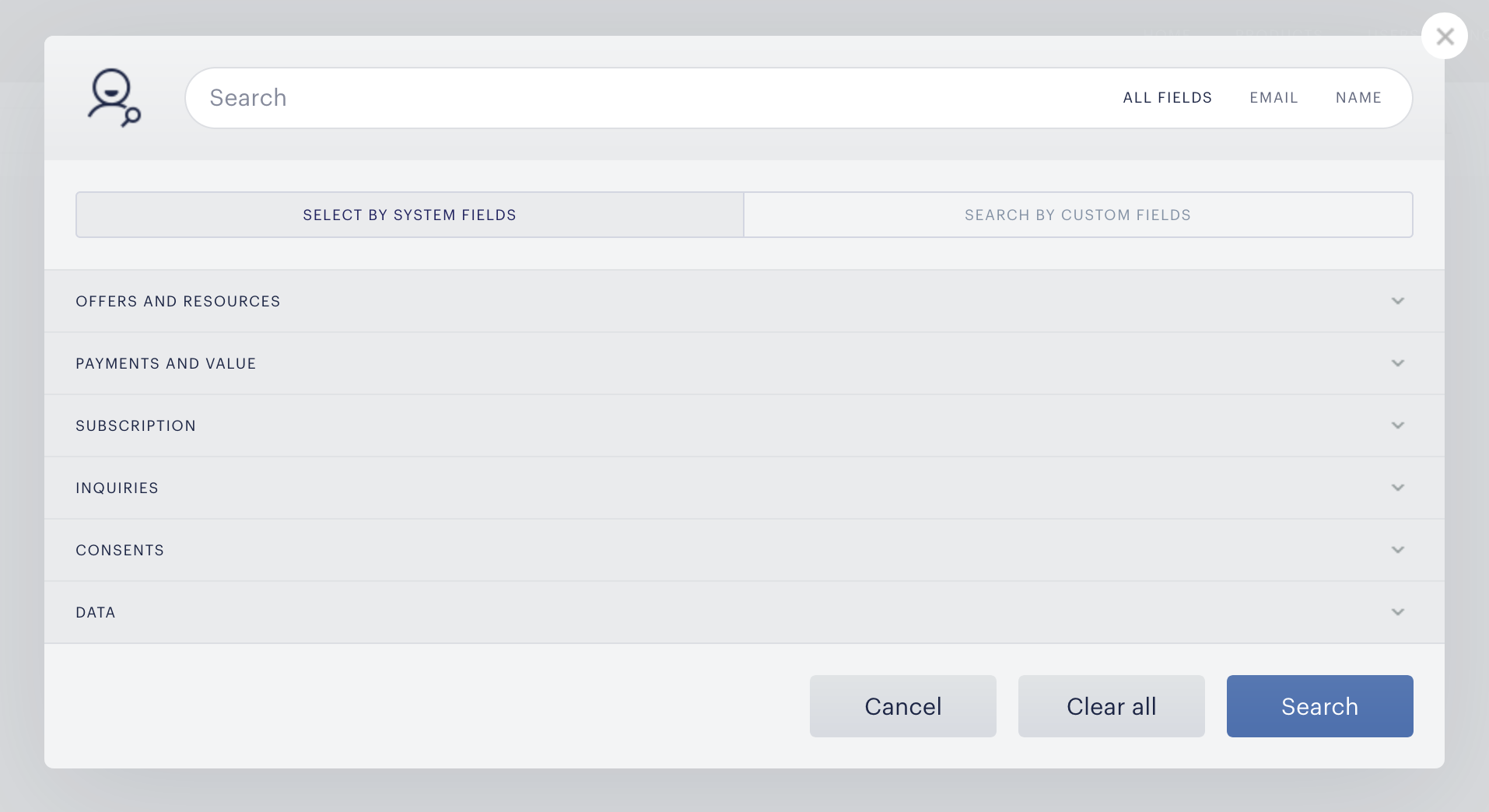
Offers and Resources
The Offers and Resources section allows user mining by which resources users have, and how they acquired them.
Has access to:
-
Has access to: returns all users who have access to selected resources (resources must be selected separately)
-
Has no access to: returns all users who have not access to selected resources
Converted on term:
-
Converted on term: returns all users who have converted to selected terms
-
Has not converted on term: returns all users who have not converted to selected terms
Converted on term type:
-
Converted on term type: returns all users who have converted to selected term types
-
Has not converted on term type: returns all users who have not converted to selected term types
Redeemed:
-
Redeemed: returns all users who have redeemed selected promotions
-
Has not redeemed: returns all users who have not redeemed selected promotions
Include free trial redemptions:
-
Include free trial redemptions: returns users who have access including free trial redemptions, to the resource
-
Do not include free trial redemptions: returns users who have access not including free trial redemptions, to the resource
Currently in a trial period:
-
Currently in a trial period: returns users who have active trial period for subscription.
-
Currently not in a trial period: returns users who have not active trial period for subscription.
Payments and Values
The Payments and Values section allows user mining by total payment, payment method, and other billing-related issues.
Total spent:
-
Returns users who have spent the amount within the specified range. You can specify the search currency.
-
For values between 0 and 0: returns users with trial period, registration term, external/custom add, granted access, 100% promotion, and gift term.
Has paid with:
-
Has paid with: returns users who paid with selected payment methods
-
Has not paid with: returns users who did not pay with selected payment methods
Payment provider customer ID:
-
Returns users with inserted 'ext_customer_id'
Had a billing failure:
-
Had a billing failure: returns users who had a billing failure
-
Did not have a billing failure: returns users who did not have a billing failure
Credit card will expire:
-
Credit card will expire: returns users with a credit card that will expire in specified range.
-
Credit card will not expire: returns users with a credit card that will not expire in specified range.
Subscriptions
The Subscription section allows user mining by subscription and trial period.
Has an active subscription to:
-
Has an active subscription to: returns all users, who have active subscription to selected subscriptions
-
Do not have an active subscription to: returns all users, who have not subscription to selected subscriptions
Subscription started on:
-
Subscription started on: returns all users who have subscriptions, started in specified range
-
Subscription has not started on: returns all users who have subscriptions, started not in specified range
Subscription will renew:
-
Subscription will renew: returns all users whose subscriptions will renew in a specified range
-
Subscription will not renew: returns all users whose subscription will not renew in a specified range
Subscription will expire:
-
Subscription will expire: returns all users whose subscriptions will expire in a specified range
-
Subscription will not expire: returns all users whose subscription will not expire in a specified range
Trial period expires:
-
Trial period expires: returns all users whose trial period will expire in specified range (or has already expired)
-
Trial period will not expires: returns all users whose trial period will not expire in specified range
Inquiries
The Inquiries section allows user mining by users who have contacted customer support, and the outcome of their inquiry.
Has an unresolved inquiry:
-
Returns users with unresolved inquiry
Submitted an inquiry:
-
Returns users with submitted an inquiry
Received a response:
-
Returns users with received response
Inquiry was resolved:
-
Returns users with resolved inquiry
Consents
The Consents section allows user mining by consent status on forms.
Checked consents:
-
Returns users with a checked consent
Data
The Data section allows user mining by users who have used promo codes.
Account contains data:
-
Account contains data: returns users with inserted promo code name
-
Account does not contains data: returns users without inserted promo code name