
The ACPM certification is specific to the French market.
Since November 22, 2022, the new ACPM certification is now based on Piano Analytics. The new Piano Analytics tagging is also compatible with this certification.
You'll find more information on this topic at the following link: Différences entre la certification ACPM Piano Analytics et Analytics Suite
This article helps you create Data Query analyses for different types of scopes.
Important information:
-
As a reminder, only
page.displayevents (page views) are taken into account for the ACPM certification. -
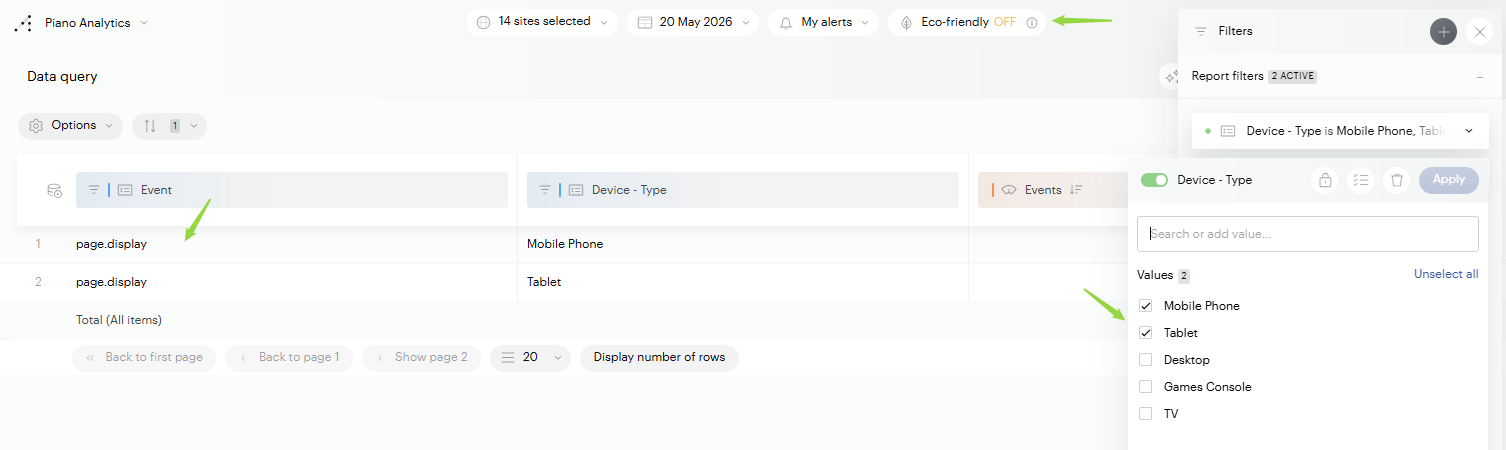
We also recommend making sure that your interfaces' "eco" mode is disabled during your Data Query analyses, to get as close as possible to the data sent to the ACPM.
-
Depending on the ACPM scope created, we segment events by the device type analyzed.
For example, on a "Mobile site" scope, we only look at events generated by "Mobile Phone" and "Tablet" devices.
Website
For a "Website" scope, we rely on one or more domains (and their subdomains) that you provide. As a result, a single domain can surface data from several sites on the Piano Analytics side.
First, we suggest identifying the various sites present on the domain(s) of your ACPM scope. Another option is to select all of your sites in your interfaces.
You can then use an (event) segment like this:
-
Event is equal to
page.display -
Event domain ends with
your domain(s) -
Device - Type is different from
Mobile PhoneTablet
.png?cb=6db351467addffced48a8bc5fa870707)
Mobile site
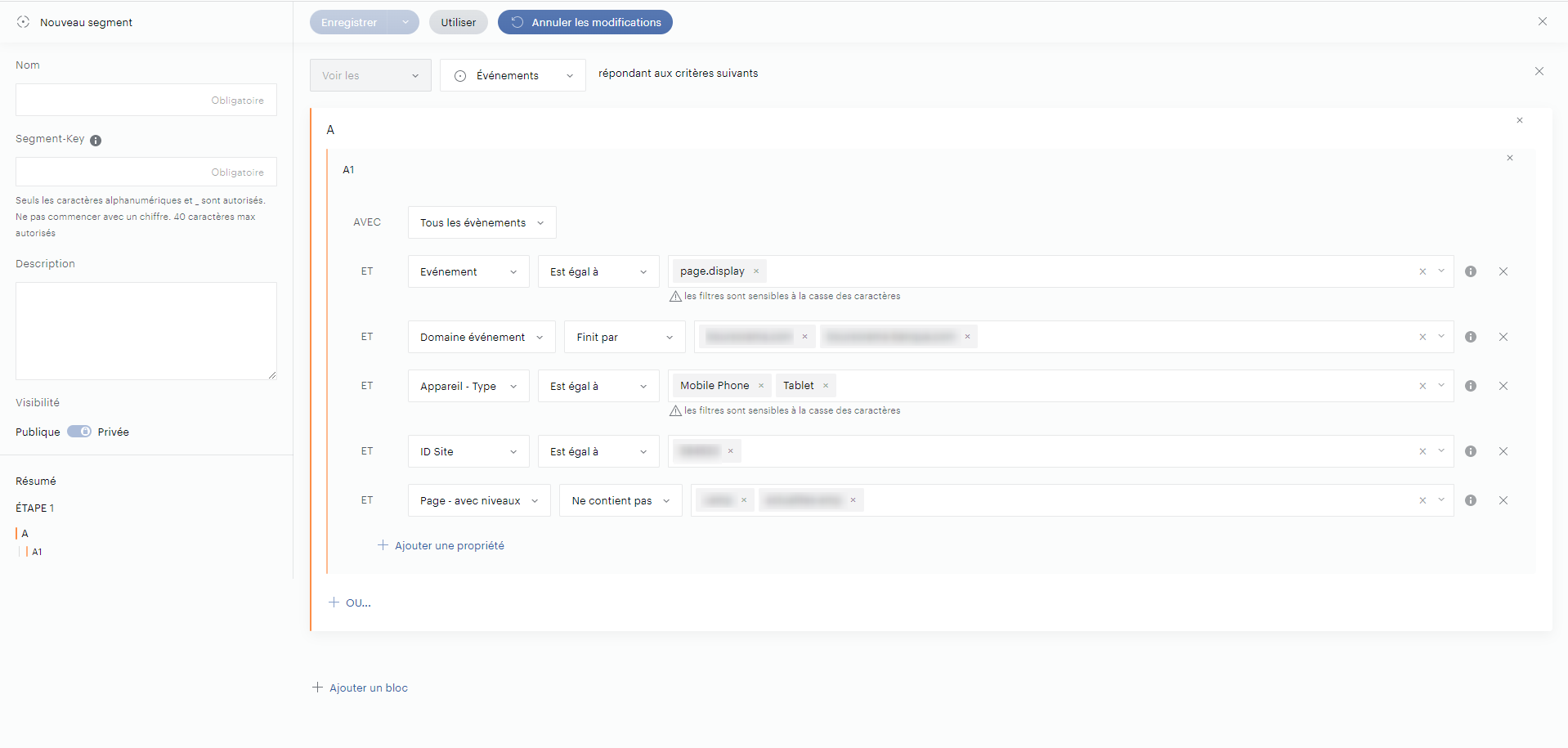
The hybrid mobile site relies on both domain(s) (and subdomains) and one or more site IDs.
In addition, this scope excludes AMP pages.
You'll therefore need to adapt your segment based on mobile devices, the reference domain(s) and sites, and the AMP pages you need to exclude.
The segment conditions and rules may need to be modified depending on how your AMP pages are identified, for example.
Example of an (event) segment to identify Mobile traffic:
-
Event is equal to
page.display -
Event domain ends with
your domain(s) -
Device - Type is equal to
Mobile PhoneTablet -
Site ID is equal to
yourID -
Pages - with levels does not contain
yourAMPpages
Mobile and tablet app
Mobile and tablet apps, which do not rely on the Http(s) (Web) protocol, are identified through their site ID on the Piano Analytics side.
You can also segment on a specific level 2.
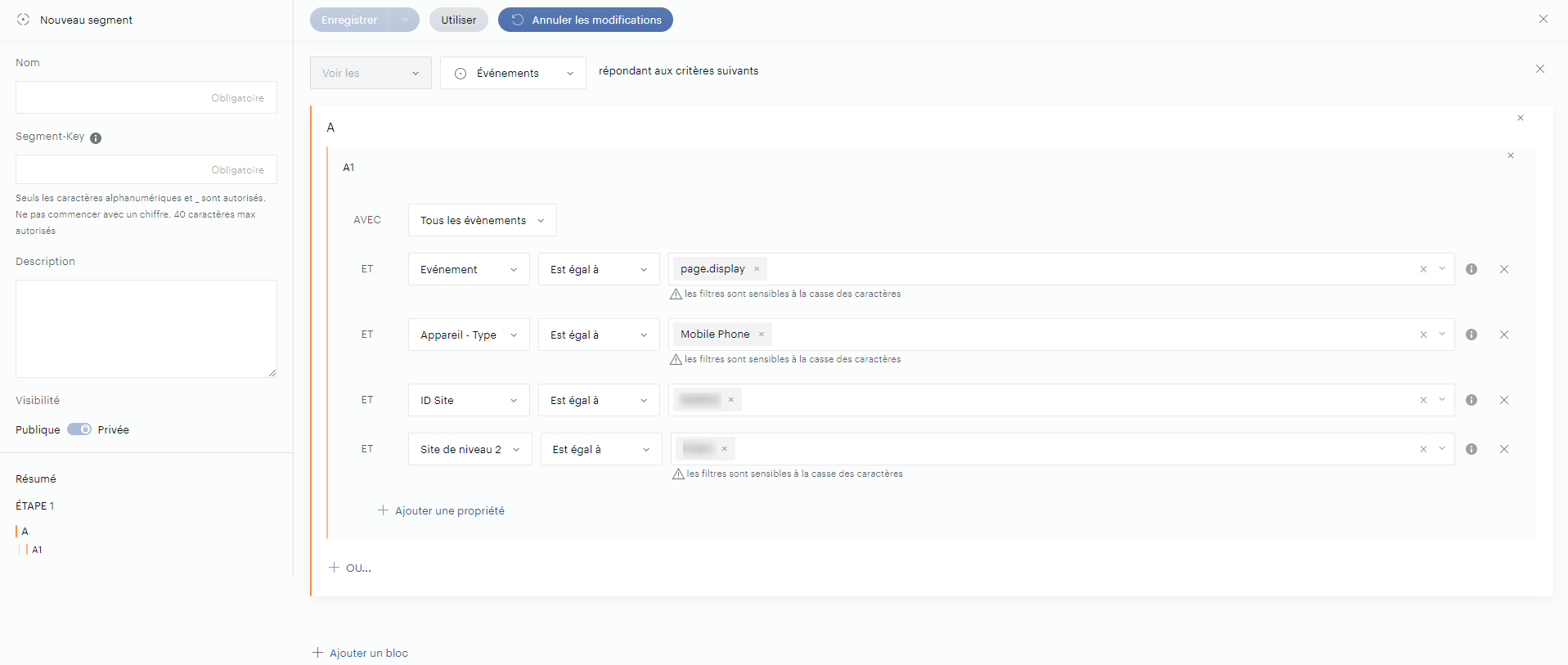
The property used to identify the event domain is no longer needed. Only the site ID needs to be provided. A specific level 2 can be added if the ACPM scope is restricted to a level 2 site.
Finally, the device type must be adapted to match the declared ACPM scope.
Example of an (event) segment for a Mobile app:
-
Event is equal to
page.display -
Device - Type is equal to
Mobile Phone -
Site ID is equal to
yourID -
Level 2 site is equal to
yourAMPpages
AMP
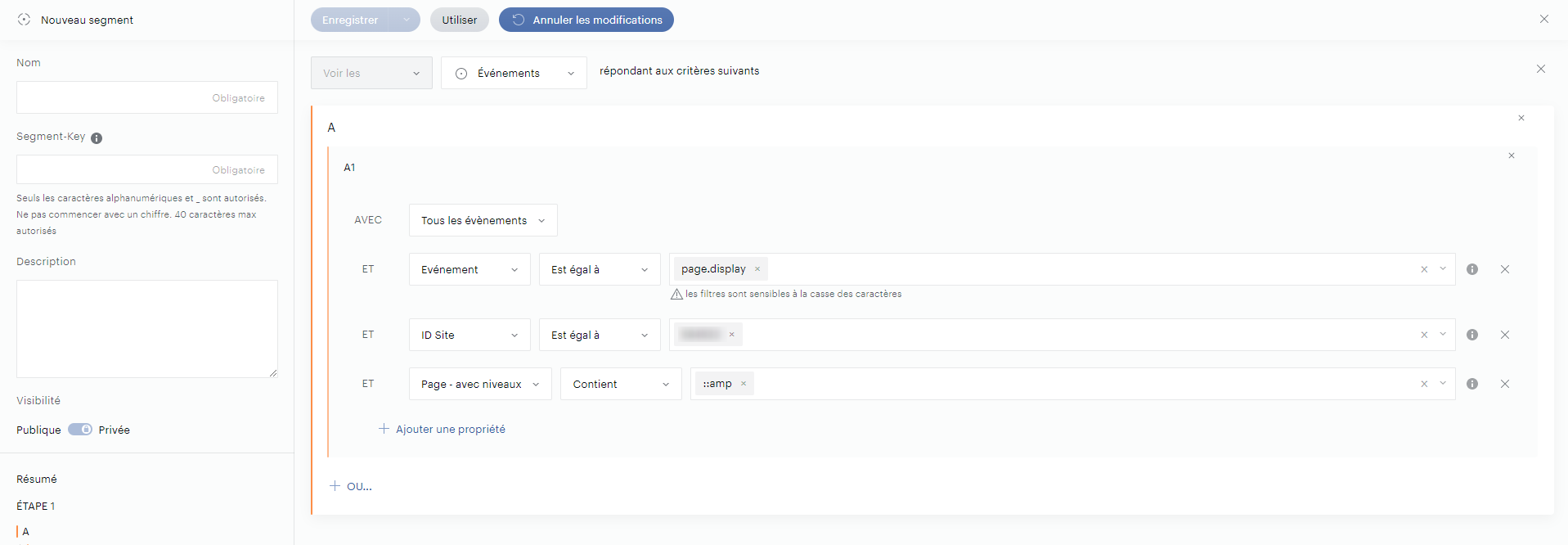
AMP traffic is identified through a site ID and tagging on the pages in question. The segment therefore needs to identify these pages.
Example of an (event) segment to identify AMP traffic:
-
Event is equal to
page.display -
Site ID is equal to
yourID -
Pages - with levels contains
AMP
Why aren't the figures perfectly identical?
Despite using these segments, you may notice variations between the Data Query data and the data sent to the ACPM.
This is true in particular for the "Website" scope, for example. In that case we rely on the domain provided rather than on a site ID. As a result, if you run your Data Query analysis on a single site, some data may be missing. You should therefore run this analysis on all sites that can surface data through the defined domain.