
You are able to use the API to disable user accounts.
The API request would look like this:
https://api.piano.io/api/v3/publisher/user/disable?aid=<AID>&uid=XYZ&api_token=<API_token>
You'll need the Application ID and the API token, which can be found on the homepage of your Piano Dashboard. The UID (User ID) is found in the user profile itself.
All available base URLs for Production are listed here.
Please note, that disabling users will remove their records from the dashboard and users won't be able to log in to their accounts or access their subscription content.
When a user is disabled and they have an active subscription, the subscription will be automatically canceled - the associated access is revoked and no further billing will take place.
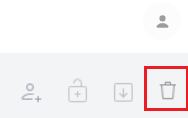
If you are using Identity Management, Identity Linking, or User Ref as your user provider, you are also able to delete users directly through the dashboard under Users → All Users by selecting a user record through the checkbox next to their email address and then clicking on the bin icon at the top right corner:
If you're looking for a way to delete all user data to confirm with GDPR, you can review our article here for more information.
Currently, the functionality to re-enable users via the Publisher's UI (or API) isn’t supported.
Since the user's subscription is canceled, and access is revoked upon disabling - the user can simply register again to create a new account.
There is no time limitation for storing information about disabled users.
It will be available until the user's data is obfuscated (using the GDPR deletion endpoint /publisher/gdpr/delete).