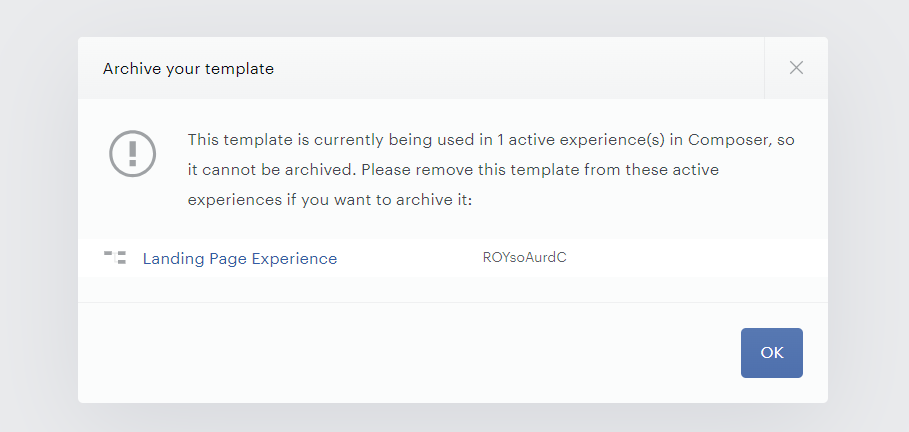
If you're trying to locate a template in your application and see all the experiences associated with it, follow these steps.
While in the Composer canvas, utilize the search bar and type the following query: card.templateId:OTWACODMOS60
Replace OTWACODMOS60 with the actual template ID* you're searching for.
*To get the Template ID navigate to your template library under Manage → Templates, click on the template in question and copy the ID to your clipboard from the template's toolbar.
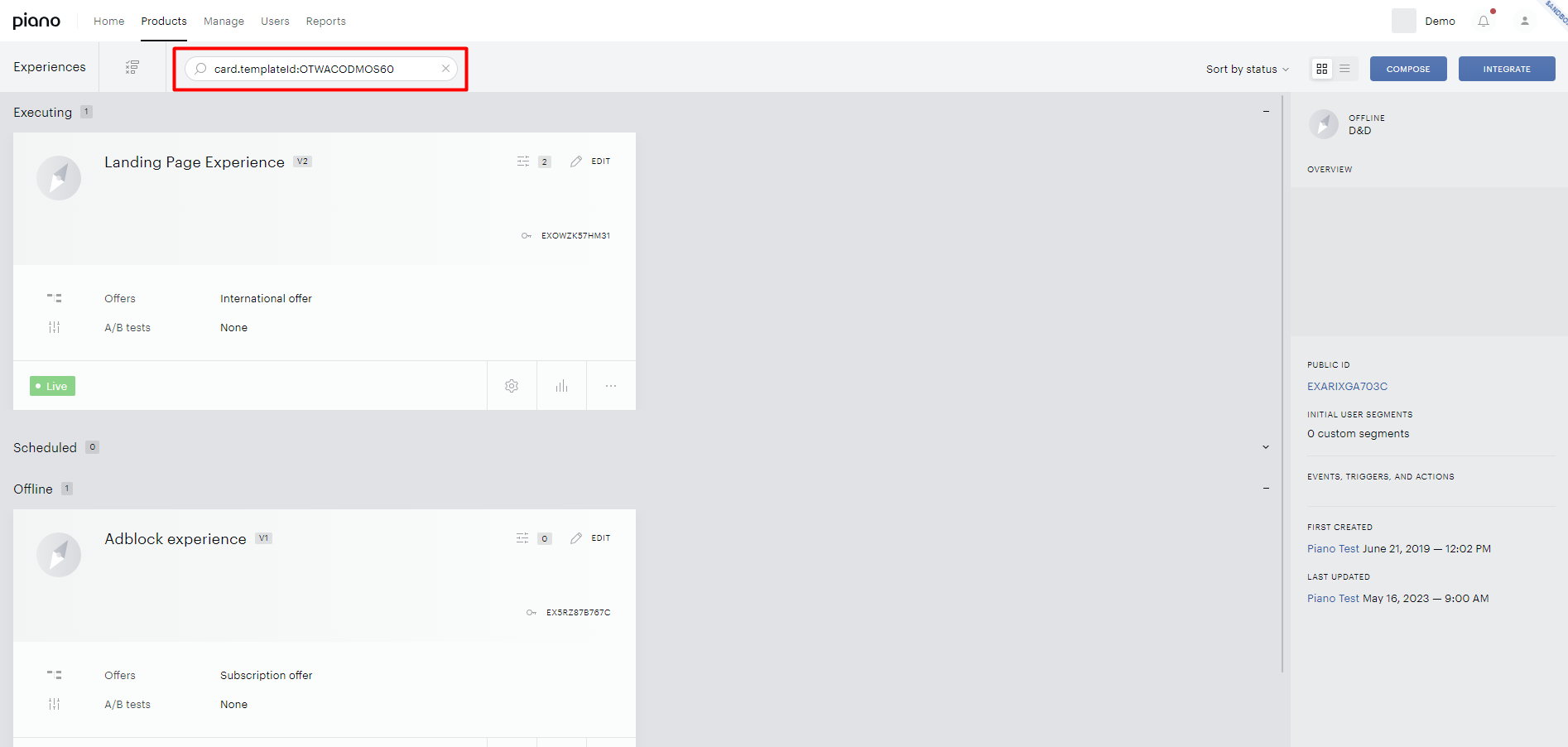
This query will display all experiences the template is associated with, including offline and archived ones.
If you need to identify whether the template was used only in active or scheduled experiences, there's an alternative method by attempting to archive the respective template temporarily. Click on the ellipsis (...) next to the template you want to inspect, then select the option to archive.
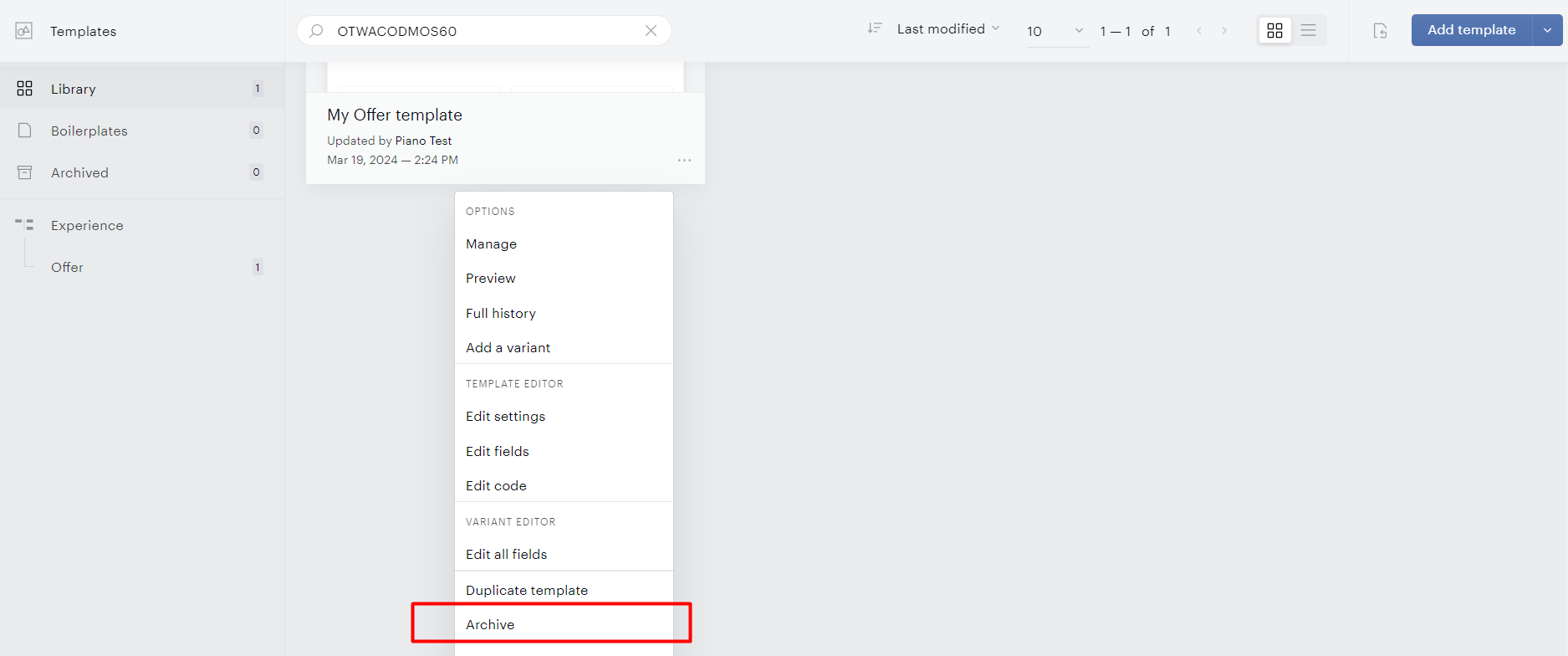
A screen will appear showing you which active or scheduled experiences it's currently being used in. This will provide insight into where the template is being utilized.