General approach
One implementation of the Set cookie card is using it to retarget users who saw an offer but chose not to convert. To do this, you could apply the cookie to all users who see an offer by adding the Set cookie card wherever you include a Show offer card. By doing so, you have effectively tagged every person who has seen an offer.
However, this segment alone is not particularly useful; if you target this segment, you will be reaching out to several users who converted on a term in that offer, which is a waste of your resources and their time. Instead, you can narrow this segment further by choosing to target only those people who do not have access to any resource, which is an indication that they did not convert. Now, you can target these people with a special offer or promotion, capitalizing on a group that you may have otherwise lost.
Technical approach
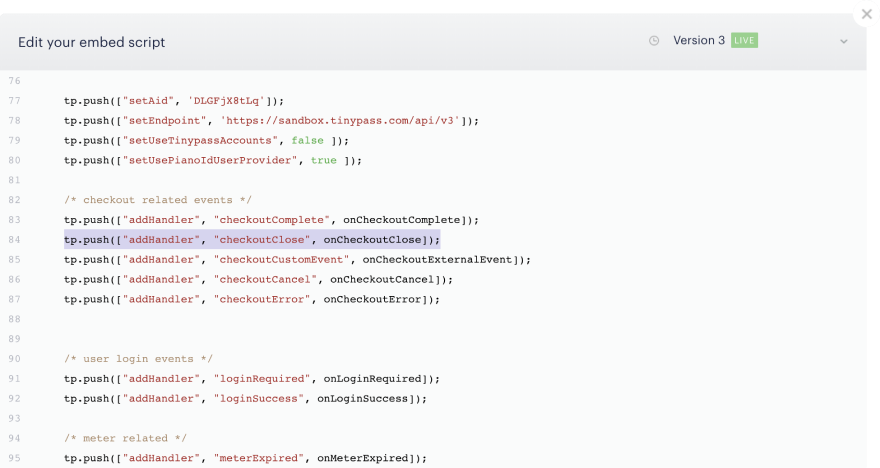
If you have a firmer grasp of JavaScript and callbacks, the following approach allows a more precise targeting of those users who have exited checkout by listening specifically for the checkoutClose event.
tp.push(["addHandler", "checkoutClose", function( event ){
   // The event object contains information about the state of closed modal
   switch (event.state){
            case 'close':
           // SET COOKIE HERE
             document.cookie = "_pc_checkoutNotCompleted=true"
           break;
      }
}]);
If your checkout modal is not closable (i.e. a hard paywall), the above method will not suffice as the only way for a user to exit the modal is to exit the page. In this case, we recommend placing the cookie on the checkoutStart, as below:
tp.push([ "addHandler", "startCheckout", function () {
  	window.onbeforeunload = function() {
   	// SET COOKIE HERE
             document.cookie = "_pc_checkoutNotCompleted=true"
           break;
      }
}]);
Note that with this approach, you will need to segment users with the cookie and who have no access, as this cookie will be set on all users on page unload.
For both approaches, you will need to implement these handlers either on your site or within the Integrate / Edit source in Composer, which updates the script on the pages. Ideally, they would be placed directly following the correct handler.