
By default, analyses are scoped to visitors (anonymous). To report on identified users instead (logged-in visitors), create a segment scoped to Users and apply it to your analyses.
Create the User segment
-
Click Add segment.
-
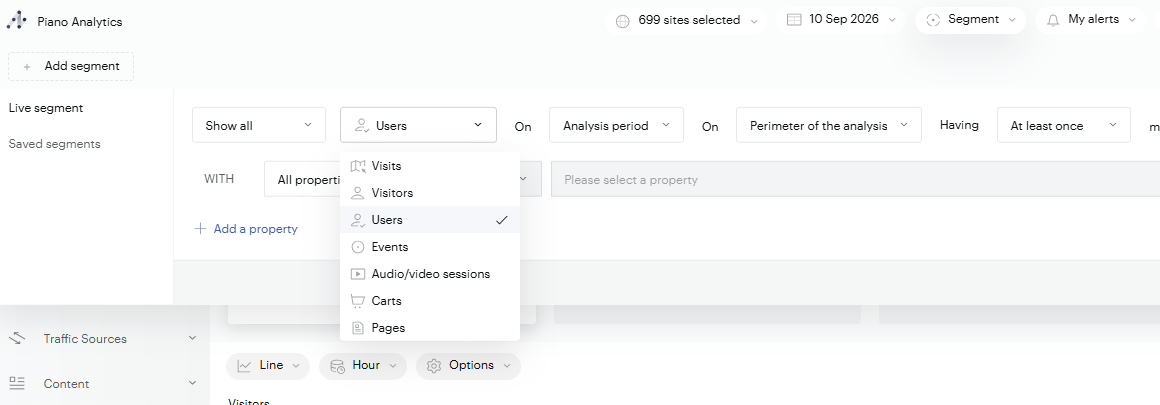
In the segment builder, open the scope selector, and change it to Users. This is what makes the segment count identified users rather than visitors.
-
Optionally, refine the segment: set the time scope (Analysis period, Custom period, or Relative to the analysis period), the perimeter, and the frequency (for example, At least once), then add property criteria under WITH. To match every identified user, leave the criteria on All properties.
-
Click Save and use (or Use to apply it without saving).
Apply it to your analyses
In Explorer, with the segment active (for example, on Audience > General Traffic), you see user traffic only.