
Constituent elements of every campaign, Campaign Rows can be determined by time, financial data, placement, etc.
To see the campaign rows of a campaign, follow Radar → Campaigns → <Your campaign> → Campaign rows.
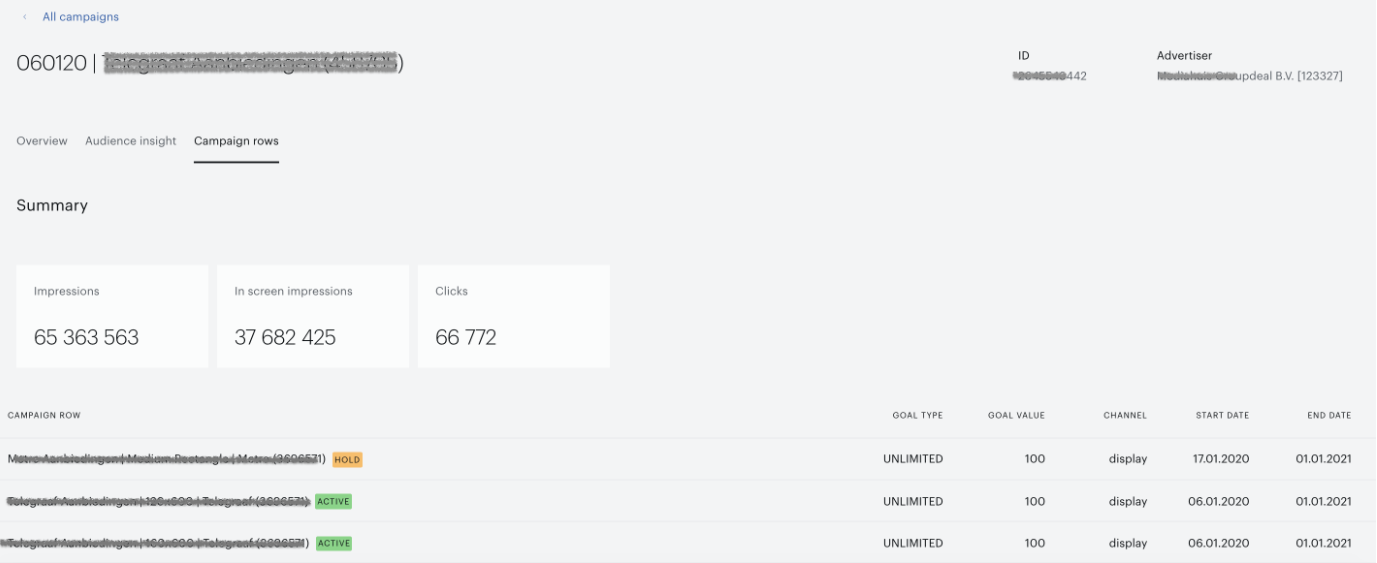
This displayed report consists of:
-
Campaign information:
-
Name and ID of the campaign.
-
Advertiser's name.
To return to the list of all campaigns click the All campaigns link.
-
-
The summary section includes "Impressions", "Clicks" and "In screen impressions" metrics based on all rows metrics.
-
The campaign rows table includes a list of the campaign rows downloaded from the ad server for the selected campaign. For each campaign row, the following information is available:
-
Name.
-
Status.
-
Type and value of the goal.
-
Start and End dates.
-
Learn how to download campaign reports here.