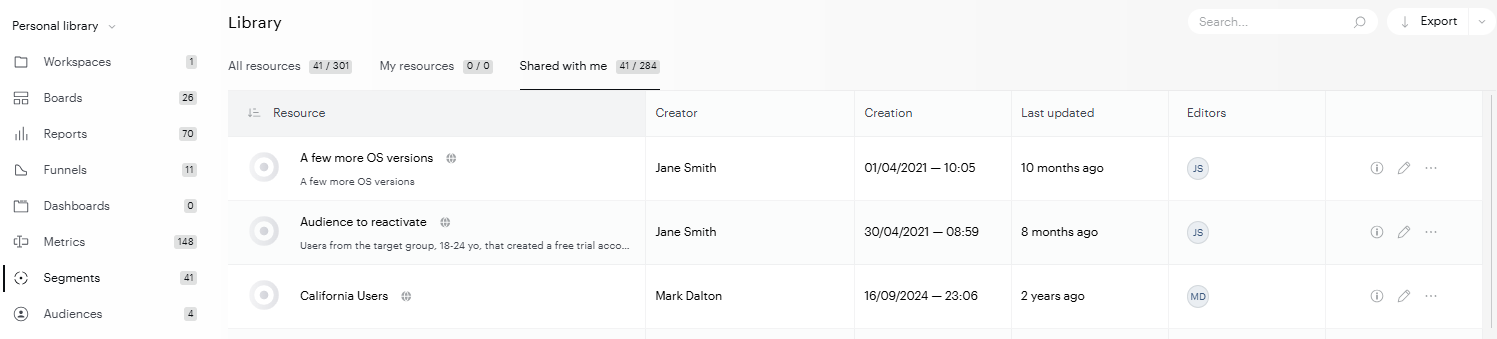
When creating advanced segments, users can save them and make their scopes public.
To view and use the segments shared with you, you have two options :
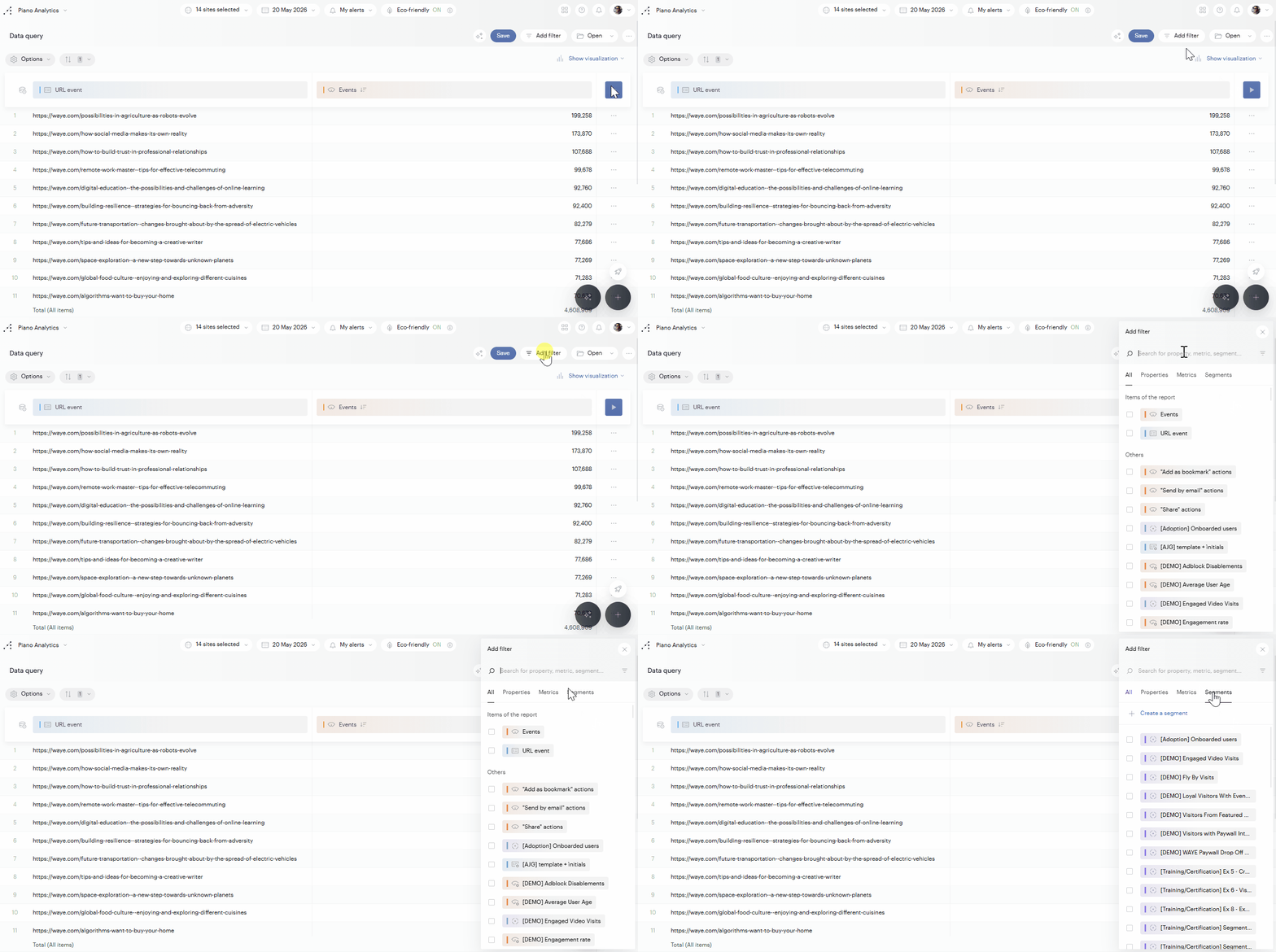
From a Data Query report
To add a segment to your analysis, click on Filters > Segments, you will see the list of all your segments, as well as those shared with you.
From the Library
Go to your Library, select Segments in the left menu, and check the “Shared with me” section.