
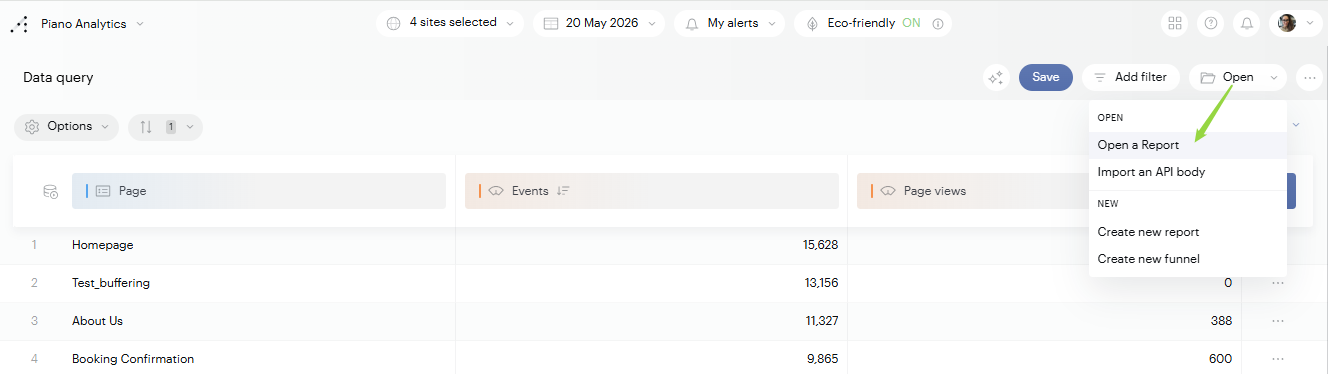
You can find your Data Query reports in the library or by clicking on the following menu Open > Open a Report:
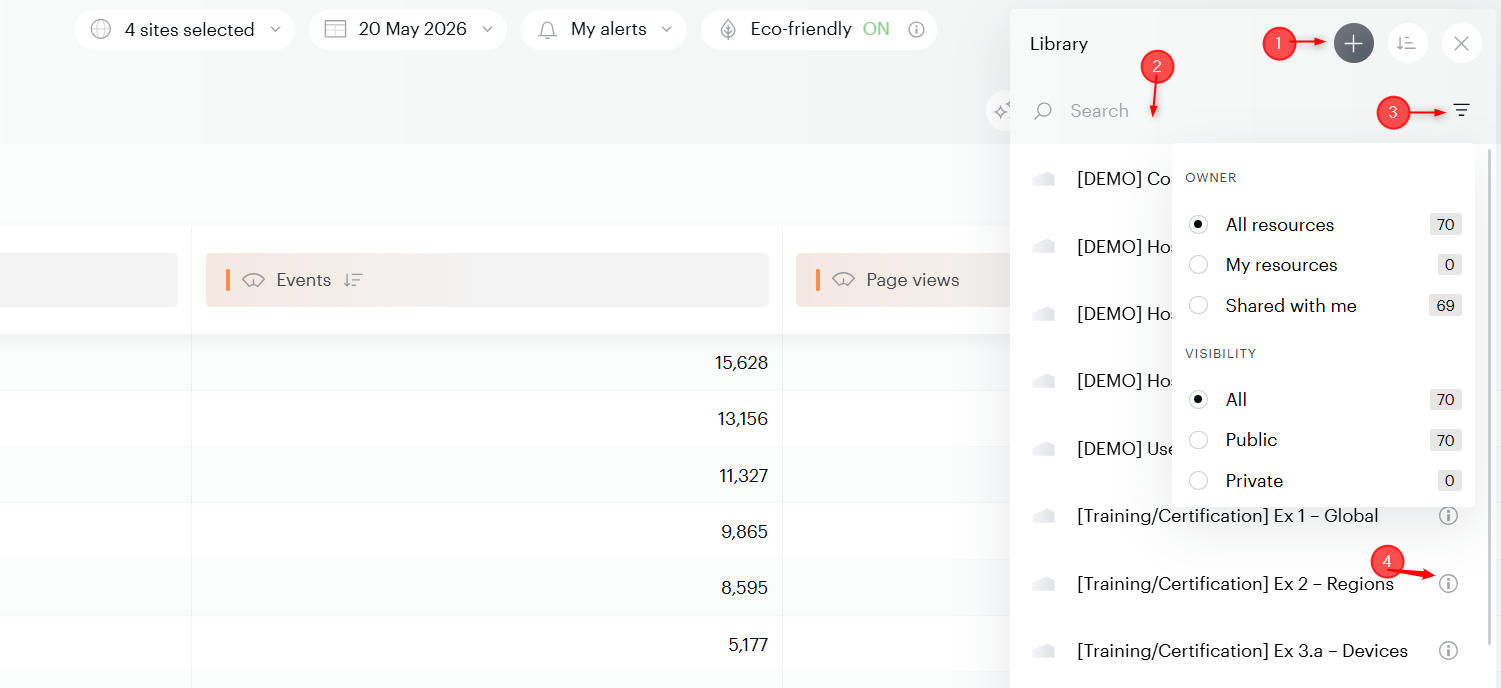
Here you will find a list of your saved reports as well as several options:
-
+ button. Create a new report directly from the Library.
-
Search bar. Filter the list by report name.
-
Filter button. Refine the list by:
-
Owner. Show all resources, only your own, or only those shared with you.
-
Visibility. Show all reports, only public ones, or only private ones.
-
-
Info icon (i). Hover or click to view the report's description, creator and last update date.