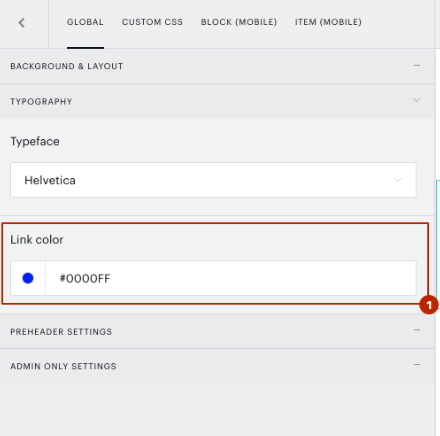
By default, Gmail is forcing all link fonts to be blue to prevent spamming.
If you are using custom CSS for the styling of your campaign's template, you can change this to any other color that you want by adding the below CSS in the Custom CSS tab of the respective block:
a, a:visited, .ii {
    color:#d33f49!important;
}
This sample will show the links in red (#d33f49).
If you use the default ESP template styling, you are able to change the color of the links under the Template and style's general settings under the tab Global → Typography → Link color.