
We have a %SUBSCRIBERINFO% which contains the following parameters:
{
"locale": , // e.g. "en"
"ml_name": , // e.g. "SomeName"
"mlid": , // e.g. 1
"publisher_id": , // e.g. 2
"publisher_name": , // e.g. "PubName"
"resubscribe_url": , // e.g. "http://dev.publisher-news.com/tracker/listsub/user/221/ml/64?sig=da10641e75125e0afe92ebb1547c4377d10cb9f4bc56ad2584a82b5a77dd9c24"
"reply_to_email": , // e.g. "news+reply-to@publisher-news.com"
"subscriber_email": , // e.g. "test@example.com"
"subscriptions_list_url": , // e.g. "http://dev.publisher-news.com/tracker/usersub/pub/176/221?sig=43f6cbe6add92ccbb763d391a6b6d7b834913be73f3e86ac0010cc920363c416"
"unsubscribe_url": , // e.g. "http://dev.publisher-news.com/tracker/listsub/del/sub/84?sig=147d84865390c14b304bd6ff904d88a707b475d8ba2efee4f1479e74992a45f8"
"unsubscribe_all_url": : // e.g. "http://dev.publisher-news.com/tracker/listsub/del/pub/176/user/221?sig=3ecccf30cb546429d5627b617437112a617a68873cee2c145841d9c1a36fab50"
}
With its help, you can use a custom Unsubscribe page on your website and display the necessary data on it. This is a very basic schema of how this would work:
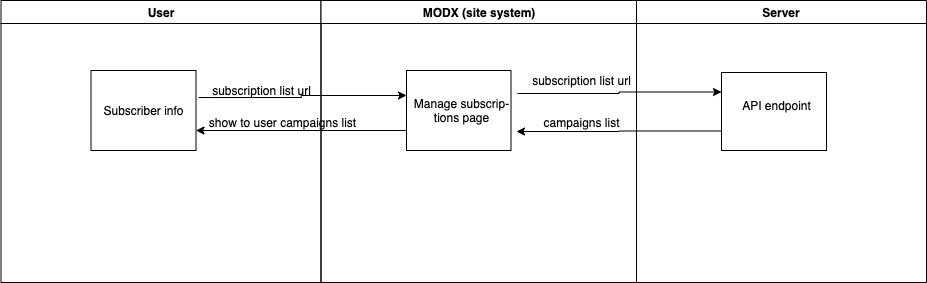
So you would insert the %SUBSCRIBERINFO% merge field in an email campaign's template and it will be replaced with a Base64 string that contains the JSON object with the fields described above.
|
In an email template |
In a real email |
|
|
dGVzdGRzZnNkZGFmYXNkZmFkc2Zhc2RmYXNkZmFzZA== |
To input this merge field into your email campaign, you can go to your campaign's template and select a visual editor block:
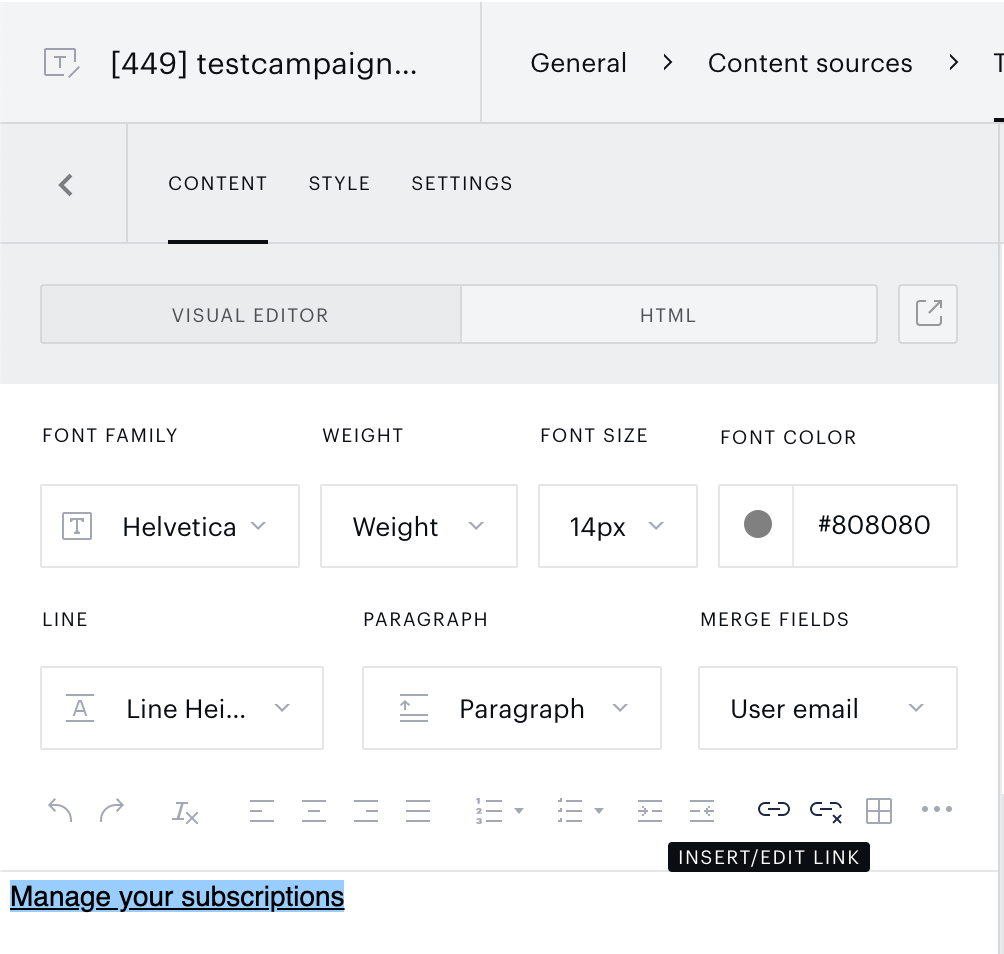
Add your customized Unsubscribe page URL and add the parameter data=%SUBSCRIBERINFO%:
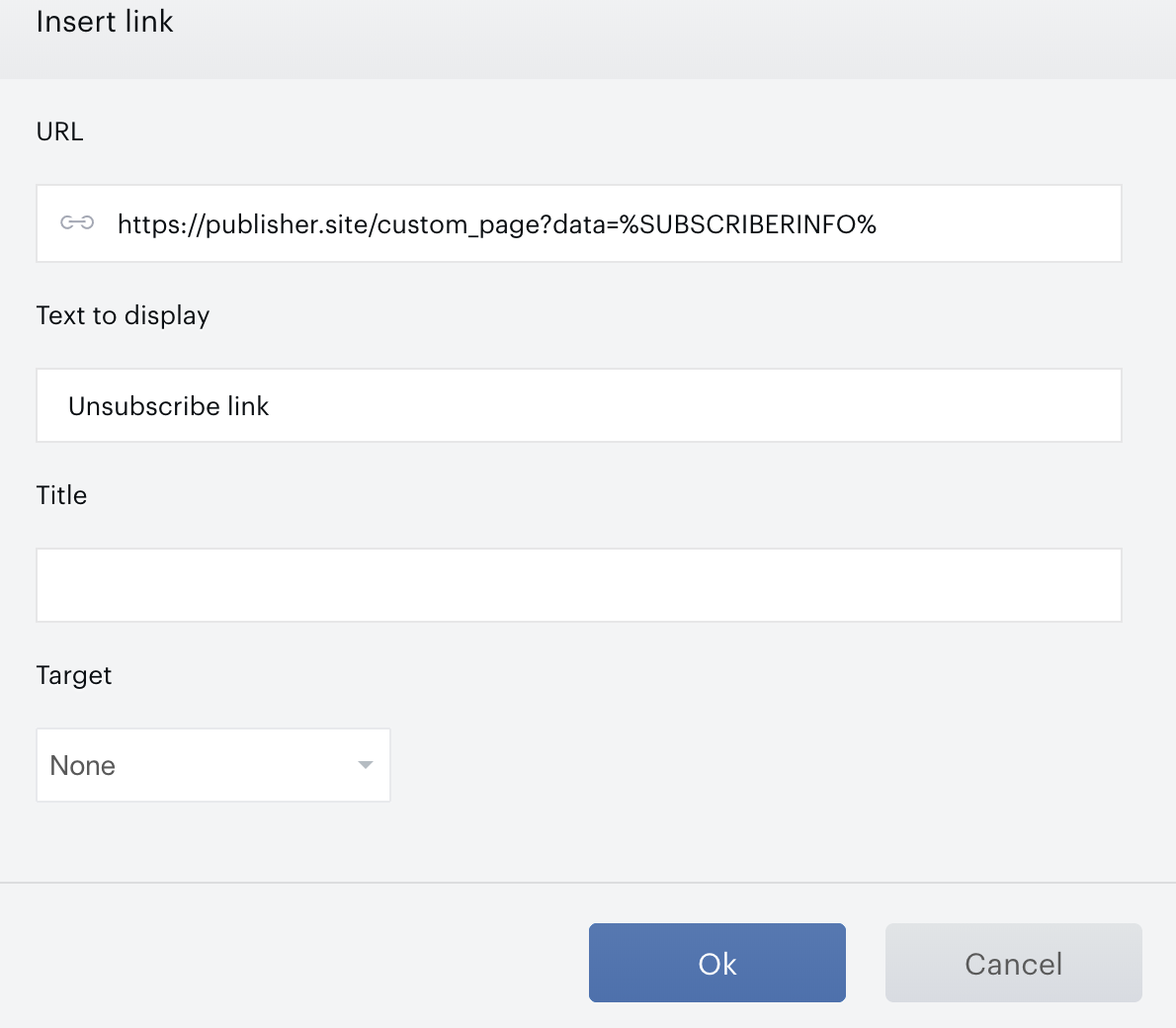
With this configured, you can set up your custom Unsubscribe page with buttons that call our API (here or here).