
The Click - with levels property (click_full_name) is a calculated property.
Piano Analytics builds it automatically by joining click_chapter1, click_chapter2, click_chapter3, and click, separated by double colons: click_chapter1::click_chapter2::click_chapter3::click.
For example, if you send "navigation" as click_chapter1, "sports" as click_chapter2, "football" as click_chapter3, and "results" as click, click_full_name becomes "navigation::sports::football::results".
If you only send click, click_full_name has the same value as click.
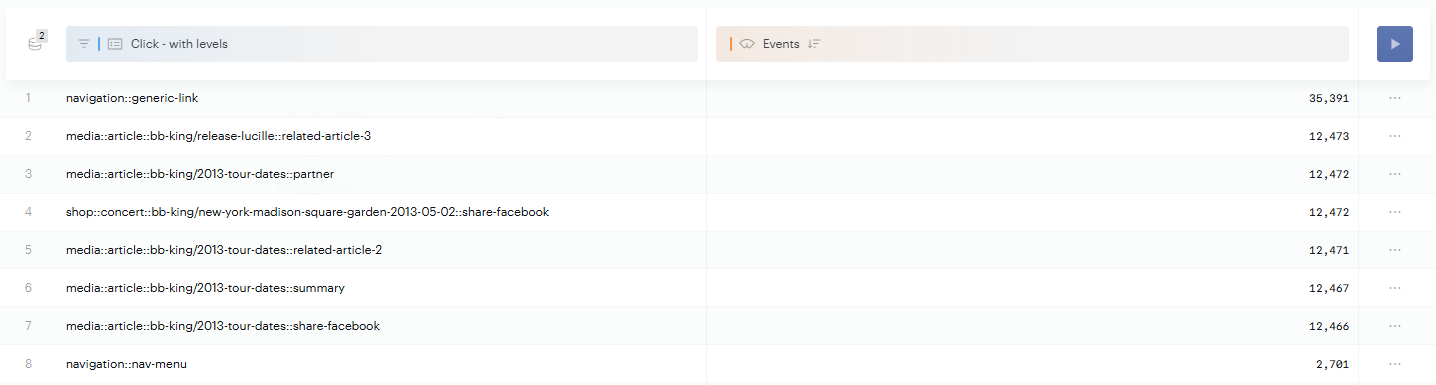
Populate click_full_name
Because click_full_name is calculated during processing, the value you send for it in your tags isn't used. To control its value, send click_chapter1, click_chapter2, click_chapter3, and click instead.
Use a custom value
If you need a value in your reports that the click properties can't produce, create a custom property and fill it in your tags.
You can't use click_full_name as a condition in a Data Management processing rule, because it doesn't exist in the incoming data when the rule runs. Use click_chapter1, click_chapter2, click_chapter3, and click as conditions instead.