
Add campaign parameters to the website URL in your Google Business Profile. Piano Analytics has no default source for Google My Business, because Google sends the same referrer for visits from the Google search engine and from your Business Profile (for example, clicks on the Website button). The referrer alone can't separate the two reliably. A tagged link creates a tracking link that Piano Analytics can use to tell this traffic apart from standard Google Search visits.
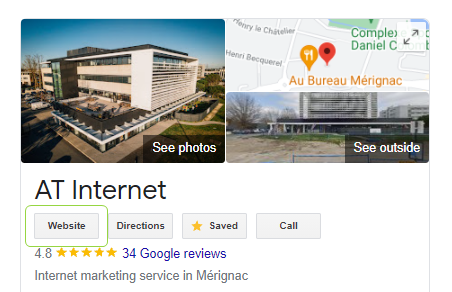
Update the URL used in your Google Business Profile, typically the Website button, to include campaign markers. When users click it, Piano Analytics attributes the visit to the markers you provided. You have two options:
|
|
Organic source |
Marketing source |
|---|---|---|
|
Use it when |
You want to treat Google My Business as an organic-like origin |
You want explicit campaign reporting, with campaign name and medium |
|
What you add to the URL |
A marker that identifies the origin |
Campaign parameters |
|
Reporting |
A source group that you create |
The campaign reports, next to your other marketing efforts |
Organic source
Use this option to treat Google My Business as an organic-like origin.
-
Add a marker that identifies the origin to the URL of your Google Business Profile. For example:
https://www.example.com/?origin=googlemybusiness
-
In Piano Analytics, create a source group based on
origin=googlemybusiness, so this traffic is grouped and reported as its own source.
For more, see Source groups.
Marketing source
Use this option when you want explicit campaign reporting. Tag the URL with the marketing campaign markers at_medium and at_campaign, or utm_medium and utm_campaign. For example:
https://www.example.com/?at_medium=google_my_business&at_campaign=business_profile
With this tag, Google My Business traffic is distinguishable in campaign reporting, and you can analyze it alongside your other marketing efforts.